Home server crashing randomly

3 years ago by WhyAUsername_1 to c/selfhosted

Hi everyone, I host a server with few services running for my family and friends. The server freezes sometimes. Where the services stop responding. If I try to ssh into the server, it takes a lot of time (3 to 5 mins) for it to connect. After being connected, every letter I type takes 2 to 3 mins to appear on screen.

Seems like the server is overloaded with tasks. But I am not sure what load it is running. I have netdata installed. I could pull up following screenshots for insights.

Can someone please help me in troubleshooting the issue?

I have tried testing stress testing my RAM and CPU, and they were fine. But I would start troubleshooting from scratch if you have recommendations for testings softwares.

Please also let me know if there is anything I can pull from netdata to help in trouble shooting.

System Specification:
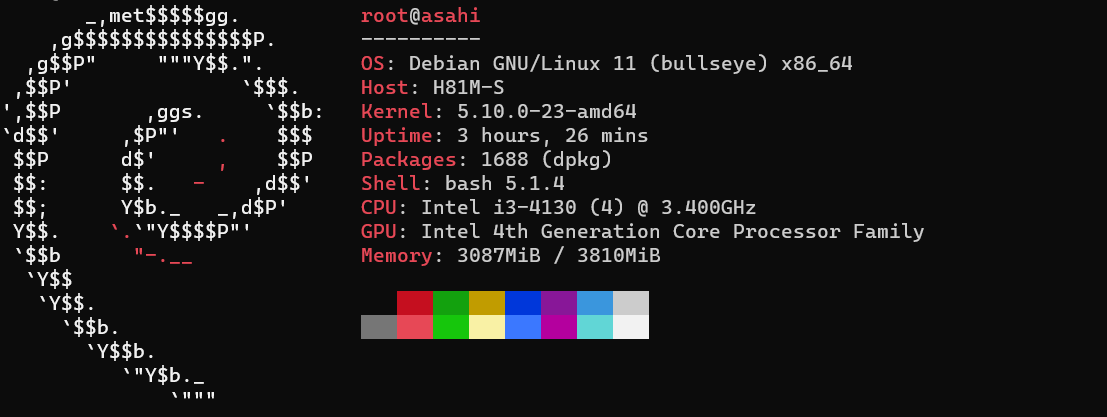
System RAM

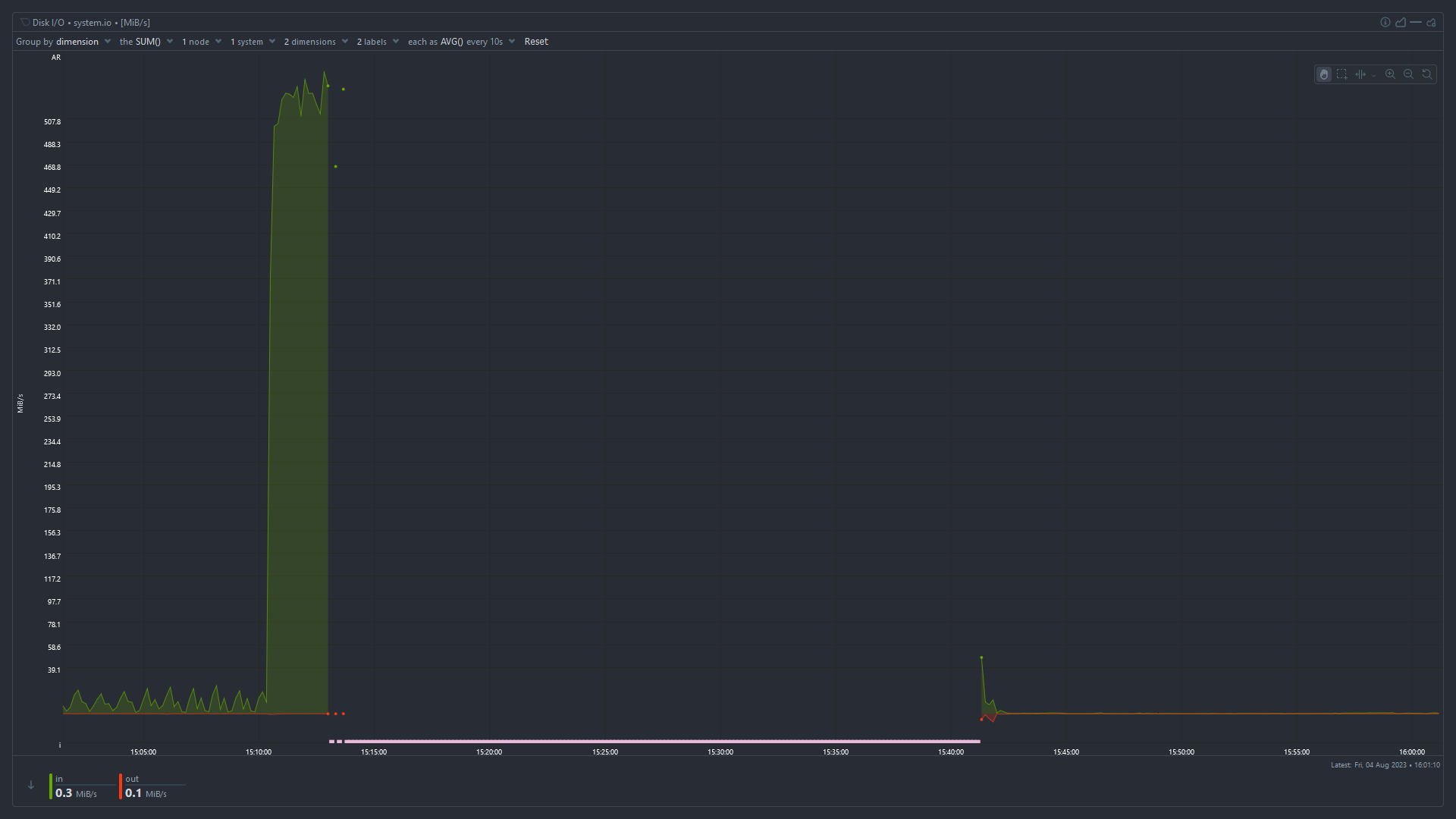
Disk I/O
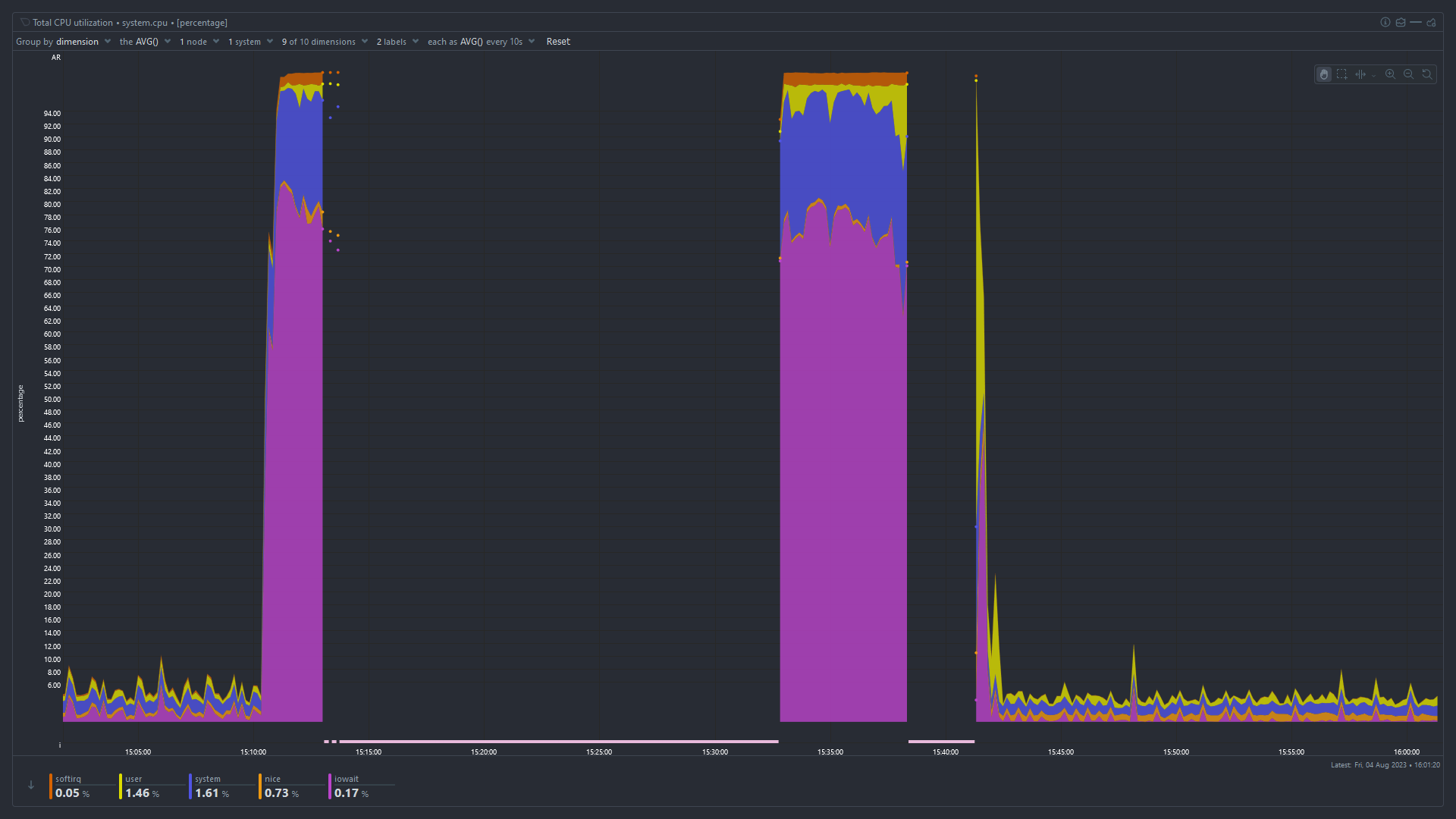
Total CPU Utilization
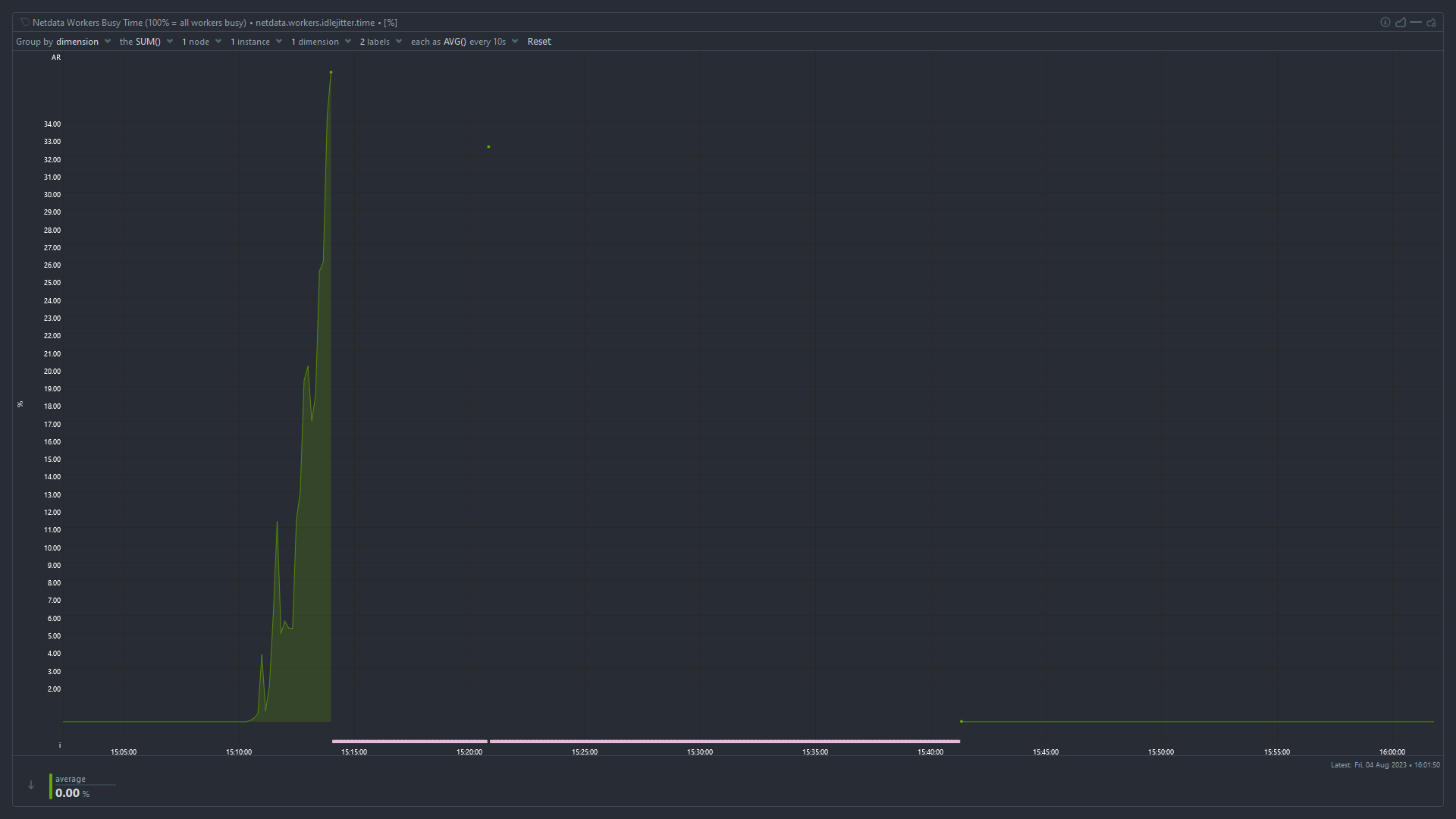
Idle Jitter
load all comments
EinfachUnersetzlich 28 points 3 years ago

High iowait and high used memory suggest that something has used up all the available memory and the system is swapping like mad to stay alive. I'm surprised the OOMKiller hasn't intervened at that point.

You need to monitor which process is using all the memory. The easiest way is probably to keep htop running in a screen or tmux session, periodically connect, and look at which processes have the highest used memory.

path: 0 2054669, hotness: undefined, score: 28, children: 11
WhyAUsername_1 5 points 3 years ago

Superb. I will do that. Would increasing ram Capacity solve the issue? Also, does High IO wait time indicate issue with the boot drive (which is an SSD that is 4 years old)

path: 0 2054669 2054748, hotness: undefined, score: 5, children: 5
EinfachUnersetzlich 14 points 3 years ago

Would increasing ram Capacity solve the issue?

It depends whether the problem is that you don't have enough RAM, or something is using more RAM than it should. In my experience it's almost always the latter.

Also, does High IO wait time indicate issue with the boot drive (which is an SSD that is 4 years old)

No, it means the CPU is waiting for disk I/O to complete before it can work on tasks. When available RAM is low, pages get swapped out to disk and need to be swapped back in before the CPU can use them. It could also be an application that's reading and writing a huge amount from/to disk or the network, but given the high memory usage I'd start looking there.

path: 0 2054669 2054748 2054863, hotness: undefined, score: 14, children: 2
computabloke 3 points 3 years ago

Difficult to read the graph, but looks like you have less than 4GB ram. Depending what sort of OS and services are running (from above suggestions), this is likely the biggest issue.

You haven't mentioned which services you're running, but 4GB might be enough perhaps for a basic OS with NAS file share services. But anything heavier, like running Container services will eat that up. You'd want at least 8GB.

Note also that you may not have a dedicated graphics card? If you have integrated graphics, some ram is taken from System and shared with the GPU. If you're just running command line, you might eke out a little more RAM for system by reducing the VRAM allocation in your BIOS. See: https://en.m.wikipedia.org/...

path: 0 2054669 2054748 2057383, hotness: undefined, score: 3, children: 0
vegetaaaaaaa 2 points 3 years ago

look at which processes have the highest used memory

You can also do that from the Applications menu in netdata, mem chart.

I would also check the swap usage chart, I also think parent poster is correct and you are running into memory exhaustion, systems suddenly starts swapping like mad, disk I/O spikes, causing general unreponsiveness.

path: 0 2054669 2054748 2486461, hotness: undefined, score: 2, children: 0
taladar 2 points 3 years ago

. The easiest way is probably to keep htop running in a screen or tmux session, periodically connect, and look at which processes have the highest used memory.

The easiest way is to disable swap and then see what is killed by the OOM killer.

path: 0 2054669 2059005, hotness: undefined, score: 2, children: 4
netburnr 6 points 3 years ago

Disagree, oom likes to kill random processes, not just the ones consuming memory.

path: 0 2054669 2059005 2059166, hotness: undefined, score: 6, children: 3
selfhosted
selfhosted

@lemmy.world

login for more options
62937
6794
5617

A place to share alternatives to popular online services that can be self-hosted without giving up privacy or locking you into a service you don't control.

Rules:

Detailed Rules Post

  1. Be civil.

  2. No spam.

  3. Posts are to be related to self-hosting.

  4. Don't duplicate the full text of your blog or readme if you're providing a link.

  5. Submission headline should match the article title.

  6. No trolling.

  7. Promotion posts require active participation, with an account that is at least 30 days old. F/LOSS without a paywall has exceptions, with requirements. See the rules link for details. Tags [CBH] or [AIP] are required, see the links in Rule 8 for details.

  8. AI-related discussions and AI-involved promotional posts have additional requirements for tagging, as noted in Rule 7 and the AI & Promotional Post Expanded Rules post, and find example disclosures here.

Resources:

Any issues on the community? Report it using the report flag.

Questions? DM the mods!

go to feed...
