About
Thumb-Key is a privacy-conscious smart keyboard, made specifically for your thumbs.
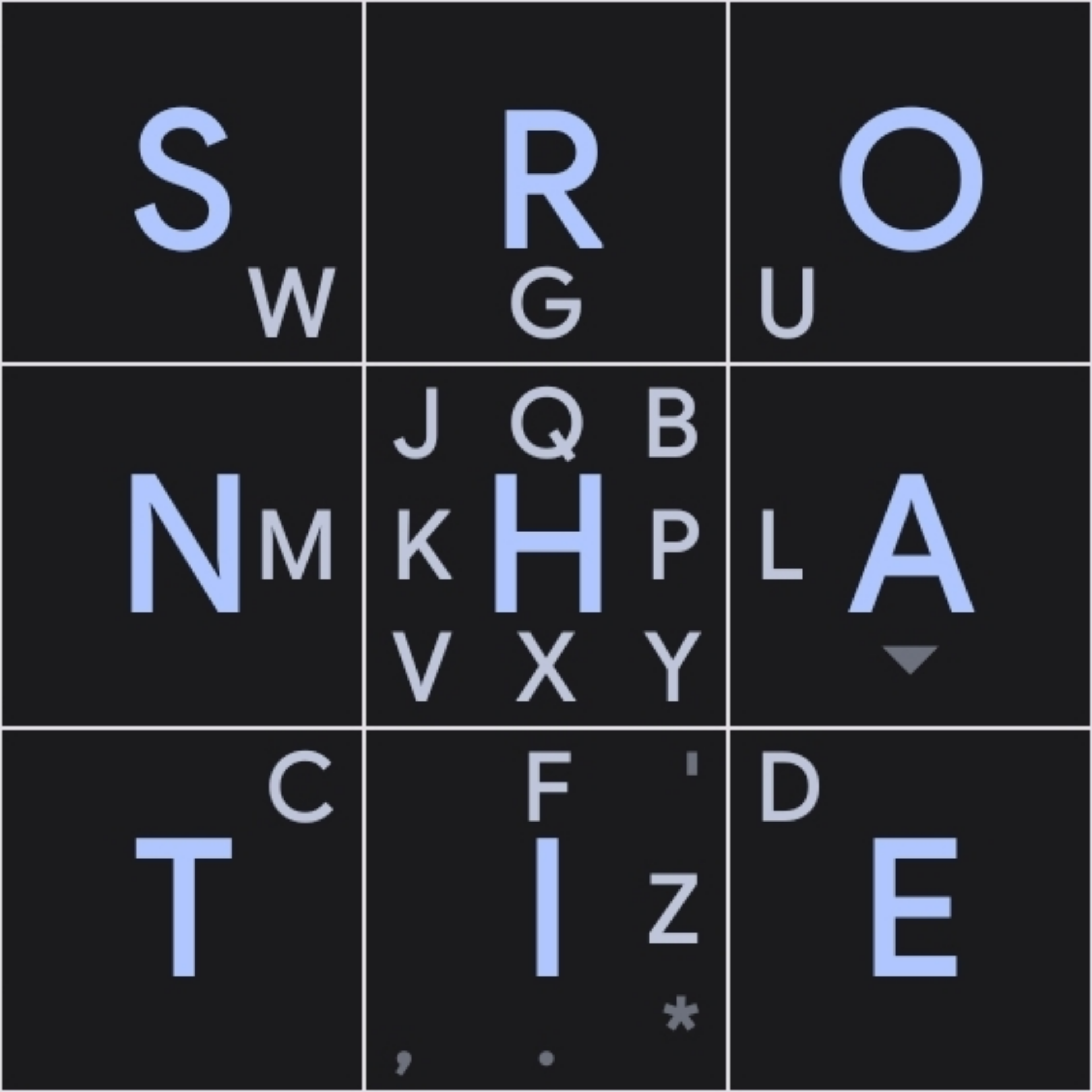
It features a 3x3 grid layout, as many older phones had, and uses swipes for the less common letters. Initial testing shows that you can reach ~25 words per minute after a day of use.
Instead of relying on profit-driven, privacy-offending word and sentence prediction for accuracy, as do most popular phone keyboards like Gboard and Swiftkey, Thumb-Key uses large keys with predictable positions, to prevent your eyes from hunting and pecking for letters.
As the key positions get ingrained into your muscle memory, eventually you'll be able to appromixate the fast speeds of touch-typing, your eyes never having to leave the text edit area.
This project is a follow-up to the now unmaintained (and closed-source) MessageEase Keyboard, which is its main inspiration.

And I immediately found another problem. I can't find setup in the app. Is that word use for initial setup after installation? And setup thumb-key and enable thumb-key will be some prompts that will show after installation and take you to system settings to enable neccessary rights in android?
save