
when pressing Super + Shift and moving the mouse around, the mouse act as a pencil drawing strange red lines
these stay persistent until I kill kwin_wyalnad_wr
KDE Arch Linux up to date, wayland, AMD
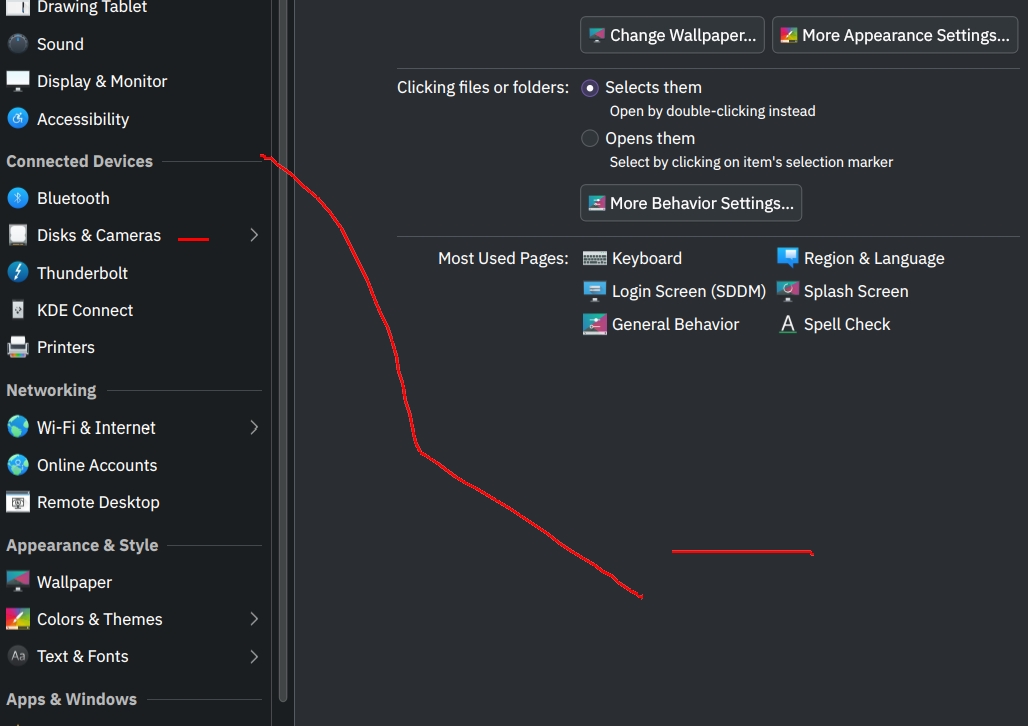
How to get rid of this paint in KDE/Kwin ?
2 years ago by shadowintheday2 to c/kde
when pressing Super + Shift and moving the mouse around, the mouse act as a pencil drawing strange red lines
these stay persistent until I kill kwin_wyalnad_wr
KDE Arch Linux up to date, wayland, AMD
In that section, if you click the button to configure the Mouse Mark effect, you can see the shortcuts for clearing Mouse Mark:
These combos are insane XD but yeah that is the way
tyvm
I don't use plasma anymore but you should check in desktoo effects or kwin scripts sections of settings. If not there I'd check the keyboard shortcut list for Super + Shift to see what is being activated by the shortcut.

@lemmy.kde.social
KDE is an international technology team creating user-friendly free and open source software for desktop and portable computing. KDE’s software runs on GNU/Linux, BSD and other operating systems, including Windows.
If you encounter a bug, proceed to https://bugs.kde.org/, check whether it has been reported.
If it hasn't, report it yourself.
PLEASE THINK CAREFULLY BEFORE POSTING HERE.
Developers do not look for reports on social media, so they will not see it and all it does is clutter up the feed.
go to feed...
@lemmy.kde.social
KDE is an international technology team creating user-friendly free and open source software for desktop and portable computing. KDE’s software runs on GNU/Linux, BSD and other operating systems, including Windows.
If you encounter a bug, proceed to https://bugs.kde.org/, check whether it has been reported.
If it hasn't, report it yourself.
PLEASE THINK CAREFULLY BEFORE POSTING HERE.
Developers do not look for reports on social media, so they will not see it and all it does is clutter up the feed.
go to feed...
You can turn it off here.
System Setting> Window Management> Desktop Effects> Mouse Mark
save