
Arctic’s biggest update, v0.4.2.3 is ready for testing on TestFlight.
2 years ago by CreatureSurvive to c/arctic
Well, this is no small update like I had planned after the previous update. This is by far the largest update to Arctic so far. I've packed well over a hundred fixes, improvements, and new features into this release. I'm happy I finally had the time to work on some larger features and bug fixes that I have been putting off for a long time.
Arctic Theme Support (beta)
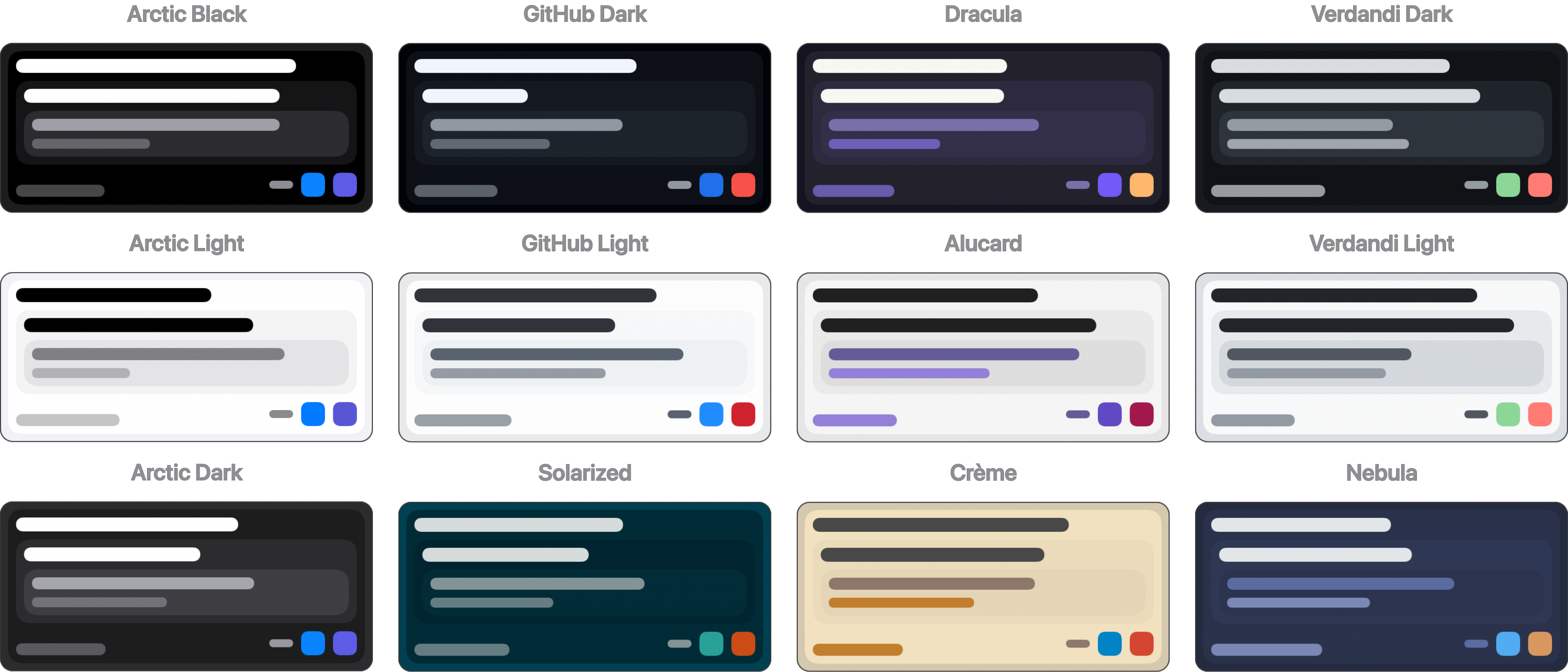
I've talked about this for a long time and finally had the chance to implement support for themes in Arctic. This took a lot of work, but it has definitely paid off. I've included 12 default themes to choose from, as well as an editor to design your own custom themes. Rather than attempting to make every color themeable individually, I tried my best to minimize the colors used while still allowing for robust customization. With that said, I am looking for feedback on the theme editor. Themes can be configured for either light or dark mode, so you can mix and match them to your liking, e.g., Sepia during the day and Dracula during the night.
Themes can be imported and exported using a simple JSON file (ATDF “Arctic Theme Definition File"). You can duplicate any theme and edit to your liking, and switch between them with a single tap. I am planning a service for sharing and browsing community themes in the future, but first I would like to get some feedback on theming to finalize the format.
Markdown Improvements
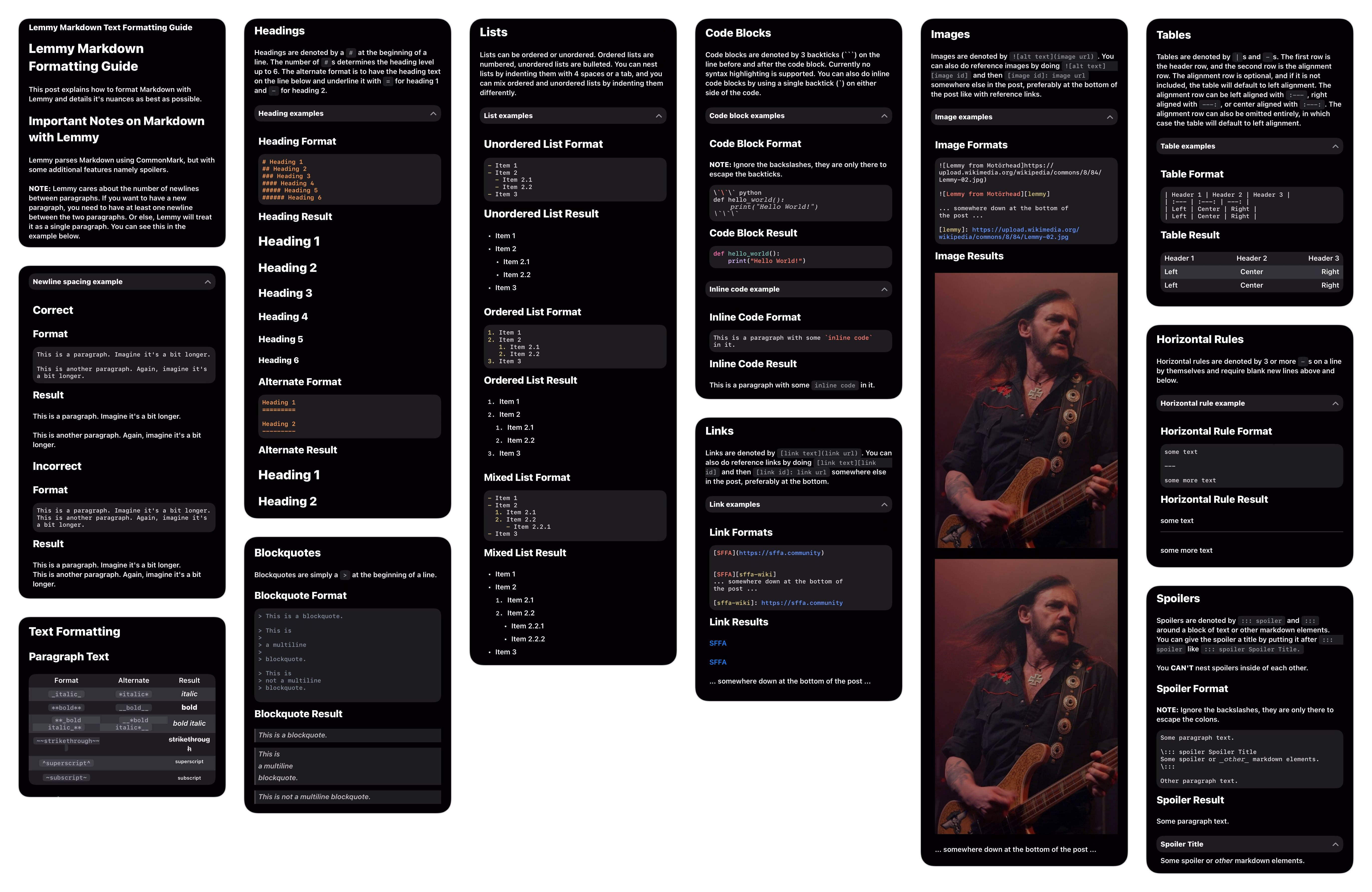
I came across this post about Markdown support in Lemmy apps recently. It highlights many issues with Markdown rendering in a lot of the Lemmy clients that are available. Arctic seems to have scored fairly well with a 9.3/10.
Some of the issues that were highlighted about Arctic were:
- Images not properly rendering in-line.
- Headers not working inside spoilers
- Tables not aligning columns correctly
Well, this motivated me to work on improving markdown support in Arctic. I took some time and fleshed out support for embedded content in Markdown. Images, Videos, Tables, Spoilers are all embedded now which has allowed for many improvements to the rendering system, and more advanced control over the appearance. I've also fixed several issues where markdown rendering did not obey the Common Mark specification.
Media Uploads
Arctic no longer requires permission for selecting media from the photo library. I've also enabled support for uploading videos, and improved error handling to better convey issues with uploading media. Arctic also has support for uploading directly to Catbox.moe, this can be useful if you have a video that is too large for Lemmy or just prefer not to host media on Lemmy. Optionally, you can log in to Catbox so files are uploaded directly to your account and can be deleted later (anonymous uploads can only be deleted by Catbox.moe's admin). As a side note, I developed Catbox-Swift for easily managing Catbox.moe uploads. Please feel free to use this in your projects.
Media APIs
Arctic finally supports playing videos hosted by Lemmy (Picts). This has been a long-time frustration for me, as videos hosted on Lemmy servers seem to have issues playing on all Apple platforms. Well, I finally had the time to track down the issue preventing playback and attributed it to server configuration and Apple oddly not handling this issue well. In addition to Lemmy video, Arctic can now stream videos on PeerTube and Streamable. I've improved support for streaming YouTube videos, and fixed several issues with Reddit, and Imgur media.
Performance and Energy
I've rewritten large portions of Arctic's backend with performance, reliability, and consistency in mind. On average, Arctic now uses about 75% less memory, and significantly less CPU. In rewriting these systems, I was able to make a lot of improvements to caching behavior to reduce network usage, and increase consistency in rendering content. When Arctic is idle, or backgrounded, systems will shut down, and memory will be freed to prevent any energy consumption while the app is not in active use.
v0.4.2.3 Changelog
Arctic Theme Support (Beta)
Theme support is in beta. Please submit any feedback related to improvements or issues
- Added support for custom themes
- Separate themes for light and dark mode
- Automatic theme switching
- Full theme editor, with live previews
- Instant switching of themes (some issues with this)
- Import and export themes
- Copy themes to customize to your liking
- 12 default themes to choose from:
- Arctic Light
- Arctic Dark
- Arctic Black
- GitHub Light
- GitHub Dark
- Dracula
- Alucard
- Crème
- Solarized
- Nebula
- Verdandi Light
- Verdandi Dark
Markdown
- Added support for embedded videos
- Added support for embedded images in Markdown tables
- Added support for markdown image links
- Added rounded corners to embedded media
- Added optimizations for caching embedded content layout
- Added support for additional Lemmy link formats
/c/<community>@<instance>and/u/<user>@<instance> - Added invisible break shortcut to the markdown toolbar for inserting invisible thematic breaks using HTML comment
<!-- --> - Updated block quote appearance to render full length margin lines for nested quotes
- Updated markdown parsing with improvements to parsing speed
- Updated spoiler parsing to improve reliability
- Updated link detection and handling
- Updated defaults to enable embedded content by default
- Fixed HTML rendering using incorrect font and text colors
- Fixed an issue where spoilers would be parsed inside code blocks
- Fixed an issue where a Markdown table occurring immediately after a spoiler could break rendering of the spoiler
- Fixed an issue where inline code may be incorrectly parsed
- Fixed soft breaks in code blocks having incorrect indentation
- Fixed block quotes incorrectly allowing soft breaks
- Fixed an issue where links were not tappable when contained in an embedded Markdown table
- Fixed some issues with inline images being positioned incorrectly
Link Previews
- Added support for audio in link previews: e.g. for playing audio previews on Spotify links
- Added a new network manager for improved control over network requests
- Added support for fetching the apple-touch-icon from links instead of relying on Google for favicons
- Rewrote open graph parser to improve reliability and performance
- Fixed an issue where direct download links could result in Arctic loading large files into memory while attempting to provide a link preview
- Fixed an issue where link previews could be unnecessarily be reloaded when they are already cached
Media Uploads
- Uploads no longer require permission for selecting media from the photo library
- Added support for selecting and uploading videos
- Added support for uploading media directly to Catbox.moe
- Added option to select the default upload destination (Lemmy, Catbox, ask each time)
- Added option to log into Catbox.moe, so uploads will be added to your account
- Improved logging of errors when uploading media
Media APIs
- Added support for playing videos hosted on Lemmy. (Videos hosted by Picts have issues playing on Apple platforms due to server configuration, arctic will now detect this and preload the video for playback)
- Added support for PeerTube videos
- Added support for Streamable videos
- Improved support for YouTube videos
- Improved caching behavior to reduce network usage
Improvements
- Major overhaul to memory and energy management in Arctic. On average, Arctic now uses 75% less memory, and significantly less CPU and energy. There are some cases where memory and CPU usage may spike, such as views with a high number of animated images. However, Arctic will attempt to listen to system warnings and unload resource intensive tasks when requested.
New Features
- Added support for additional image formats such as AVIF, and SVG (shields.io)
- Added an experimental feature to dim media when dark mode is enabled
- Added support for fetching media from Reddit post and comment links
- Added a new paging image gallery view, you can choose between paged, or grid appearance in settings
- Added a new option related to the Post Image Size option to allow scaling images down to fit the full image in the view
- Added a warning alert when attempting to submit a comment with no content
- Added support for Haptic Touch on images and videos to allow saving/sharing media
- Added an overlay for media that failed to load to allow attempting to reload the media
- Added support for domain filters, You can now filter individual websites from post feeds
- Added caching of media playback positions, media will now resume at its previous position
- Added a close button to the changelog popup when launching Arctic
Changes
- Updated font sizes throughout the app for better consistency.
- Updated the new comments indicator to subtly add a green (+) icon in the center of the comments icon
- Updated the indicator used for featured posts
- Updated avatar image labels to improve performance
- Updated rendering of inline code that wraps lines
- Updated the Community Selector appearance
- Updated link handling to attempt loading all links over HTTPS, Arctic does not allow unsecured network requests
- Updated crosspost detection to be more lenient. Some clients have slightly different formatting for crossposts, and Arctic will now detect more of these formats
- Updated open post views to more closely resemble post feed appearance
- Updated image processing to improve performance and reliability in detecting image formats
- Updated the video player with modern swift observers removing some legacy code
- Updated the profile header appearance
- Updated the progress bar on inline videos
- Updated the playback controls in the media viewer with an iOS 18 esque appearance
- Updated the preloading behavior in post feeds, this addresses several issues with inconsistent layout, content disappearing, content failing to load, high memory usage, etc. This has drastically improved performance and reliability within post feeds
- Updated video thumbnail loading to improve reliability and performance
- Updated image gallery layout and improved performance
- Updated the project removing some unused legacy code
- Updated changelog popup not to show on the first time launching Arctic
Fixes
- Fixed issue where Arctic would request permission to send notifications on its first launch. Permissions will only be requested when enabling notifications in settings, or adding a Community Notification for the first time.
- Fixed issue where widget insets would be too large on iOS 17+
- Fixed issue where Reddit gallery links would not properly load content
- Fixed issue where some links could incorrectly be treated as YouTube links
- Fixed issue with some cells appearing clipped when using a notched device in landscape
- Fixed an issue where changes to the unique notification token for devices would not be synchronized with the notification server
- Fixed issue where media would not pause when dismissing an open post view
- Fixed Bar Shadows setting not applying when blurred or default bar styles are enabled
- Fixed several layout issues that could cause performance drops, and incorrect rendering in some cases
- Fixed an issue where importing user settings would show a success alert even if the import was canceled
- Fixed an issue where Arctic may crash when refreshing a profile view
- Fixed an issue where media in comment cells could continue to play even when it is out of view
- Fixed an issue where the mod reason composer would show full-screen rather than as a popover
- Fixed an issue where image gallery's' could cause a crash due to invalid links
- Fixed an issue where some pages would allow pull to refresh even though it was unused
- Fixed an issue where widgets would display very low quality images
- Fixed an issue in private messages where the bottom inset would be incorrect after sending a message
- Fixed an issue where clearing the search query in the Community Selector could continue to show results for the first letter of the cleared query
- Fixed an issue where the navigation bar might not reappear when swiping back from search results
- Fixed an issue where the cancel button would appear on the right-hand side when inserting a link or image using the markdown toolbar
- Fixed an issue where refreshing a profile, or scrolling would repeat some API requests when they already cached
- Fixed an issue where multiple API requests to the same endpoint could occur at the same time, duplicate requests will now be batched into one to prevent unnecessary network traffic, and reduce server load
- Fixed an issue where embedded crossposts could incorrectly show an empty image gallery view
- Fixed an issue where avatar images would be fetched even if they are disabled in settings
- Fixed an issue allowing images to be re-downloaded even if they were already cached
- Fixed an issue where Imgur
gifvlinks would not load, these links are now redirected to the direct media link - Fixed an issue where the random community button in the search tab could cause a crash, or load the home feed
- Fixed an issue where opening a community you are not subscribed to while the listing type is set to Subscribed, would result in an empty feed
- Fixed an issue where Arctic could crash when scrolling in post feeds, or after reopening Arctic from the background
- Fixed an issue where video seeking could be inaccurate
- Fixed a typo in appearance settings
- Fixed an issue where saving HLS videos would silently fail. Saving HLS streams is unsupported, and an alert will be shown when attempting to save HLS content
iOS 18
- Fixed a visual glitch when hiding the tab bar on iOS 18 due to an iOS bug
- Restored tab bar appearance on iOS 18 to use the classic style
MacOS
- Added support dismissing media previews using the trackpad
- Added support for building as Optimized For Mac (So much left to fix with this)
- Added better support for App Nap on Mac by pausing non-essential background activity
- Added keyboard shortcut (Command + Return) for submitting comments, posts, messages, etc.
- Fixed an issue where the login controller would be shown off screen when presented from the account quick switcher
Links
- Website: getarctic.app
- TestFlight: testflight.apple.com
- App Store: apps.apple.com
- Issues: github.com
- Community: !arctic@lemmy.world
Thank you so much, I’m glad you’re enjoying it!
Woahhhh, what an insane update. I can honestly use: 🤯
Thanks a ton for the hard work you’ve put in, and now I get to look around at all the small adjustments lol.
I’m super excited about this release. It’s been a crazy amount of work over that last month, but I think it’s definitely paid off.
I hope you enjoy the update, please let me know if you have any feedback.
Haha, yeah. What it really came down to was scrolling through the comments in that post. I noticed a lot of issues with Markdown rendering for some edge cases. For a Markdown based platform, at the very least the clients should properly support Markdown rendering.
That’s one hell of a change log lol, thanks!
My pleasure, Hope you enjoy it!
Always a pleasure, hope you enjoy!
Thank you!
Arctic does support selecting text in posts and comments. You can access this feature using (•••) -> Select Text. I’m not sure how Voyager handles text selection, but in Arctic this will show a popup with the raw Markdown for copying.
That’s great to hear! I really glad you’re enjoying it so far.
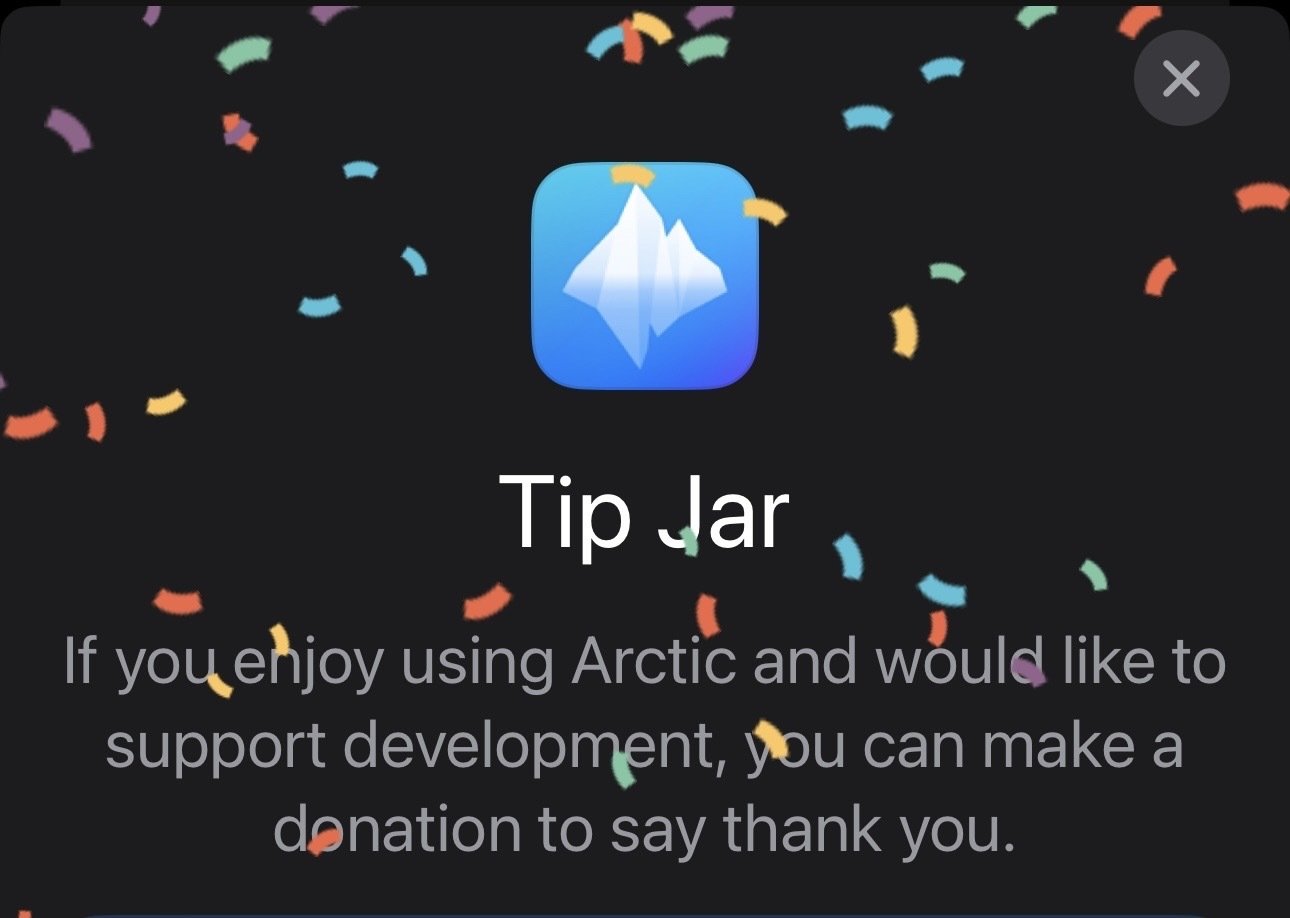
Than& you for the tip, I had honestly forgotten all about the confetti!
Yeah, it’s a great app. I’m glad it’s around since Apollo is no more (and reddit is dead to me).
I’d suggest you have a tip history on the tip page, so we can see if we’ve tipped and how much so far.
Thank you! I’m glad you’re enjoying it.
I had the same thought about the profile header. It looks better than before, but it does obstruct the image. I have a few ideas I want to try in order to continue using the same effect without obstructing the banner image. I’ll definitely figure something out for this, even if it means removing the effect and lowering the avatar section.
Unfortunately, Apple does not allow real purchases inside TestFlight apps. You are however able to switch between the AppStore version and TestFlight version without loosing any settings. Alternatively, I also have a link to Buy Me A Coffee in the Arctic community sidebar.
Being able to edit them myself is all I needed to know. Outstanding!
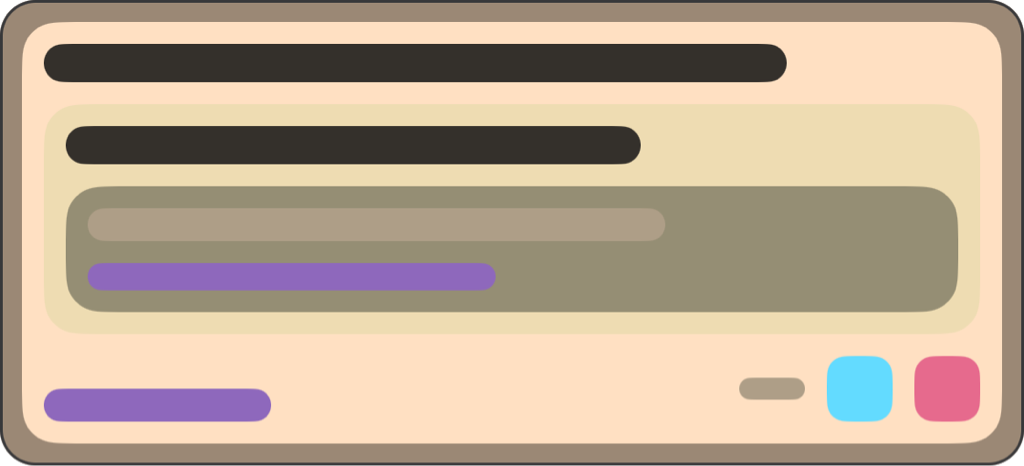
Wow, thank you for all of the hard work. The themes had me so excited (especially Cremé) but then I saw a… theme maker option?? I literally spent an hour fiddling with a theme and found a combination that I like.
Here are the theme files, if anyone wants to try them. Also it’s the first time sharing files via Proton Drive, so let me know if it works:
https://i.postimg.cc/BnN0ZxPq/IMG-9458.png

Eventually it would be great to have the labels possibly be easier to figure out what it is changing.
My pleasure! Theme support is something I have wanted to add for a very long time, but I never had the time to work on it, as I knew it would be a lot of work. I’m glad you like it. I could be mistaken, but I believe you may be the first person I had spoken to about theme support nearly a year ago, well its finally here now.
I am planning to make some improvements to the theme editor. I want to add descriptions for each color to specify what it changes. I also need to go through and prevent setting transparency for some colors, and I need to add more preview views so you can see how the theme will look in different contexts.
While I was making the default themes, I used vscodethemes.com as a reference for most of them. I just used a color picker and dragged the hex color into Arctic (you can drag and drop any of the colors, including dragging colors from other apps). For testing, you can set the theme you are editing as the active theme, and then whenever you press Save, the theme will be applied throughout the app. This way you can make changes, and then quickly test them in different views.
The themes look great, and the links work well. I didn’t test this until now, but I was able to download and install the themes without leaving the app. So that is great. By the way, if you long press a theme in the theme browser, it allows you to share the generated preview image like the ones I included in the post. I thought this may be useful for anyone sharing a theme to be able to include a preview.
That might have been me, I always ask for more visual options haha. The colors really make it more pleasant to use. Anecdotally, the performance seems better with transparencies off, using opaque colors. 
Thanks for the tip for testing the colors. And sharing the preview. I’ll try editing my post to have the previews included.
Also on a personal note, make sure you pace yourself and take breaks. There will always be more to improve and sometimes I think people feel that they need to push themselves. It can wait. Two of my favorite Lemmy apps kind of just stopped flat, and my hunch is that the developers got burnt out.
Took a look and looks great!
How do I view (and block) instances?
In Voyager I can long press on them from the post. I don’t see the instances in the Arctic posts and my instance blocks aren’t showing up in filters/account blocks for my account.
I’m glad you like it!
Thank you for bringing this up, It’s something I keep forgetting to address. Instance blocking in Arctic was added before Lemmy added support for instance blocking. Currently, Arctic does instance blocking locally, rather than using the API. I’ll add support for this in the next update.
Unfortunately, Apple does not offer a way to enable in app purchases in TestFlight. You are able to switch between the AppStore version and TestFlight version without losing any settings. Alternatively, I do have a Buy Me A Coffee set up if you’d rather use that. I have a link for this in the community sidebar, but I am unable to include alternative payments inside the app itself.
Holy smokes! This has been an excellent update. Image & GIF handling is much improved, and overall speed of the app is smoother “feeling” as well. I wanted to get into using themes, but the text colors for the darker themes are too similar to the background they’re on making legibility more difficult. Not a negative for some folks, but not ideal for me.
Thank you! I’m glad you’re liking the update.
As for theme contrast and legibility, the default Dark and Black themes should have plenty of contrast, as they are the default dark mode colors for iOS. The rest of the themes are based off of existing code editor themes, which I may need to tweak a little. In the mean time, you can long-press any default theme and duplicate it, from there you can edit any color you want to change, or you can design your own theme from scratch if you’d like.
This is the first beta release of theming support, there is still a lot that I plan to add and update. I’ll need to spend some more time refining the default themes, as most of them were quickly made while testing the theme editor.
This is coming. I took week off after this last update just because I needed it. I’ve been working on a small updated, mostly just patching some minor issues in the last release. I planned to release this to TestFlight last weekend, and the AppStore this week, however I’ve been fighting a cold all week and it set me back.
I should hopefully release the update this weekend, and I may just submit it to the AppStore as well since there are no braking changes in this release.
I know the AppStore version is way behind, I need to start updating that after each TestFlight release.
Thanks for letting me know, it’s fixed now. There was a formatting issue with that link. By the way, you can also access the GitHub link from the bottom of the settings page.

@lemmy.world
Arctic is a Lemmy client for iOS built on pure Swift. It currently supports iOS 15+ and Lemmy v0.17+
Get the latest version on TestFlight, or check it out on the AppStore.
If you would like to support Arctic’s development, feel free to Buy Me A Coffee
go to feed...
@lemmy.world
Arctic is a Lemmy client for iOS built on pure Swift. It currently supports iOS 15+ and Lemmy v0.17+
Get the latest version on TestFlight, or check it out on the AppStore.
If you would like to support Arctic’s development, feel free to Buy Me A Coffee
go to feed...
nice, thanks. arctic is definitely by far the best ios client
save