
I bought a monitor since the smarts in my smart-tv died, making the entire display unusable. Now I wanted to use a separate SBC for smarts in the "dumb" monitor. I would have gone for a modded fire-stick, but Amazon in their infinite wisdom, sunset all versions except the 720p potato and the smart-speaker-cube. I'm currently using a RaspberryPi 4 and looking at argon one for a remote control case. Googles widevine does limit the DRM on some content I "own" though. With Amazon on course to EOL the more sane sticks, are there any well-moddable streaming-sticks/boxes, that bring the relevant codecs and DRMs?
nightwatch_admin 11 points 2 years ago
I believe the Apple TV to be (still) quite decent in that respect, but judging from the post that’s not an option?
skarn 10 points 2 years ago
As far as I can tell there are two separate worlds, with close to no overlap.
On the one hand the mainstream stuff, proprietary, DRM compatibile, interner dependet, non moddable, no privacy, no way to own your content, tracking you from asshole to appetite, often ad-infested.
Best you can hope for is some Android TV streaming box, but the moment you start to do stuff like root it or unlock the bootloader some streaming apps might decide to stop working, or degrade your quality. DRM-protected streaming services will completely refuse streaming high-quality content to any hardware you really control.
On the other you have self-hosted, often open source, tweakable, local, customisable, technology, compatible with all codecs you want, but functionally blocked from DRM. There is essentially no way to legally acquire video content for the second one. You could get a libredrive compatible BD reader and rip your own movies, but that's still illegal in many countries, certainly the US, and is a ton of work.
If you have sufficiently powerful hardware, you might be able to stream low-bitrate 720p with software decoding. They won't serve you better stuff. Anything better than that, you should consider it accidental and likely to stop soon.
Nicro 14 points 2 years ago
Yeah, it's kinda telling, if you look at my prime subscription for example. I can either:
Hook into the web-service with Kodi, breaking TOS and theoretically risking the account. While Google, missing their widevine tax, limits the quality.
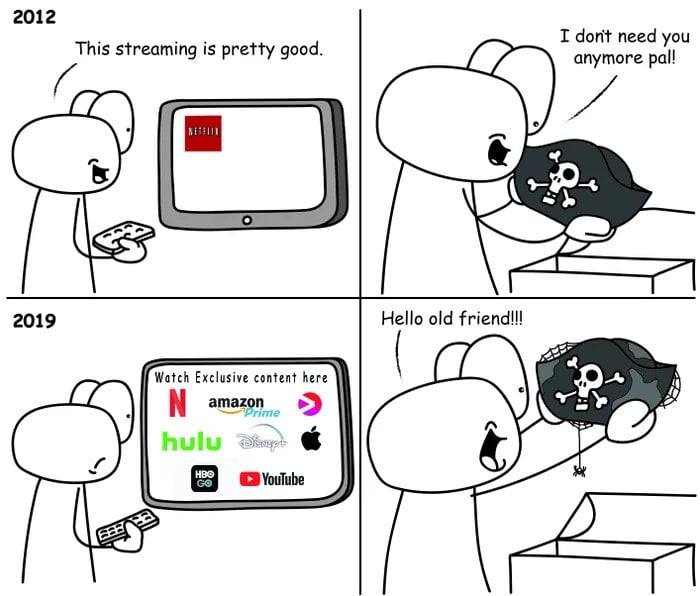
Pirate the same content without an account, at full 4K.
It's truly a service problem.
vomitaur 2 points 2 years ago
+1 for Ugoos. I use an X4Q Plus, which has av1 support, but other than that I did the same setup: coreelec nightly (I like living on the edge). I have a complicated setup due to my networking paranoia and coreelec handles that without issue. I loaded coreelec onto a micro-sd but haven't used the default android that it came with since day one.
My only real complaint is that SOME av1 files have playback issues, and some play flawlessly. I'm no expert so I haven't any way to figure it out, and I've been too intimidated by the community to try to seek help or report a bug.
That being said, av1 isn't meant to be an archival format and realistically only excels at network streaming, so it's better to look for x265/hevc content rather than av1 if all you're doing is playing locally (or even playing from a NAS on your local network). and, of course, x264 is still pretty much the standard, with the downside being higher filesizes for the same level of quality.
quixotic120 2 points 2 years ago path: 0 13858534 13864146 13865427, hotness: undefined, score: 2, children: 2
vomitaur 2 points 2 years ago
it's plenty fast. i have a usb-attached nvme for the stuff i download to watch that I don't intend to keep, and my main collection on a separate NAS. the microsd I run coreelec from is a samsung evo, i think it's an A2 and it's plenty fast. I haven't installed coreelec to the emmc because i'm running nightly so it's a decent fallback when CE breaks which does happen once every few months - and allows me to easily make a backup using dd.
there was an issue with x265 playback being out of sync slightly (which could be remedied by seeking back or forwards one step, i used to just do it at the beginning of playback), which persisted for more than a year, but that was resolved about two weeks back, so aside from the occasional av1 issues, I'd consider the X4Q+ the best CE device i've ever tested. i had also used one of the homatics boxes that CE supports, but gave it to a friend.
One more note, I have this connected through an hdmi switch (that's shared with a steam deck and a ps5) to a usb-powered 4k hdr display. CEC works fine, passthrough audio works fine, color depth displays exactly, it's just a butter smooth experience.
i'm no ugoos evangelist, but the hardware is really solid and fairly cheap and hasn't failed me yet. i've been running this setup for about 2 years (iirc) and probably won't be needing to upgrade for a while.
edit: for clarification on speed and image caching, my library has roughly 1600 movies, 140 shows with about 5200 episodes, and everything is scraped. there's never any image loading issues like there is on slower hardware like the rpi and odroid.
quixotic120 2 points 2 years ago path: 0 13858534 13864146 13865427 13869338 13869932, hotness: undefined, score: 2, children: 0
sic_semper_tyrannis 5 points 2 years ago
I'd say put your RPi4 in a Flirc passive case and use Kodi via LibreElec.
The Argon One connects the fan control in a funky way so your OS must have some way to configure the fan controller. I know Batocera v41 has Kodi 21 built in and their wiki says how to get an ArgonOne working properly. You can then have it set to boot into Kodi and have retro emulation as a secondary option.
Nicro 1 point 2 years ago
From what I've seen, the argon does passive-cool alright too. With Flirc I'd need to keep the mini-HDMI-dongle and buy a separate IR dongle, that takes up a usb-slot and doesn't have a low-power MCU. My Pi is currently in a no-name passive-case already. Unless I misunderstood you, I don't see the advantage.
sic_semper_tyrannis 1 point 2 years ago
It sounds like my case recomendation doesn't fit your needs. However, the rest of what I said still stands
Hiro8811 4 points 2 years ago
Depends on what you want to watch. Streaming services do limit DRM content even if you're on a windows machine and using HDMI. If your sailing the seas then there should be no problem with the raspberry pi. You could install a container with Jellyfin or plex and Tailscale and access it from wherever you want
iturnedintoanewt 3 points 2 years ago path: 0 13862864, hotness: undefined, score: 3, children: 6
iturnedintoanewt 1 point 2 years ago path: 0 13862864 13863366 13873214, hotness: undefined, score: 1, children: 1
MonkderVierte 1 point 2 years ago
Media boxes up to $100 run usually Android (meaning: with Play Store).
iturnedintoanewt 1 point 2 years ago path: 0 13862864 13863850 13873205, hotness: undefined, score: 1, children: 1
MonkderVierte 1 point 2 years ago
My bad, it's called Streaming Media Player.
account_93 1 point 2 years ago
Personally I just run a ThinkCentre mini pc with Fedora. Bluetooth keyboard/trackpad; Sorted. Not as convenient as a remote but don't need to fiddle with stuff.
You can get them cheap used on eBay

privacy
@lemmy.ml
50478
5109
5219
A place to discuss privacy and freedom in the digital world.
Privacy has become a very important issue in modern society, with companies and governments constantly abusing their power, more and more people are waking up to the importance of digital privacy.
In this community everyone is welcome to post links and discuss topics related to privacy.
Some Rules
- Posting a link to a website containing tracking isn't great, if contents of the website are behind a paywall maybe copy them into the post
- Don't promote proprietary software
- Try to keep things on topic
- If you have a question, please try searching for previous discussions, maybe it has already been answered
- Reposts are fine, but should have at least a couple of weeks in between so that the post can reach a new audience
- Be nice :)
Related communities
much thanks to @gary_host_laptop for the logo design :)
go to feed...
privacy
@lemmy.ml
50478
5109
5219
A place to discuss privacy and freedom in the digital world.
Privacy has become a very important issue in modern society, with companies and governments constantly abusing their power, more and more people are waking up to the importance of digital privacy.
In this community everyone is welcome to post links and discuss topics related to privacy.
Some Rules
- Posting a link to a website containing tracking isn't great, if contents of the website are behind a paywall maybe copy them into the post
- Don't promote proprietary software
- Try to keep things on topic
- If you have a question, please try searching for previous discussions, maybe it has already been answered
- Reposts are fine, but should have at least a couple of weeks in between so that the post can reach a new audience
- Be nice :)
Related communities
much thanks to @gary_host_laptop for the logo design :)
go to feed...
If you just don’t like ads AppleTV works great.
That said if you’re set on something less locked down you might look into Dune-HD boxes. They have some that have a dual OS. One is Android TV (not sure how mod-able) the other is Linux that can have other kinds of apps. They’re virtualized and accessible without a reboot. They have great codec support. Just realize only some of their models have the Android TV dual system thing.
save