
Have you upgraded your internal storage? How did it go? Did you reinstall steamOS from scratch or clone the original M.2/eMMC?
[Discussion] Have you upgraded the internal storage in your deck?
3 years ago by Fubarberry to c/steamdeck
benzmacx16v 2 points 3 years ago
Exactly what I did. I went for the 1tb though. The storage prices for the deck are pretty outrageous and upgrading is pretty easy. So a 64gb deck + 1tb card comes out to be about the same as a 256gb deck.
lotanis 7 points 3 years ago
I decided it wasn't worth it.
I bought the 256 GB deck. That filled up fairly quickly obviously and I looked at the alternatives. It turns out that if you buy the right SD Cards they're basically the same speed as the SSD, so I just bought a 1TB Samsung EVO and it's been great. Also, I didn't have to lose the existing 256 Gb of space that I had and it was zero effort.
Maybe one day I'll upgrade to a 2TB internal, or maybe I won't.
Fubarberry 2 points 3 years ago
While game loading times are about the same, I definitely notice a big speed difference when installing games on the SSD vs microSD.
SteamedPepper 4 points 3 years ago
I did upgraded mine from 64gb to 1TB. Apart from almost stripping a screw, the whole process was pretty easy. I reinstalled SteamOS because I didn't have much on my deck anyway
popekingjoe 4 points 3 years ago
I've been considering it, but tbh the 256+400GB SD card has been more than enough so far.
Damage 1 point 3 years ago
Same. I have many installed games and play a couple of them at most at a time. I travel a lot and connection isn't always guaranteed so I bought a large SD card to offload games I may want to keep with me, I ended up barely using it.
Dutczar 1 point 3 years ago
Same. I installed a bunch of games from my backlog, including a few big ones, but I still have more than 100GB left, both on internal and SD card. You're fine as long as you uninstall the ones you're done with for the time being. Just uh, check if Steam Cloud works for the saves, Dark Souls games for instance say it works but it doesn't. Then again, maybe OP has a 64GB, in which case, he probably should.
Definitely buy an SD card though, it's a quick upgrade.
FreeBooteR69 4 points 3 years ago
No i didn't bother. 512gb plus my 1tb micro sd has been enough really. Besides, i have a full PC with shit loads of storage.
scrubbles 3 points 3 years ago
Yeah most games that work on the deck will be fine coming from a modern microsd card. Even Skyrim really would be fine. I've read reports that upgrading to some drives is causing too much heat, and tbh as much as I love tinkering - deck is perfectly made IMO. I'll just swap out cards, even then I haven't really needed to.
Fubarberry 3 points 3 years ago
I'm on the verge of updating my 256GB to the 1TB Corsair MP600 Mini. I've done a lot of tweaking over the year I've had my deck, so I'm planning to try cloning the drive instead of doing a fresh install.
Just wanted to hear everyone else's experiences with it.
SoggyPigeon 3 points 3 years ago
I got the 64gb veraion and upgraded it within a week of owning it, would've done it sooner if the SSD had arrived quicker
TheDemonBuer 3 points 3 years ago
Yes, I upgraded from 64 GB to 512 GB. I also replaced the fan. I reinstalled SteamOS from USB I flashed with the steamOS recovery image. I used a USB C thumb drive, but I think a regular thumb drive would work if you have a dock with a USB port. It was very simple, I thought.
PrivacyBean 3 points 3 years ago
I replaced my 64 gig with a 1tb sabrent rocket. The speeds alone are worth it no matter what. Going to desktop and back is like magic. I always install from scratch though, more steps for less hiccups is the way I always look at it
dustojnikhummer 2 points 3 years ago
Yep. From 64 to 256 on launch and about half a year later to 1TB
Fubarberry 1 point 3 years ago
That makes a lot of sense, but just so you know opening your deck will not void your warranty.
Obviously any new parts you put in aren't covered, and if you damage something that damage won't be covered. But unlike some devices opening your deck won't void warranty for the whole thing simply because it was opened.
jupdown 2 points 3 years ago
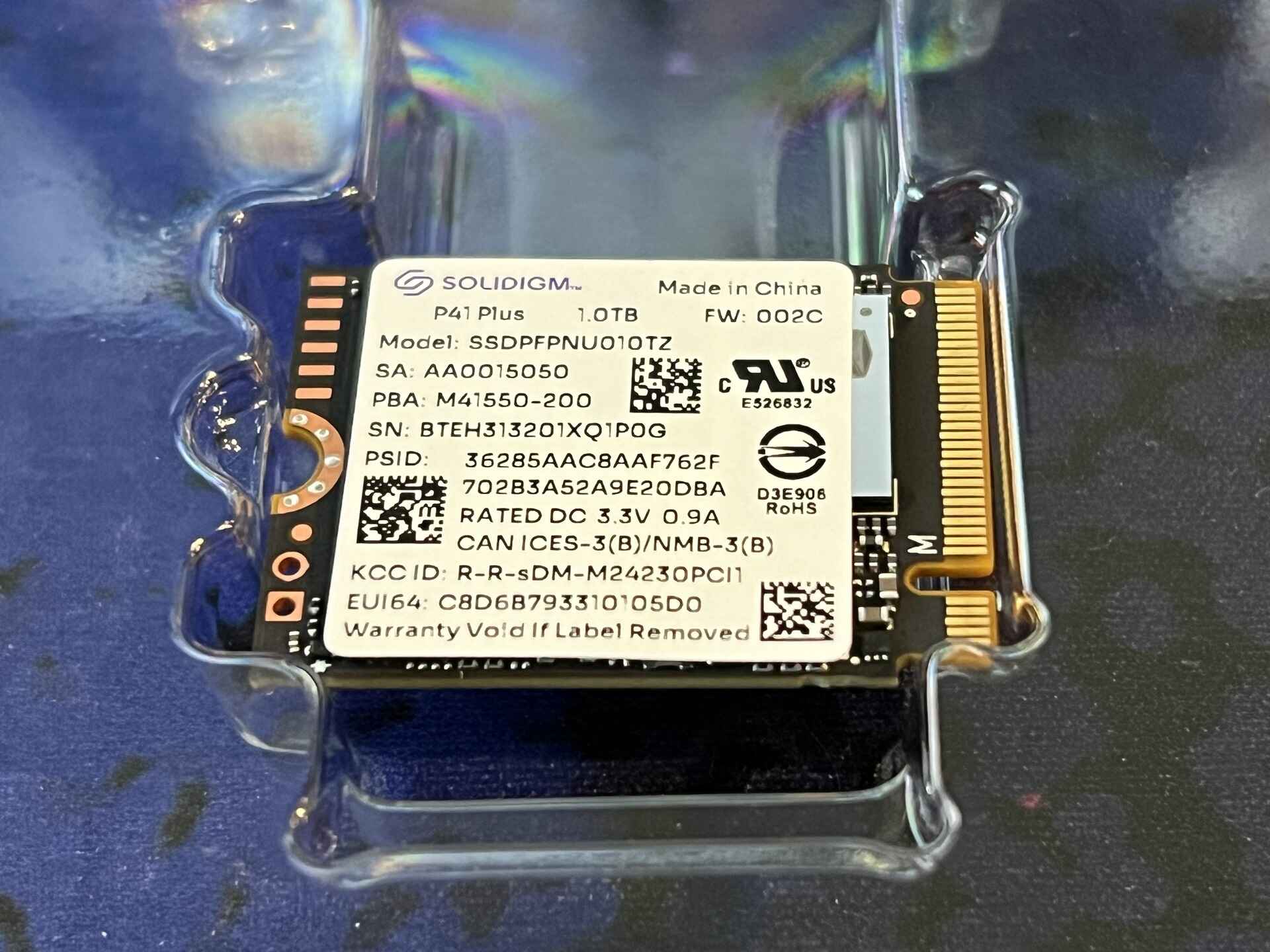
YES! I bought a 64GB model thinking that I could just use the MicroSD card for everything as my gaming needs aren't very demanding, however between EmuDeck, ProtonUp-QT and Shader Caching, I essentially had no storage left to do anything, and it was becoming a bit of a problem. I upgraded my Steamdeck with a Solidigm 1TB P41 Plus:
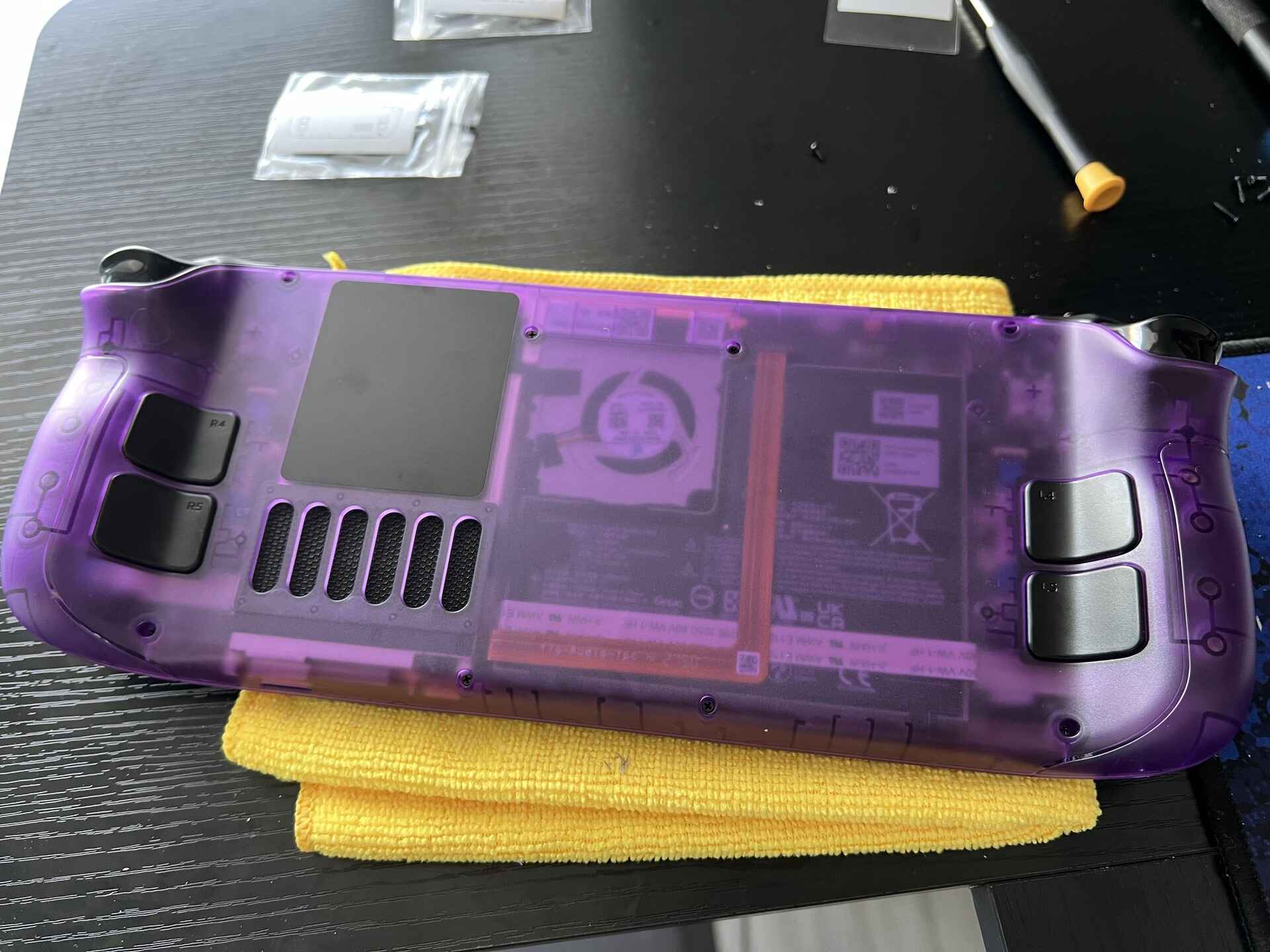
 At the same time, I did a backplate swap with the JSauX Transparent Back Plate PC0106:
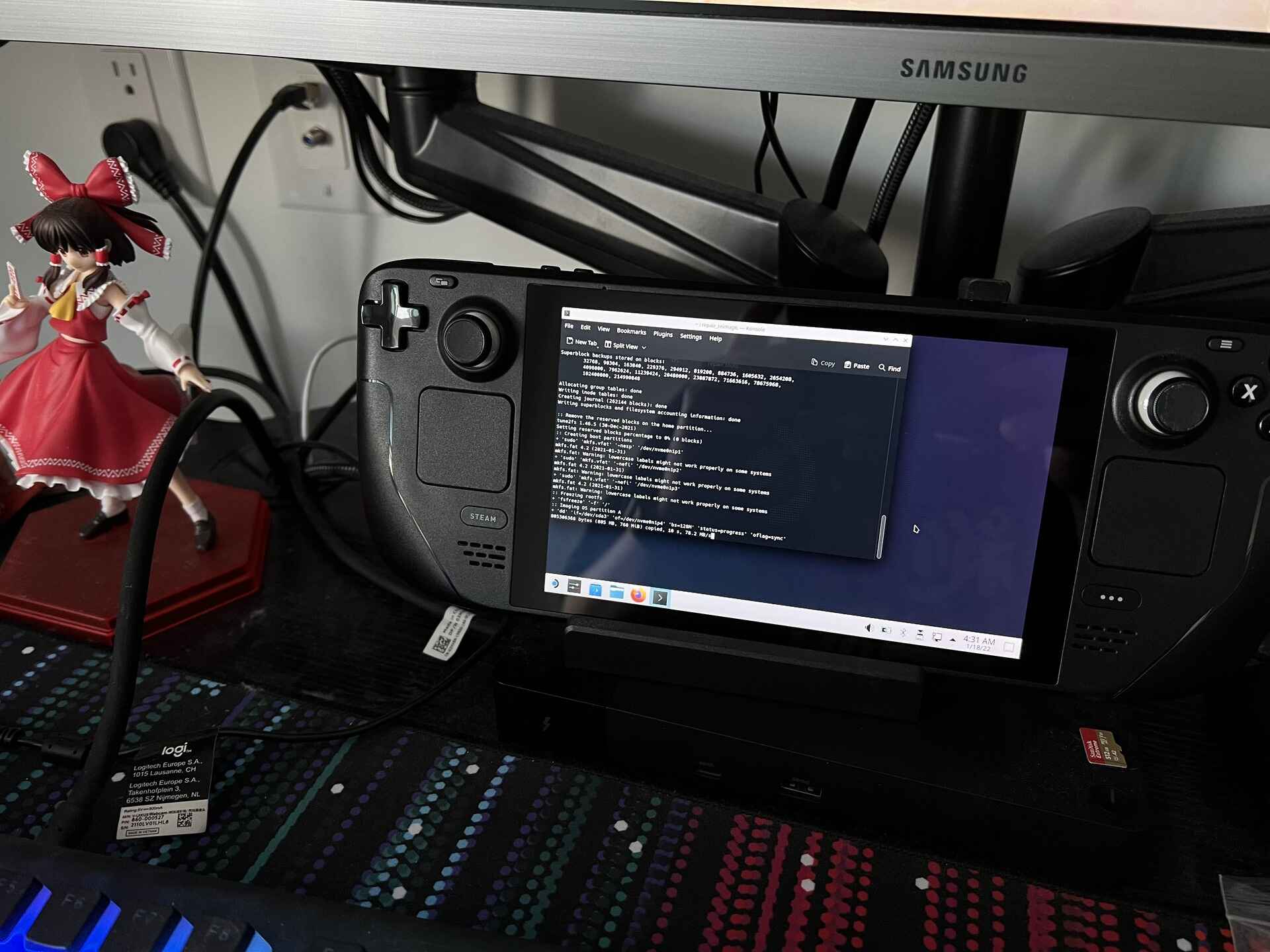
 And I reinstalled SteamOS from scratch using a USB Stick following the Steam Deck Recovery Instructions article by Valve:
 The whole process went great as a whole. No real performance difference to report but I am experiencing a weird bug where SteamOS reports that it is "offline" when I am in fact, connected to the Internet. The bug resolves itself after a few minutes and I have noticed no other networking related issues to speak of... 🤔
Fubarberry 2 points 3 years ago
I've started having the same network bug lately, I think it's just software update related and not anything to do with physical changes you made.
ProfessionalBoofis 2 points 3 years ago
Not yet, but I plan on doing it. Currently running a 512GB SD card which has served me surprisingly well.
saxocat 2 points 3 years ago
I just got the 64GB version and I plan to replace the SSD soon. I'll reinstall steamOS, and before that I need to figure out what's the best way to have encrypted data on it (e.g. credentials for communities etc) or even have Full Disk Encryption. Haven't settled my mind on this but generally it'd be good to have the whole deck secure so in case it gets stolen nobody can empty my wallet on the steam store.
GalaxyGamer 2 points 3 years ago
It looks like there is a bios lock option if you want to go that route
Although since it is required before startup it would require some form of keyboard to enter your password
77slevin 2 points 3 years ago
Bought the 64GB version, ordered a certified to work with the Steam Deck M.2 512GB SSD and had absolutely no problem installing the thing. Plenty of HowTo's on YouTube. Also re-installing SteamOS is easy. If I ever were to expand to 1TB or 2TB I would use CloneZilla to clone the contents instead of clean installing SteamOS again. My network traffic is not metered but it takes for ever to redownload the games.
shectabeni 2 points 3 years ago
No, I got the 512 and it's been enough for me just rotating as needs. I have played around with the SD card but don't usually play anything off of it.
one30610 2 points 3 years ago
I got the 64gb version in batch one, and immediately upgraded it with a 256gb ssd I had laying around from another system. It was pretty easy, and flashing the OS was trivial even in those early days, but I did find it difficult to get the EM shield to go onto the drive that I chose... It was a tight fit and took 10 minutes of tinkering to get it on there.
It's turned out to be nice to have the extra internal space for doing things in the desktop mode (especially tinkering with emulation) just because, while the sd card is seamless for steam libraries, it adds some complexity and headaches for other software.
youreinthedrizzle 1 point 3 years ago
Yup. Upgraded to a Micron 2 TB SSD that I purchased from BLT. I went the cloning route, using a Clonezilla live USB image. No issues with anything.
Bandicoot_Academic 1 point 3 years ago
Honestly I never saw i need for it. 64 GB of internal storage plus a 512 GB microSD card is more then enouth space for me.
CurlyWurlies4All 1 point 3 years ago
I'm definitely considering it. I keep running into issues with cache sizes.
Madiator2011 0 points 3 years ago
Got ssd today and deck is coming tomorrow.
Madiator2011 1 point 3 years ago
Update my deck is doing fine and happy to say replacing SSD wasn’t that bad :)

steamdeck
@sopuli.xyz
23417
2171
2536
A place to discuss and support all Steam Hardware, including Steam Deck, Steam Machine, Steam Frame, and SteamOS in general.
As Lemmy doesn't have flairs yet, you can use these prefixes to indicate what type of post you have made, eg:
[Flair] My post title
The following is a list of suggested flairs:
[Deck] - Steam Deck related.
[Controller] - Steam Controller related.
[Machine] - Steam Machine related.
[Frame] - Steam Frame related.
[Discussion] - General discussion.
[Help] - A request for help or support.
[News] - News about the deck.
[PSA] - Sharing important information.
[Game] - News / info about a game on the deck.
[Update] - An update to a previous post.
[Meta] - Discussion about this community.
If your post is only relevant to one hardware device (Deck/Machine/Frame/etc) please specify which one as part of the title or by using a device flair.
These are not enforced, but they are encouraged.
Rules:
- Follow the rules of Sopuli
- Posts must be related to Steam Hardware or Steam OS in an obvious way.
- No piracy, there are other communities for that.
- Discussion of emulators are allowed, but no discussion on how to illegally acquire ROMs.
- This is a place of civil discussion, no trolling.
- Have fun.
go to feed...
steamdeck
@sopuli.xyz
23417
2171
2536
A place to discuss and support all Steam Hardware, including Steam Deck, Steam Machine, Steam Frame, and SteamOS in general.
As Lemmy doesn't have flairs yet, you can use these prefixes to indicate what type of post you have made, eg:
[Flair] My post title
The following is a list of suggested flairs:
[Deck] - Steam Deck related.
[Controller] - Steam Controller related.
[Machine] - Steam Machine related.
[Frame] - Steam Frame related.
[Discussion] - General discussion.
[Help] - A request for help or support.
[News] - News about the deck.
[PSA] - Sharing important information.
[Game] - News / info about a game on the deck.
[Update] - An update to a previous post.
[Meta] - Discussion about this community.
If your post is only relevant to one hardware device (Deck/Machine/Frame/etc) please specify which one as part of the title or by using a device flair.
These are not enforced, but they are encouraged.
Rules:
- Follow the rules of Sopuli
- Posts must be related to Steam Hardware or Steam OS in an obvious way.
- No piracy, there are other communities for that.
- Discussion of emulators are allowed, but no discussion on how to illegally acquire ROMs.
- This is a place of civil discussion, no trolling.
- Have fun.
go to feed...
Before even using the deck I updated it, pre-downloaded the steamos onto a usb drive.
The install was very straightforward, highly recommended the upgrade. My only regret is is didn’t get the 1Tb drive
save