
I'm reconsidering my terminal emulator and was curious what everyone was using.
IlliteratiDomine 32 points 3 years ago
konsole is low-key a great terminal. It's really snappy, supports ligatures, and looks good. It's one of my favorite KDE applications and the one I miss most when it's not available.
mlfh 29 points 3 years ago
cool-retro-term 😎 to live in retro cyberpunk dreamland
PuppyOSAndCoffee 7 points 3 years ago
Wow that is actually way cooler than the original terminals. Thx!
IRQBreaker 3 points 3 years ago
Alacritty + tmux!
AnUnusualRelic 2 points 3 years ago
Konsole with a side of Yakuake is perfect for me.
hackris 14 points 3 years ago
Anything, but with tmux running inside. You can copy text even in a tty, split the terminal window, detach from and attach to tmux sessions, etc. I will never use a terminal for any moderately complex task without tmux again :)
Rescuer6394 3 points 3 years ago
i never got the copy part right, what configs are you using?
also, can you copy from a remote (ssh) tmux?
hackris 1 point 3 years ago
Copying in tmux (assuming default keybindings):
- Enter copy mode with Ctrl+b, [
- Position the cursor at the start of the text to be copied, press Ctrl+SPACE to start copying
- Position the cursor at the end of the text, press Alt+w or Ctrl+w to copy into the tmux buffer
- Press Ctrl+b, ] to paste, possibly into different pane :)
By 'copy', I meant between different tmux panes/windows.
If you open tmux on your host, split it into two panes and SSH into the server in one of them, then you can use this copy functionality. I'm personally not aware of a way to copy between a remote and local tmux session.
Rescuer6394 2 points 3 years ago
ah yes sorry i meant copy to system clipboard.
i succeed in configuring vim so it uses the system clipboard on both local and remote sessions.
i would like to do the same with tmux, but as you said too, it does not seem to be a way.
sxan 4 points 3 years ago
You absolutely can. You just have to use a clipboard command as the copy/paste. Add this to your ~/.tmux.conf
bind-key -T copy-mode-vi y send-keys -X copy-pipe-and-cancel "xsel -i -b"
bind-key -T copy-mode-vi Enter send-keys -X copy-pipe-and-cancel "xsel -i -b"
or use your favorite cli clipboard command. Note that those are using the vi bindings; you might have to adapt the config.
shotgun_crab 14 points 3 years ago
I use wezterm, but there are many good ones
jelloeater85 1 point 3 years ago
Love it, works nice in my Mac and Linux PCs.
SmokeInFog 13 points 3 years ago
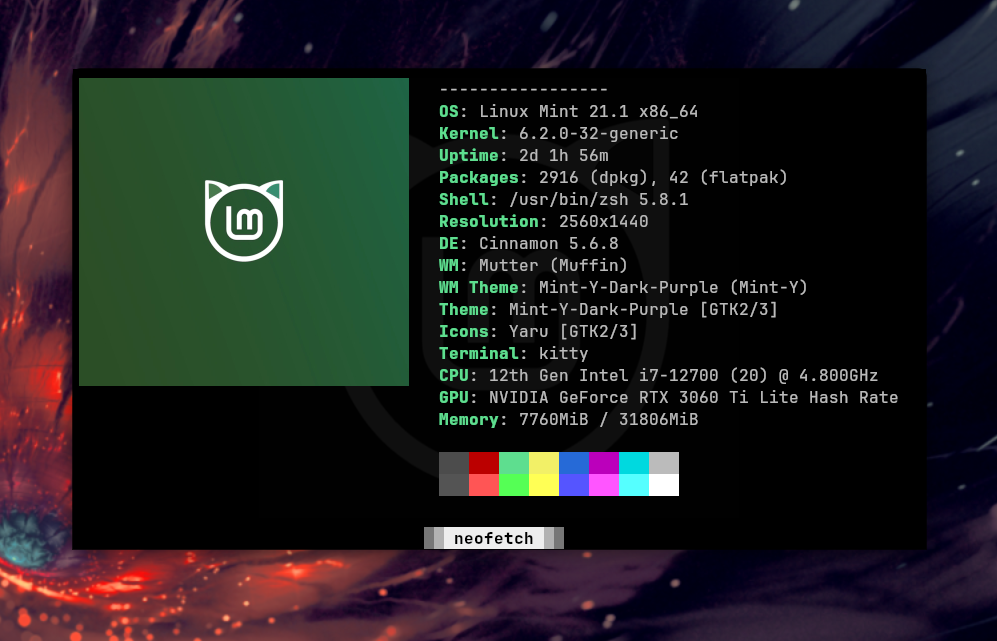
I like my kitty
FreeBooteR69 6 points 3 years ago
This is what i use as well.
ShittyBeatlesFCPres 2 points 3 years ago
There’s a good gnome extension too. I used Guake for years but switched to the extension one day and ended up liking it. It’s basically Guake but the menus and things use a modern Gnome style.
kevincox 12 points 3 years ago
Personally I've been using gnome-terminal for quite a while and was fairly happy except that I needed to maintain gnome-terminal and libvte patches to get notification support. Having some sort of notification when a long-running command completes is very important to my productivity.
I've been using Konsole but not fully happy.
- No hyperlink support.
- Selection is lost when my prompt updates (I have the time so that I know when I have started commands).
I've been looking at other options but none-of them feel quite right.
Alacritty:
- No unlimited scrollback.
Kitty:
- Selection bug with updating prompt.
- No unlimited scrollback.
Wezterm:
- No unlimited scrollback.
Terminator:
- Has this terminal group bar that I can't get rid of.
- No notification support.
I realize that I am probably going to have to make a compromise (probably just go back to gnome-terminal with patches) but I figured it would be interesting to see what everyone else was using and make sure I didn't miss something.
To me the important features are:
- Unlimited scrollback.
- Notification support (ideally with the 777 Notify command, but if the terminal bell can make a notification that is fine).
- Clean UI. (I don't use tabs so need to be able to hide the tab bar)
- Hyperlink support.
iwasgodonce 15 points 3 years ago
I'm pretty sure you can set alacritty and kitty to a ridiculously high number of scrollback lines, like at least several trillion. I think I just add 4 zeros on to the default and I've never had enough output for it to run out of scrollback. At some point you're going to run out of ram or storage for storing scrollback so you can't realistically have unlimited scrollback without doing something ridiculous.
rederick29 12 points 3 years ago
foot is great. Simple, fast, and customisable enough for my needs.
theshatterstone54 11 points 3 years ago
I use Kitty, because it works well on both X and Wayland, and is GPU accelerated. For some reason, Alacritty doesn't display the fonts properly (Displays them much smaller on Wayland. Only program I have such issues with)
Also Kitty is more widely packaged (for example on Debian based distros)
fernandu00 10 points 3 years ago
I'm using foot since I've installed sway and it's just fine ..not a super user to evaluate well
CjkOvPDwQW 2 points 3 years ago
Super nice, with some "hidden" gems like Ctrl+Shift+o for opening links.
CjkOvPDwQW 1 point 3 years ago
Super nice, with some "hidden" gems like Ctrl+Shift+o for opening links.
PuppyOSAndCoffee 9 points 3 years ago
Kitty has awesome framerates, easily hitting 90fps pushing 150k - 180k per frame. Alacrity is also dope.
thisisbutaname 8 points 3 years ago
Terminator is the one I've been using for a while
addie 2 points 3 years ago
My choice as well. I do my C++ development in Vim, and the keyboard shortcuts for switching tabs were the best I'd found. The easy screen-splitting is great when manipulating virtual machines, or having a man page open when working on scripts.
captain_aggravated 2 points 3 years ago
Not sure I'd call it my favorite but it's the one I'm using right now.
schnokobaer 6 points 3 years ago
While y'all here:
is there a terminal emulator that has "modern" text entry controls while still having tab completion? Like selecting text by going shift+leftarrow or deleting whole words by holding ctrl+backspace/del or replacing whole words that are selected while pasting text rather than it pasting at the point where the curser is at the start of selected text so you still have to manually delete the original characters. Maybe Undo, redo with ctrl (shift) z...
Stuff like that. Just wondering. I always find it very cumbersome to fiddle with long commands especially if they contain long paths that you want to modify. Lots of backspace and arrow-keys hitting for every single character..
SpaceCadet 9 points 3 years ago
“modern” text entry controls... Like selecting text by going shift+leftarrow or deleting whole words by holding ctrl+backspace/del ...
Those are not really features of the terminal emulator but of the shell. I don't think a terminal emulator can coerce bash or zsh or whatever to do those things unless it acts as some kind of proxy between your text editing buffer and the shell, which would probably lead to its own set of complications. The thing you want would have to be a combination of a GUI terminal program and its own shell.
For bash, I suggest you read up on readline keyboard shortcuts, which can do many of the text editing tricks that you are asking. The shortcuts are different than what you are used to on Windows, and there's no concept of "selecting" text, but for terminal applications it's pretty much the standard way text input is handled on Linux.
blackbrook 1 point 3 years ago
I'd suggest checking out fish shell.
patatahooligan 6 points 3 years ago
I know that zsh has the option to use vim-like keybindings if you're familiar with those.
calcopiritus 2 points 3 years ago
I've only managed to come close to that using vs code terminal and PowerShell.
PowerShell is the only shel I've found for windows that allows text selection with keyboard. And since no one uses PowerShell on Linux, no Linux terminals have good support for it, except the vscode terminal.
BRINGit34 6 points 3 years ago
I recommend black box. https://flathub.org/apps/com.raggesilver.BlackBox it is the nicest and most intergrated terminal on gnome and I use it daily and have zero issues
kevincox 2 points 3 years ago
Oooh, this looks perfect for me. However how do hyperlinks work? I can see that they are styled and have a unique cursor but I can't for the life of me figure out what I need to do to actually activate them. I've tried click, Ctrl-click, Shift-click, Alt-click 😅
BRINGit34 3 points 3 years ago
https://gitlab.gnome.org/... it could possibly be this bug. I am not entirely sure. My use case does not feature many hyperlinks so sorry if I got ya excited for something you can't use
jeansibelius 6 points 3 years ago
St with few patches and personal customizations is amazing.
caseyweederman 6 points 3 years ago
Whatever gets me connected to my tmux session over ssh
datelmd5sum 6 points 3 years ago
xfce4-terminal has transparency and warns when I'm about to paste multiple lines to it.
Treeniks 6 points 3 years ago
I love wezterm, primarily because it is cross platform. The most important factor to me is being able to use the same one on Windows, Mac and Linux, because I use all three on a regular basis and don't want to maintain multiple configs. However, wezterm currently has a bug that prevents it from opening on Wayland+Nvidia which forces me to use something else on Linux. None of the other ones get close imo.
flux 6 points 3 years ago
I rather enjoy Tilix. It can tile a single tab without tmux and it can also give special handling to links matched from regexps. I use it to go from Python stacktraces to correct line in Emacs with just a click. It can also do Quake-like terminal, which I use alot.
The project is looking for maintainers, though, so it's possible at some point I need to start looking for alternatives..
morethanevil 5 points 3 years ago
I really love Tabby
Tabs, CMD, SSH, Powershell... all included. It has multiple profiles, can be used portable, has themes and Integrations, like one for Docker
Never need anything else imo 😊
morethanevil 3 points 3 years ago
Put it in the autostart 🤷🏻♂️
I counted the seconds for the start... 4 seconds on my system. Tabby is way more comfortable and has a much nicer UI. Those 4 seconds are totally woth it 🐱
stepanzak 5 points 3 years ago
I really like wezterm, mainly because it's configured in Lua and you can easily disable all keyboard shortcuts and allow only the ones you want. I do everything in Tmux, so my only shortcut s are for changing font size and full-screening window.
med 4 points 3 years ago
guake-terminal for a full-screen overlay terminal, I have a keybinding for transparency toggle so I can read guides through the overlay. I used to use tilda, but I switched because they weren’t supporting wayland.
For random/ad-hoc terminals I’ve historically used gnome-terminal and console, but recently I’ve been trying to eliminate window decoration entirely, and for that I’ve been liking black box (flatpak) for the floating decoration and other configuration bits.
They both support theming, and have dracula included by default, so it was easy enough to get a consistent look and feel.
I have tabs switched off for all of them. That’s what tmux is for.
edit: I’ll probably be checking out alacritty
nessnesn64 3 points 3 years ago
Not sure if you knew, but Yakuake is very similar to tilde from what I've heard and has worked flawlessly for me on Wayland.
https://apps.kde.org/yakuake/
med 1 point 3 years ago
I have, I think the one time I tried it (5 years ago, on a different machine, os and X11), it wasn’t snappy enough. Probably time to go back and check it out!
Guake has this annoying bug on wayland gnome where the interface complains that ‘keybindings can’t be set’, so you control it through custom keybindings that run terminal commands to show and hide the terminal.
jelloeater85 2 points 3 years ago
Guake is dope!
PropaGandalf 4 points 3 years ago
Emacs with vterm
art 3 points 3 years ago
I have Guake for passive tasks like music payback or anytime I want a full screen terminal to hold my focus, like when I'm writing in Neovim.
Tillix is my active terminal. Taking notes, active chat sessions, or running a SSH connection. Anything that I want on screen permanently.
RiikkaTheIcePrincess 3 points 3 years ago
Terminology, with the Nyan Cat cursor! ^.^ :3
calcopiritus 3 points 3 years ago
Unironically: vscode terminal. It's the terminal that has less bugs when using shift+arrows to select text. I also use PowerShell because bash doesn't allow text selection with keyboard.
trevor 1 point 3 years ago
Same. Has anyone found a way to launch VS Code as just the terminal window? I've tried hacking around and doing stuff like using Zen Mode with just the terminal displayed, which is close, but I don't think that can be scripted, unfortunately.
calcopiritus 1 point 3 years ago
You can open the terminal as if it were any other file, instead of the integrated terminal.
calcopiritus 1 point 3 years ago
F1 -> >Terminal: Create New Terminal in Editor Area
mariom 3 points 3 years ago
Tested dozen recently… And nothing was so much better to change the default one of KDE.
Used to urxvt (when I was using tilling vm on desktop pc). Used gnome-terminal when I was on cinnamon. I switched to KDE year or so ago and I'm using Konsole. It really does not matter that much, I only need tab support and 256 colors.
LainOfTheWired 3 points 3 years ago
Kitty, though I have been looking into st as I recently switched to dwm.
reteo 2 points 3 years ago
@kevincox For light tasks, I will make use of either vterm (if I'm in Emacs) or Alacritty (if I'm not).
If I need to get down to serious work (such as working on shells and text files both locally and remotely), I'll jump into eshell, using TRAMP when I need to go remote or sudo (or both) to edit files. I'll still use vterm if I need something that does screen redrawing, such as apt.
Otherwise_Direction7 2 points 3 years ago
BlackBox for Linux, the UI is very clean and fit so well with the rest of Gnome apps
ndonkersloot 2 points 3 years ago
I mostly use the default terminal emulator in the desktop environment I use, currently this is the gnome terminal.
What are the main reasons one want to use another terminal emulator? IMHO if I can reszie the window and the font and font size is good or configurable it is fine..
gnuhaut 1 point 3 years ago
XTerm. I used to use rxvt-unicode, but it only supports 256 colors and gave me grief when I tried to get some emacs color theme working. There's only one thing I miss, which is that rxvt-unicode reflows lines when you resize the terminal, which xterm won't do. Oh and urxvtc starts very slightly faster, but no big deal.
I also looked at kitty, and I like that the author of that one tries to champion new features, like full keyboard support on par with X11 apps. But it takes noticeably longer to start and the latency also feels worse.
gnuhaut 0 points 3 years ago
Just tried this again. Kitty takes like maybe half a second to start on my machine (maybe yours is faster?). Not sure how to measure this. xterm starts almost instantly. I can type "Super+Enter ls" and it'll work. Doesn't work with kitty, the keystrokes just disappear. Is this actually important? Probably not, but it feels annoying. Like slow internet.
I might have imagined the typing latency, since it feels the same as xterm now. Maybe I'm remembering wrong. I was on the old Debian when I last tried this though, so something could have changed.
_fishp0cket 1 point 3 years ago
I mean, the Deepin one is gorgeous to look at, but that's not usually my concern if I'm typing in some code. My go to is Yakuake running a fish session, launched with a "Super + #" hotkey combo. Rapid access, easy to use, doesn't get in the way, customisable so it at least looks in keeping with the rest of the DE.
the_crab_man 1 point 3 years ago
Alacritty with tmux 👍
Father_Redbeard 1 point 3 years ago
As a newb, Tabby has been really nice for me to quickly open the SFTP window so I can orient myself in the file structure. It's been really great.

linux
@lemmy.ml
68145
9471
5816
From Wikipedia, the free encyclopedia
Linux is a family of open source Unix-like operating systems based on the Linux kernel, an operating system kernel first released on September 17, 1991 by Linus Torvalds. Linux is typically packaged in a Linux distribution (or distro for short).
Distributions include the Linux kernel and supporting system software and libraries, many of which are provided by the GNU Project. Many Linux distributions use the word "Linux" in their name, but the Free Software Foundation uses the name GNU/Linux to emphasize the importance of GNU software, causing some controversy.
Rules
- Posts must be relevant to operating systems running the Linux kernel. GNU/Linux or otherwise.
- No misinformation
- No NSFW content
- No hate speech, bigotry, etc
Related Communities
Community icon by Alpár-Etele Méder, licensed under CC BY 3.0
go to feed...
linux
@lemmy.ml
68145
9471
5816
From Wikipedia, the free encyclopedia
Linux is a family of open source Unix-like operating systems based on the Linux kernel, an operating system kernel first released on September 17, 1991 by Linus Torvalds. Linux is typically packaged in a Linux distribution (or distro for short).
Distributions include the Linux kernel and supporting system software and libraries, many of which are provided by the GNU Project. Many Linux distributions use the word "Linux" in their name, but the Free Software Foundation uses the name GNU/Linux to emphasize the importance of GNU software, causing some controversy.
Rules
- Posts must be relevant to operating systems running the Linux kernel. GNU/Linux or otherwise.
- No misinformation
- No NSFW content
- No hate speech, bigotry, etc
Related Communities
Community icon by Alpár-Etele Méder, licensed under CC BY 3.0
go to feed...
I just use
konsole, which is the default terminal emulator for KDE. I don't need anything fancy, just something basic to run commands, updates, a few scripts, etc.save