
Microsoft blocks Windows 11 workaround that enabled local accounts
2 years ago by schizoidman to c/technology
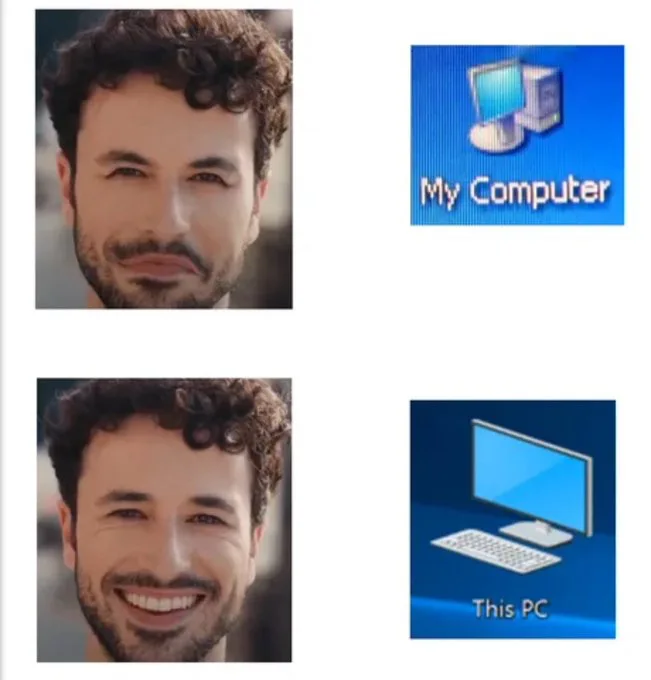
"Our Computer"
We're all MS personnel

It's a real shame. I guess I'll be running Linux now.
Same here. I'll pirate the security updates for the next 3 years and then switch. Fuck Windows 11 and fuck Microsoft.
Apple doesn't actually make it at all difficult to use a Mac or iOS device without an Apple account. You're asked once during setup and that's it. At most there'll be a red dot in Settings>iCloud.
There's one notice, and it's in the System Settings app. And it's a little red dot beside the iCloud section. That's not really the same league as what Microsoft is doing, or Even Google's nag to use Chrome across all their Web properties.
You're right about the first-party apps that you can't remove, but it's also not the same as, eg, Edge where those apps are used constantly and your preferences are reset on every update.
On my Mac I set my browser to Firefox in 2018. It's never reverted to Safari, not once, where Windows really wants me to use Edge and goes so far as to not just reset it periodically, but also direct start menu searches and in-app web links to an ms-edge: url instead of using the http handler.
Apple has problems, but this isn't one of them.
There are none of those. You're just lying now. Google ad boy.
But apparently you DO need an Apple ID to access an Apple Notes file that was shared to your Android by your crazy ex who doesn't know that without an iPhone you won't be able to read their undoubtedly unhinged, rambling guilt trip. Thanks Apple!
Sadly I think they have to aim to do both, to make the most money as a publically traded company.
Last I heard Apple was protecting it's users from Facebook collecting their data.. by being the ones who collect it instead. Maybe that not quite right as I don't listen to news on Apple (outside of their opposition to right to repair).
its a xmas miracle
The Cask of Amontillado?
I doubt most Windows users care enough to hate it.
My mom actually said my windows mac the other day....
I'm not entirely certain about that. For instance, on Linux I always have to look up how to create symlinks even though I've been using the OS exclusively for three years. On Windows, it is: Right click -> Create shortcut. It's easier for most people to remember a 2 action process than a console command with multiple options and specific syntax. But of course, this is only one example and doesn't apply to everything. For instance, I have absolutely no trouble remembering mkdir, cp, or rm. I think it's a bit of a mixed bag.
To some extent that is true. But on the other hand, Windows is both usually easier to learn (has a UI for 99% of stuff, basic design principles dictate that it's much easier to remember what to click on than what to type), and it just works. I rarely have to interact with the OS in any way to get something to work. I've tried multiple times to switch to Linux, but it just has so much stuff that doesn't work out of the box, or at all. Da Vinci Resolve has a native version which is completely broken, Dota 2 has a native version but doesn't pre compile shaders, so whenever e.g. I open a new hero in the hero list it lags for 1-2s, many games with anti cheat don't work, good luck with anything in VR, no popular distro that I've seen has a clipboard and the ones I found online are just worse than the Windows one, etc.
I want to switch, I really do, but I'm already a power user on Windows, I would have to learn a lot to be on the same level on Linux, add onto that the fact that a lot of stuf that's important to me just doesn't work properly on Linux, it just doesn't make sense for me, and for most people they're gonna be a lot less willing to switch. Most people will not bother trying to change something, even if it's objectively better. Most people just want to stick with what already works for them, and until Linux is able to just work with no need for user intervention, especially through terminals which people fear, it's still a long way from mainstream adoption.
Wouldn’t it be possible to buy a new PC, open the box, and return it right after because you cannot set it up without internet?
If enough people do it, may be PC manufacturers will force Microsoft to add offline setups.
Funny you say that, setting it up without internet is one of the few ways left to still be able to create a local account.
If I understand correctly from the article, you have to enter ‘OOBE\BYPASSNRO’ in command prompt during installation to prevent it from asking to connect to internet. If that’s the only way to set up a local account, that’s hardly an accessible option.
There's no clear path from getting the computer out of the box just setting it up without internet. If you call the manufacturer and they know what the hell they're doing they'll walk you through doing the OOBE no internet fix. It just needs to be an option in the damn operating system. The fact that they're hiding it from you is unconscionable.
I hope they haven't disassembled it and sold it on eBay for bribe money
It was not an option one week ago when i tested it. Maybe because I was in WiFi range and Microsoft assumed you have to know the password to at least one of them to pass the wifi screen. No skip button. But could create a new account as unverified using gmail address.
I’ve been debating for a while to switch windows to Linux and see how well it works for my games, thanks Microsoft for finally pushing me to do it!
Only thing keeping me on windows has been games (all other development use is far easier on Linux); but with the work that happened with Steam Deck, many games are now fully functional on Linux.
Depending on what games you are playing, it should be a breeze. I ditched my windows installation last march and no regrets so far. Most of the games I enjoy run OOB in Linux, but some that I played occasionally are not supported, so I just live without them.
Did the same. The writing has been on the wall for a long time, Microsoft's anti-user behavior is only set to get worse. I made the jump to Linux (Arch) and things have been reasonably smooth. I did have a few issues with Enshrouded, but was able to get past those with Proton-GE. The only issue I haven't worked around yet is Roblox with the kids. But, I may just have to pick up a cheap tablet for that.
Does emulating via waydroid not work for android games? I don't really do android games so not sure how well waydroid performs for that type of stuff - but it seems okay for a few android apps i've tried.
fair point, i'm very used to just using f-droid, aurora, or sideloading apks from dubious places, for my phone and tablet, that i completely forget how much android stuff "needs" google services.
I got netflix running without google play, i think installed from aurora store. It needed a script to install widevide DRM that seemed to work.
But I can imagine things like games being more of a pain especially with online.
That is a possibility. To be honest, I haven't tried very hard yet. I'm currently working on spinning up a Win10 VM in KVM and I'll see how that works. And Android emulator is another good idea, I'll have to give that a go.
For me, working in IT, two things are keeping me on Windows:
- games
- IT tools only made for Windows.
Most remote access stuff is entirely Windows based. Sure, there's clients so you can connect to Linux, Mac, whatever, from the admin console, but the plugins and whatnot that actually show you the remote users desktop are almost entirely Windows exclusive. There's sometimes a Mac option, but almost never a Linux option.
Using something that's more common/public, like TeamViewer isn't really an option. There's a plethora of business focused RMM tools that are just web apps with Windows plugins for all the heavy lifting.
The part that gets me, is that any of these tools which allow for self hosting, can have the server and client side on Linux, but the IT team doing the work only gets Windows as an option for the remote control tools.
Infuriating.
Why do IT teams think being able to snoop any users screen is a good thing? Leave folks alone. Get authorized key consent to SSH into their box iff necessary.
This is why I only work with BYOD operations…
There's a lot of trust required in IT. You must be a trustworthy person. Being fired for a trust related reason is basically a death sentence for an IT career. That being said, none of the tools I typically work with will provide previews of a user's screen, or such previews will be low enough resolution that reading what is on screen is basically impossible.
When we connect to a system and get a full resolution image of what's going on, pretty much always there's some on screen indication of us being connected.
IMO, this is how it should be.
The only time I've actively tried to "spy" on a user's activity, has been when requested to do so by a manager/owner, usually when pursuing an allegation of inappropriate use of a work computer. Even then it's been very rare, and I can only recall one such instance of it happening at all.
As an IT person, I will say, I could care less what you do with the equipment. I'm busy enough, I don't need to fill my day with watching you do your job. Yes, we have tools which can allow us to eavesdrop on everything you do, I don't touch them unless I absolutely must, usually only if I've been ordered to.
Another poster pointed out that work resources do not belong to you and legally, they're right. The system, including all data and work contained therein is legally the property of your employer. This includes your email and any correspondence, and anything else that work provides as a function of your employment. If you create an excel work sheet that does some data processing for you, or reformats information in a better way, during work hours, that sheet isn't yours. The ownership of the sheet is your employer. Though you did the work in creating it, your employer owns it because they paid you for the time/effort to do so.
Personally, I do whatever I can to avoid interacting with users unique files. I recently refused to work on someone's personal iPhone because it contained personal data. Though their work email was probably present on the device, I didn't want to touch it. I did however, provide instructions for them to do what they were asking themselves.
When interacting with work-owned systems, I'll modify the registry, and run command line commands without the users knowledge, in an effort to reduce the disruption to their workflow, while solving an issue. Generally this is when I have a request from that user, or the company, to get something done, such as install a piece of software. You'll be working away and poof, new software appears.
Anyone in IT unnecessarily snooping in on your files, can be fired with cause, ruining their career, if they're caught.
We have access to everything, and I mean everything, in an organization. Your email, files, databases, software.... Partly for troubleshooting, and partly for performing backups. If we don't directly have access, typically we have permission to grant access, so we can grant ourselves permission to access whatever we need to. This means that IT is one of the highest trust areas of the business. We can read the CEO's emails, send mail as anyone, access everyone's files, and delete all data on everything in such a way that it is impossible to recover. We need the access to do our jobs and violating the trust we have with that access, is unforgivable and a career-ending event.
I will say that I have not met any IT professionals who will snoop, spy, eavesdrop, or otherwise examine what you do or what data you have or interact with, without a good reason. If it happens, it's likely that someone else, such as a manager, has requested that we do. We are merely the middleman in that scenario. Bluntly, we're too busy than to just do it for kicks.
If any IT professional has violated trust, I would report it to management. It is grossly inappropriate to access a user's system without just cause.
As for notifications, that varies depending on the request. I typically only inform people when I need to remotely control their desktop (interrupting their work) and I'm generally very receptive to being asked to wait before connecting so any sensitive information can be dealt with and closed before the session is established. I have no issue with that. I don't need, nor want to know any more than I do. I'm never looking for illicit or illegal things unless they are creating a problem (excessive bandwidth use, excessive disk use, etc). For the most part, I try to stay in my lane. I'm here to help, not spy on you to get you fired.
Thanks for confirming some of my suspicions about how it all actually operates & the reasons for doing so.
I really just don’t like this in principle as it is way too easy to accidentally do private stuff out of convenience on a machine which is why I do like I said with BYOD & will be present for all attempts to troubleshoot a device. I don’t really see a conceptual different in my digital desktop vs. my physical one & I wouldn’t let an employer install a camera at my desk just as much or would I think it is cool for a business to have cameras in the bathroom just because they own the rental agreement. It feels like there should be some form of privacy even in these digital scenarios that never happens & it leaves a sour taste in my mouth. Is there a solution to allowing users privacy in their system or is it only considered fully private property?
Why do you care what other co-workers see on your work laptop? It doesn't belong to you.
Most steam games just work. Make sure to go to settings and compatibility and let it use compatibility for all games. Look at something like bottles for a front-end to let you set up and use wine / proton for other launchers, etc….
You can also use Steam itself to run external launchers via proton! Might not be the best way, but it was super easy for a noob like me to figure out.
Let’s me play ffxiv (non steam) and bnet games quite easily!
In order to get my copy of Cyberpunk (GOG) working I ended up running GOG Galaxy via Steam and launching the game from it. Possibly the most ape brained solution to that problem, but if it works it works lol
Was a bitch for me to get HOMM3 set up. But in the end I got it working. Would certainly be more plug n play on Windows, but I don't mind a little inconvenience if it means I'm not supporting from fuckass tech bro that wants my data.
I just did it with Linux Mint. Works great. No issues so far. Just do it.
That dude who predicted Windows 12 being a cloud OS was probably dead on the money.
How would a cloud OS even work? Like what would your PC boot in to?
Probably a minimal environment that streams the desktop to you. Must be the smallest windows install on a local PC ever.
OOBE\BYPASSNRO and fuck Microsoft
That no longer works sadly
Unless I missed something, the article states as follows
Another method of bypassing the account lockdown still exists. You simply have to enter OOBE\BYPASSNRO in the command prompt during the Windows 11 setup process, which allows you to skip the connection to the Internet and thus also the link to a Microsoft account.
Tried that a few months ago with a factory new machine and it did not work. Though it might work on Pro machines
That's interesting! I wonder if they are locking down factory installations.
About a month ago I was able to do it with a fresh install of Pro in a VM, I'll do a quick test and see if it works on Home...and it works too. I had to disconnect the network and then run the OOBE\BYPASSNRO command, it rebooted and gave me the continue without network and limited setup options.
I had to refresh a pc with Windows 11 recently (unfortunately) and I can confirm it works, but I found it only works on a completely clean install, and you have to run the command IMMEDIATELY when starting setup. I had to re-install twice, because the first time I connected to Wi-Fi, and even running the command and disabling wifi, it still demanded an account. I had to wipe the drive an install a second time, then run the command right at the start of the setup process, before doing anything. THEN it let me skip connecting to internet and logging into an account.
Just burn the ISO to a USB drive with Rufus, a window full of options with check boxes will pop up, with a lot of options to turn installation bullshit.
That would still require you to create an account, which is the part of the process people object to.
Back in the day, using Windows was essentially a long series of fucking around with configurations and trying different workarounds to get things to "go". The actual using of the computer was, in a way, secondary.
Nothing has changed. Many many years ago I bought a used Apple to try it out and was just - astounded at how little I needed to mess with things to get them to do what I wanted. It was all in settings. That's it.
Watching Microsoft leap headfirst into full evil is just like watching the seasons change.
Mm hmm.
The amount of time I've spent getting my MacOS to not be annoying... it's such a shit experience compared to Gnome/Linux. Every single day I use MacOS, I find a new annoying inconsistency, or either poor or directly bad UX design decision or implementation.
Next time I look for a place to work, I'd consider Windows or MacOS to require at least 30% higher salary to be worth the annoyance.
And y'all say that linux users don't value their time... smh
In them days Linux was even more about messing around with configurations and finding workarounds. It came on floppies, and as it loaded it made these kind of grinding, farting sounds. We would install it with an onion tied to our belt - which was the style at the time.
Hm. So are we all the way there to Win 11 not being installable in fully offline machines, or...? Because niche as that application is, it does sound like the start of a use case for a natively compatible Windows alternative from a third party (say, a FreeWin to go with FreeDOS). I know there are or have been some attempts, but... yeah, long term that seems like it would prompt more focus on something like that.
I suppose it's more likely that compatibility layers in other OSs would get there first and more practically, but still. Maybe it's time to move Windows applications from an ecosystem to a standard.
The year of the ReactOS desktop?
On a serious note, I suspect the IOT version doesn't have this requirement.
The IoT LTSC does not have this requirement. Or a USB made in Rufus can have it disabled.
In games its on par except a couple niche situations with rootkits and other anti user solutions afaik.
I’m sure enterprise editions have to allow it in some capacity. There will always be businesses that will use Windows on machines not exposed to the Internet.
With that said, this is some BS. And MS I don’t want to hear the argument that smartphone vendors do it. They shouldn’t require an account either.
Do you think it's deliberate how similar that name is to "enteral"?
Isn’t that cloud based? I don’t think can operate entirely disconnected.
.....aaaand I will never switch to Windows 11.
But then, I'm a hypocrite, because I have to create an account to use Android.
Forced accounts are evil - including Android. Here's my Android story:
When I got my first Android phone, my intention was to not have an account - or at least have as much isolation between any account and my actual usage as possible. So I decline account creation when I first started using the phone, and told the phone to only store all contacts locally. That worked, and I was pretty happy with it. But later, I wanted to download a couple of basic apps from the app store - and that required an account. So I created a bogus account to download the apps. ...
After creating the account to download stuff, I noticed that the contacts had automatically associated themselves with that new account had automatically uploaded all my contacts and personal info to google to sync with this account. This is precisely the thing I was trying to avoid in the first place. So, I immediately logged into that account via google's website and told it to not store any contact info, and to delete all existing info. Which it did.
But then some time later... the account again decided to sync with my phone - this time to delete all the contacts from my phone (presumably because I'd deleted them from the online account). So although I'd gone to some deliberate lengths to tell my phone to only store data locally and to not upload it, what i ended up with was all personal data uploaded, and then purged from my phone. I had to try to restore my contacts from an ancient sim-card backup from my old phone.
Since then, I've decided that I will not use a google account for my phone for any reason, ever. I've use F-droid and the Aurora store instead. (But actually I very rarely use any apps anyway.)
Oh sure, sure. My point is that Google asked for the same thing as MS, and I mindlessly gave it to them.
I'll look into degoogling at some point.
One difference is there was already value with having a gmail account. What's the point of getting a Microsoft account? The only thing I can see is it makes settings set up/transfer easy between PCs and for reinstalls.
Except, if I'm reinstalling, I can't imagine waiting to copy settings since one of those settings is probably causing a problem and I don't want it to be automatically set for me. I also don't use the Microsoft store so...
Does anyone else actually get value from their Microsoft account? If not, It just feels like it's only purpose is giving them (more) access to your computer. Why would anyone want that?

Would something like that only apply to store-bought PCs? Or could they somehow lock a motherboard you bought separately? Sorry, no idea how bootloaders work, despite unlocking em plenty of times on Android phones in the past
But why don't you just turn off the internet when setting up Windows? You don't need any hacks for that
I believe that one was patched a while ago
Never heard of it being patched so can't tell. Btw was the old one with administrator command prompt patched too?
They did mostly. It is still possible (but can be extremely frustrating if your timing is off by fractions of a second) to disconnect a LAN cable or USB-LAN adapter (DON'T sign into a wifi network) at the right moment and cause it to ask for a name for the user account. I have taken to calling this the "AA Pullout Method." My co-workers and myself are crass de-gens and sometimes have to trade off trying to get it to work and made it a game to see who can get it to work in the least amount of tries. Get the "title" of "pullout king." Did you need to know this? No, but it is no less dumb than the steps below and attempts needed to just make a fucking local user on Windows 10/11 (though 10 seems to be much easier to get around).
You have to first fail at signing into a MS account. Which you can just type the letter "a" instead of an actual email address (seriously don't have to type anything else, not even adding "@email.whatever" is needed) as if you are just using a preexisting account and not pick the "create a MS account." It will then ask for your MS account password and just again type the letter "a." It will then give a "Oops something went wrong" message. This is where the unplugging the cable is needed. The timing is that you need to pull the cable basically right as you let go of your left-click on the "Retry" button. So like if you are using a regular mouse it won't register that you clicked the button until the moment you have lifted your finger. But if you fail to time it just right, it will either just cycle back to the "Sign into existing MS account" screen where you used the first "a" instead of an email. Or it will give a different message about not being online and take you back to the "Let's get you online" network screen with your LAN adapter and wifi networks. However if you time it correctly, it will just ask for the name of the user and password.
If you forget to plug the LAN cable back in after getting the "name of user" screen, it will give the screen about not being online. If you are able to get the local user name screen, just plug your LAN back in and it will just ask the rest of the setup questions like normal. And you now have a local user account. But again, shit is super touchy about the timing. So it could take quite a number of retries to get it to work. If you have ever used the PSP/PS3/PS Vita "Hen" non-permanent "custom firmwares," then you might know the struggle (as the hack may fail to launch until entirely too many attempts if you haven't used them).
A few months back I installed home edition and this workaround did not work. The installer would not allow me to proceed until it could verify with Microsoft.
Just used this bypass 2 days ago. I'd recommend people download the current W11 installer so that the work around always works as long as you keep the device away from Internet until the OS is installed
I believe it wasn't the case in the past. Well that sucks. I'm glad I don't use Windows for anything except gaming now
#RUNBSD it is then
I've heard you can use a cheap local RADIUS server to establish a local domain. Anyone attempt this?
You ain't wrong but I'd just run it on my NAS
Not Radius,Samba. But yes. In theory the Samba server can even run on a VM on the same PC(but that makes it really messy). Raspi or similar is far easier.
Univention offers a ready made distro for that,but not for ARM, though.

i mean you don't need a workaround when they put this option right there when you click add account.
The article is talking about the initial setup experience, where you could put in a fake email to bypass the requirement to sign in with a Microsoft account.
don't you need one at that point to tie the windows activation to your account?
Microsoft does sync activation keys to your account but the license is also embedded in the firmware in recent prebuilt laptops and desktops, so you don't need a Microsoft account to activate.
I absolutely hate that. What's wrong with just entering a key? They act like it's difficult or they're doing something truly impressive when it's obvious they're getting way more out of users having an account
I don't think Microsoft can reasonably block opening the command prompt and bypassing the OOBE without breaking a lot of other things, but them removing the simpler workarounds is a pretty obvious attempt to get more people to sign in with a Microsoft account.

@lemmy.ml
This is the official technology community of Lemmy.ml for all news related to creation and use of technology, and to facilitate civil, meaningful discussion around it.
Ask in DM before posting product reviews or ads. All such posts otherwise are subject to removal.
Rules:
1: All Lemmy rules apply
2: Do not post low effort posts
3: NEVER post naziped*gore stuff
4: Always post article URLs or their archived version URLs as sources, NOT screenshots. Help the blind users.
5: personal rants of Big Tech CEOs like Elon Musk are unwelcome (does not include posts about their companies affecting wide range of people)
6: no advertisement posts unless verified as legitimate and non-exploitative/non-consumerist
7: crypto related posts, unless essential, are disallowed
go to feed...
@lemmy.ml
This is the official technology community of Lemmy.ml for all news related to creation and use of technology, and to facilitate civil, meaningful discussion around it.
Ask in DM before posting product reviews or ads. All such posts otherwise are subject to removal.
Rules:
1: All Lemmy rules apply
2: Do not post low effort posts
3: NEVER post naziped*gore stuff
4: Always post article URLs or their archived version URLs as sources, NOT screenshots. Help the blind users.
5: personal rants of Big Tech CEOs like Elon Musk are unwelcome (does not include posts about their companies affecting wide range of people)
6: no advertisement posts unless verified as legitimate and non-exploitative/non-consumerist
7: crypto related posts, unless essential, are disallowed
go to feed...
lack of local accounting means its no longer your operating system, youre now using a perpetually required service from microsoft.
the walled garden is putting the last bricks in place. hope all you windows fans are ...happy... asking apple microsoft for permission to use your own hardware.
save