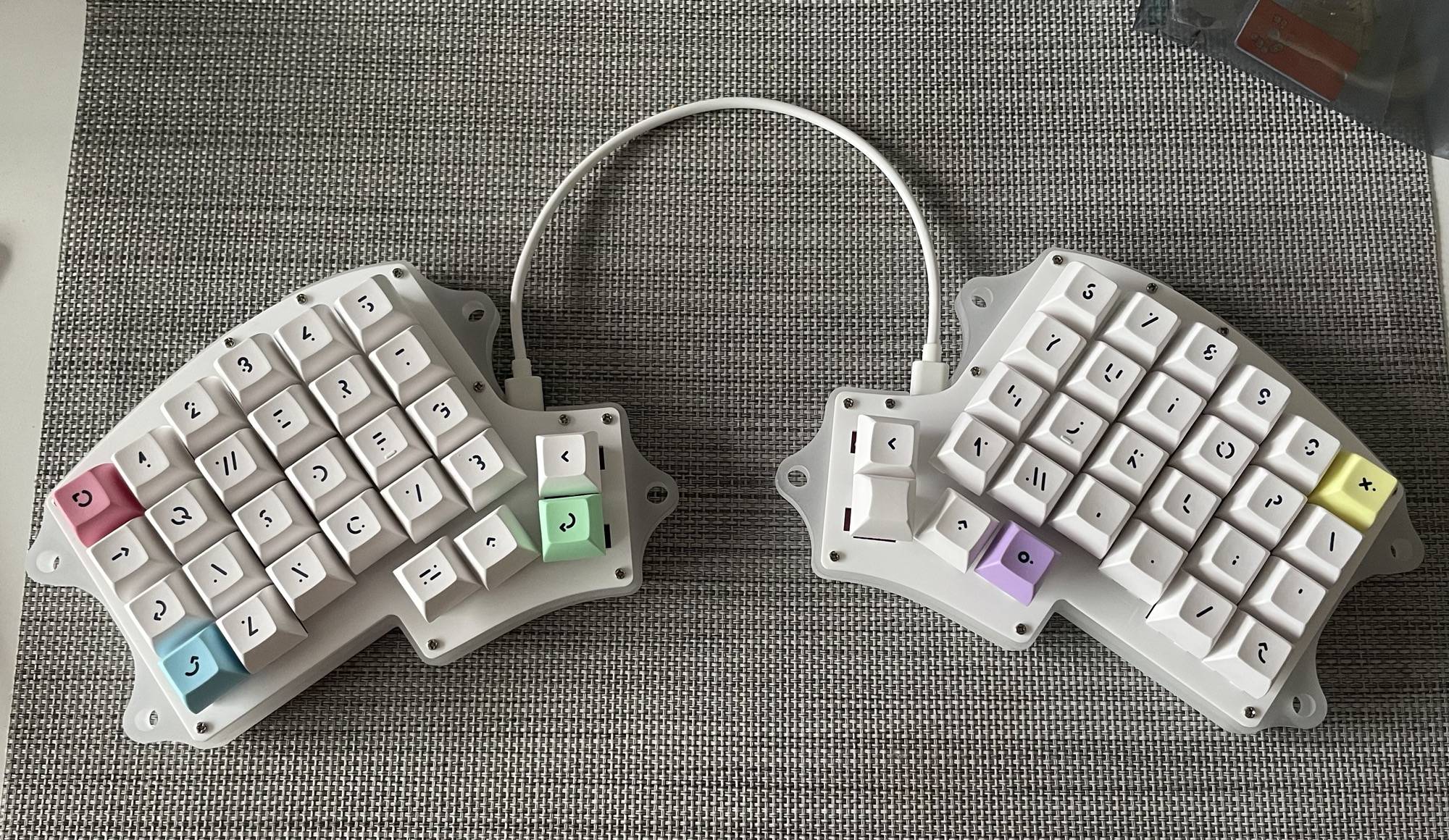
That post seems to be missing.
chamomile 12 points 3 years ago

@improbablynotarobot I own several split keyboards at this point and very much prefer them. I have RSI and it's much more comfortable to type and helps keep my wrists at a comfortable angle.

As for tenting I haven't experimented with it much, but I know that a lot of people swear by it.

path: 0 54448, hotness: undefined, score: 12, children: 4
ANapSoundsNice 5 points 3 years ago

I have bi-lateral carpaltunnel (Mild left, moderate right) and have found it greatly managed in my life as a heavy computer user for work and pleasure by changing my keyboard to the Kinesis Advantage 2. This is an expensive keyboard that definitely isn't in a lot of people's range but thankfully work was able to get it for me to prevent further RSI.

I swear by this damn keyboard though. The split and boxy design perfectly aligns to my shoulder width, and my arms out in front of me rest very comfortably on the pads below each hand-well. The keys are ortholinear meaning instead of the usual QWERTY keyboards having a slight staggering of the keys (and thus, at least for me, I have a lot of micro-adjusting of my hands and wrist as I'm typing) the keys being aligned straight up and down where my fingers are resting means all I have to do is flex my fingers foward and back to hit the proper key. Having the very often used keys on my thumbs (backspace/delete/enter/control/alt/windows+CMD key) mean no more stretching out my pinky to push it.

Far more affordable options include the Iris split keyboards that are DIY in a kit (you provide your own key switches), which I've had my eye on for a long while but could never seem to tear myself away from the advantage 2. Since I've been issued a new laptop with work that is a lot thinner and easier to work out of a coffeeshop or drop-in desk somewhere with, I might start revisiting that conversation.

For completeness sake - I use a logitec Ergo M575 trackball mouse. I grew up laughing at a family member who worked in tech for using this kind of mouse back when it was that ball of clay and an optical sensor. I'm not laughing anymore now that I have to use it so my hands don't hurt from work at by the end of the day 😭

path: 0 54448 55351, hotness: undefined, score: 5, children: 1
thejml 5 points 3 years ago

I'm a DevOps Engineer and thus, I spend 8+ hours at a keyboard a day... I finally decided that I should spend some money on a device i was going to use that much of my life and I now have two Iris's I built. I'm using one to write this that I made last year so i could leave the one I built back in 2019 at the office. Both were v2's. I can't recommend them enough. Takes a little getting used to as you'll want to figure out your layers and play with QMK for things like adding a numpad under a layer and adding in special keys and macro's and such, but It's been well worth it. My wrist pain completely went away. Between that and either logitech trackball, It's been a great setup for 4yrs now and I can't go back to normal keyboards for any decent amount of time before starting to feel sore. FWIW, the new Iris Rev 7's make it so there's almost no soldering or anything.

My setup is Tented as well, and I made matching wrist wrests to match the contour and tenting angles.

Technical Details:

I used my original Iris for 3 yrs before deciding I should use what I had laying around to make this one. I bought two sets of PCB's when I originally got the v2's as it was my first mechanical keyboard build and I didn't want to worry about screwing it up. But I didn't have any issues, so I had another set of PCBs laying around that whole time. I decided for this one I'd go all out and make a custom bottom of walnut and I had laser cut brass top plates. I also used Millmax sockets for the keyswitches so they're hot-swappable. Then, since the v2's still require your to solder your own Arduino Pro Micro's, I swapped those out for nice!nano's so it's fully BlueTooth wireless both between the halves and to the PC. I've filled it with Hako Trues and MT3 White-on-Black doubleshot keycaps. So far, I'll say the True's are a bit stiff sometimes, but I still quite enjoy typing on this thing.

path: 0 54448 55351 58184, hotness: undefined, score: 5, children: 0
improbablynotarobot 2 points 3 years ago

Yeah the split seems more justifiable but tenting seems ergonomic too. Curious at to if you leverage extra thumb keys or dynamic switching of rows too. Seems like it has a learning curve but I like the idea of keeping closer to home row

path: 0 54448 55675, hotness: undefined, score: 2, children: 1
chamomile 4 points 3 years ago

@improbablynotarobot I do! My main keyboard is an Ergodox, and I make heavy use of the extra thumb keys. Having enter/del/backspace on my thumbs alone is really nice, and I also keep a layer toggle next to them. Commonly used keys, like my navigation cluster and a numpad stay close to the home row on two different layers.

The one thing I don't make much use of is symbols on layers, which takes a bit more getting used to than I've put time in for. Instead I just use the dedicated number row.

path: 0 54448 55675 55676, hotness: undefined, score: 4, children: 0
Scary_le_Poo 10 points 3 years ago

I was the IT Director for a company that had a lot of data entry people. I had noticed that the keyboards that they were using were mostly plane jane, mismatched, membrane keyboards. After a bit of back and forth with purchasing I convinced the company to purchase a ton of mechanical (cherry reds), split ergonomic keyboards.

Within a month RSI reports were down by 95% and after 2 months were essentially nonexistent. I also noticed that people had stopped wearing wrist braces as well. I paired this with good, well shaped mice that would hopefully lead to less fatigue with repetitive motion.

My sample size is tiny, but there are 30 some odd people who if asked, would back me up on this. So while not thoroughly scientifically proven, I am willing to say that ergonomic keyboards do make a big difference. I think mechanical makes a pretty big difference too. Cherry reds activate with very little pressure and, imo, make typing long documents or notes much less annoying/stressful/painful/

path: 0 55964, hotness: undefined, score: 10, children: 0
bobaduk 7 points 3 years ago

I've been usung a Moonlander for a couple of months after a friend at work lent me his Ergodox EZ. The learning curve for someone who'd been trying freestyle for 30 years was tough, but I definitely prefer it now I'm accustomed.

Most ergo keyboard users are somewhat zealous, so if you know someone who uses one, they may be happy to lend you one on a temp basis.

path: 0 54640, hotness: undefined, score: 7, children: 1
asqapro 3 points 3 years ago

I’ve got a Moonlander I’ve been using on and off for a while now, it’s hard to fully commit when I’m so comfortable typing on a 60% or 65%.

Agreed about people lending, I’ve let coworkers and friends borrow keyboards and even let some friends keep them because I have too many.

path: 0 54640 54690, hotness: undefined, score: 3, children: 0
Phyxius 7 points 3 years ago

I have a ReDox keyboard built by https://falba.tech/. It took a month of getting used to but once I did I can’t go back. My wrist pain is gone and the layers I built make me faster in practice than I was on a standard layout.

path: 0 71526, hotness: undefined, score: 7, children: 1
thorcik 3 points 3 years ago

I read the first sentence and was like "wait, I haven't been here yet" :D

path: 0 71526 74267, hotness: undefined, score: 3, children: 0
packadal 6 points 3 years ago

I bought a moonlander by ZSA about a year ago.

I found the split allows for a much more relaxed position while writing, and being able to adjust the halves individually when I reposition myself is very comfortable.

They also have the benefit of having thumb clusters, giving more work to the strongest finger of the hand.

Another benefit I find is that most split keyboards are fully programmable, which makes customizing it to your needs very nice.

The only drawback I find to this keyboard (apart from the price, which is not cheap) is that it is hefty, and not easy to transport. The fact that it is wired clutters a bit the desktop, if this is something that concerns you.

I recently built a corne low profile yo have something more transportable and wireless, but this is much more involved, as the configuration goes through writing code and not a nice UI.

However the comfort of this new board is very nice.

There was a whole subreddit dedicated to ergonomcal keyboards, ErgoMechKeyboards, which is very interesting to browse, as what I have done is seen as extreme by my coworkers, but tame compared to what some people are do.

path: 0 87753, hotness: undefined, score: 6, children: 4
Jurisprudentia 2 points 3 years ago

Fellow Moonlander + Corne user here. Once I accepted that I was never realistically going to take my Moonlander on the go, I sprang for the Platform kit. It's a huge improvement over the stock tenting legs.

Column stagger and ortholinear keyboards are an ergonomic wonder. Everyone's hands are different of course, but I find them really comfortable.

Another big plus for ZSA products is their software. The graphical configurator is really powerful and nice to use. It adds a lot of features on top of what's natively available in QMK. I've only manually tweaked my firmware once, and that was for a particularly niche and convoluted use case.

path: 0 87753 94146, hotness: undefined, score: 2, children: 0
leakybits 1 point 3 years ago

I can vouch for the moonlander too. I had an Ergodox EZ for ~3 years, then got a Moonlander, and I've loved them both. Really comfortable to use, and as someone with some chronic wrist issues, honestly a career saver. The Moonlander is also slightly easier than the Ergodox EZ regarding transport as it folds a bit tighter and came with a carry case.

path: 0 87753 91534, hotness: undefined, score: 1, children: 0
ShadowCatEXE 1 point 3 years ago

I imagine a split keyboard requires you to at least type properly?

I'm a software engineer with wrist issues, and would love to use an ergonomic keyboard, but I never really learned to type properly. I often have my hands overlapping the opposite sides of the keyboard. I'll use all finger on my hands, but mainly it's my pointer, middle, and ring finger doing the typing. I feel like this would be impossible on a split kayboard, and would take a crazy amount of time to get back up to speed typing properly.

path: 0 87753 94360, hotness: undefined, score: 1, children: 1
grabyourmotherskeys 2 points 3 years ago

The way to learn to touchtype is simple but annoying. Figure out how to hit backspace every time.

From here all you do is never look down. You hit the wrong key? Backspace. Try again. You can look at the keyboard sometimes, but not while typing.

It will take a while but eventually your error rate drops very quickly and you are good.

This process works very well on split keyboards.

path: 0 87753 94360 150665, hotness: undefined, score: 2, children: 0
khtlkht 6 points 3 years ago

Have the Moonlander, love it. Watch Ben Valleck(spelling)‘s Videos.

path: 0 54977, hotness: undefined, score: 6, children: 1
PetDeCerveau 2 points 3 years ago

Seconding Ben Vallack’s videos. He really goes down the rabbit hole of split keyboards.

path: 0 54977 55125, hotness: undefined, score: 2, children: 0
plz1 6 points 3 years ago

I'm not a big fan. I am somewhat of an outsider with a preference for trackballs over mice, though. MX ERGO FTW

path: 0 58831, hotness: undefined, score: 6, children: 0
irongamer 6 points 3 years ago

While I do not use tenting or physically split keyboards, I have been using ergonomic split keyboards for ~16 years. Not sure if that exactly fits the category you are looking at.

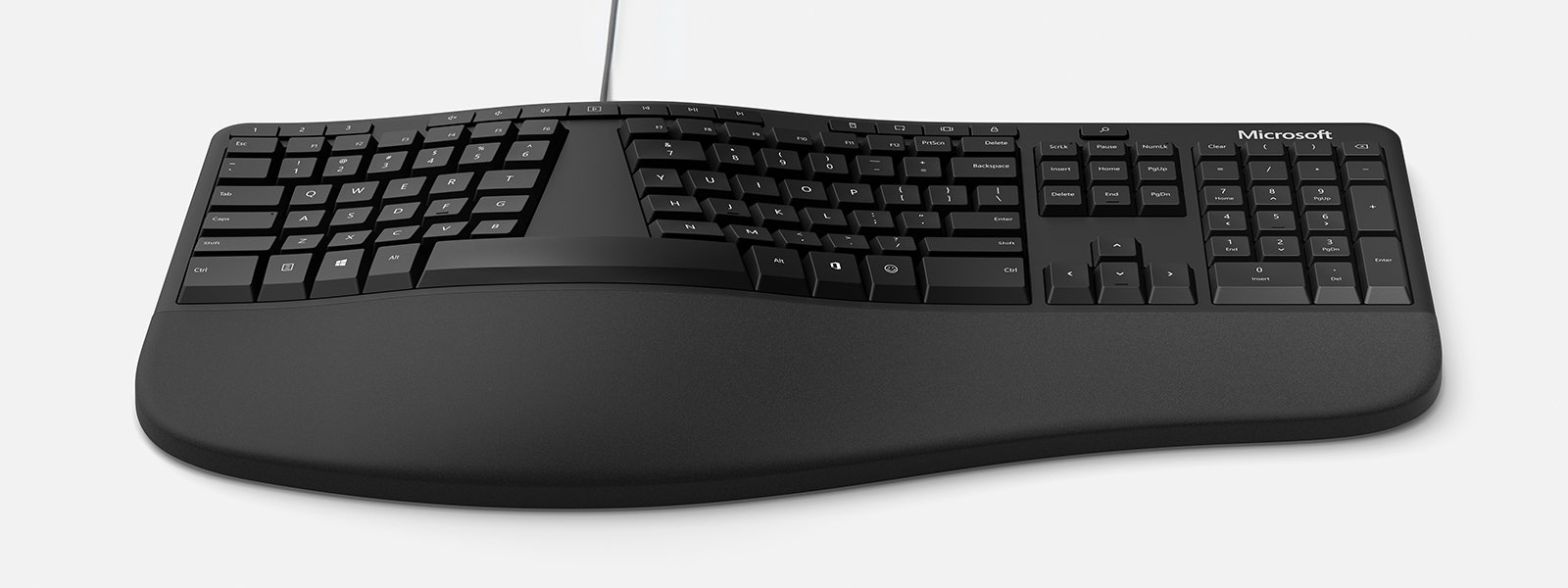
The specific keyboards have been the Microsoft natural ergonomic keyboard 4000, Microsoft Sculpt, and Logitech ERGO K860. I've been gaming on the PC since the early 90s and have been in IT and software development for ~26 years.

I have had no issues with carpal tunnel or RSI. While I obviously cannot say it was 100% due to the split keyboard design I believe it has likely helped to keep those issues at bay. Once you are used to a split keyboard design you can feel the pitch and stress on your wrists when using a standard keyboard. I have also always used the riser that rises the wrist end of the keyboard so you fingers are sort of "falling" down toward the keys.

I used that Microsoft 4000 keyboard for years, cleaned out the membrane on it 2 or 3 times before I had to replace the entire keyboard. Then was left hunting for something to replace it; I tried a lot of keyboards. In the end I've settled on the Logitech K860.

path: 0 58803, hotness: undefined, score: 6, children: 2
grabyourmotherskeys 1 point 3 years ago

I have a pretty similar bio except I'm not into gaming. I will say the feeling of going to a non-split keyboard is immediate now. I'm at a phase in my career where I'm in meetings all day so I don't mind it was much when it happens but a few years ago I'd be having wrist pain after a couple of hours of working on a standard keyboard.

I tried the sculpt as well but found it was having issues with key repeat or just losing connectivity so I went back to a wired keyboard (MS Natural).

Any thoughts on why the Logitech is better or were you just ready for a change?

path: 0 58803 65453, hotness: undefined, score: 1, children: 1
irongamer 3 points 3 years ago

I had the exact same issue with the Microsoft Sculpt, it would disconnect much too often. There is a setting in Windows that sort of helped it but not fully. I also missed the standard cursor keys placement (home/end/pg) and the number pad as I will often punch in some numbers or even hit the enter key over there just to mix it up a bit.

The Logitech is a full width/key keyboard so cursor manipulation muscle memory is great, that was something I was still getting used to on the Sculpt. The Logitech does not disconnect as much as the Sculpt and there are no repeat key presses, it does however still disconnect at times and it is most obvious when trying to copy or paste. Overall the Logitech is the board I like best since the natural 4000.

If there was pie in the sky I'd like a full key, ergonomic split, wired, and hot swap keys so I can just fix any key that has an issue in the future. I searched high and low for that combination and haven't found one that checks all the boxes. There are split mechanical keyboards but they are always missing a feature like: not hot swap, short the cursor keys, have shuffled the cursor keys, or dropped the number pad. There is one mechanical keyboard that comes extremely close but the keys are not hot swap.

path: 0 58803 65453 68636, hotness: undefined, score: 3, children: 0
denton 5 points 3 years ago

I started off with the quefrency, a split 'normal' keyboard, then started making my own (3d printed handwired) orthos.

Then I saw the alu case for iris and got tempted but am unwilling to drop >$300 on a layout I've never used before, so designed my own case with tilt and 3d printed and handwired that (all for ~ÂŁ30 only!! split orthos CAN be cheap! - my first post on Lemmy was on this :D) And have been daily driving it so far

Column staggered is defo the way to go

path: 0 87826, hotness: undefined, score: 5, children: 5
JustBrian7872 1 point 3 years ago

I'm going down that rabbit hole as well - I've already built a handwired 3d printed keyboard and my current project is a split with a 4-way switch as a thumb cluster - inspired by the Fulcrum and in case I need a different cluster, this part of the case is modular.

path: 0 87826 93711, hotness: undefined, score: 1, children: 4
denton 1 point 3 years ago

My next build was (probably) going to be a remix of the iris and I wanted to include a joystick so I could use it 4 ways (towards left, highlight words to left; to right, layer; up down, vol controls).

I'd never come across 4/5 way switches before so that's definitely something I'll be looking into! Thanks for sharing!!

What CAD program do you use for designing your cases?

path: 0 87826 93711 94638, hotness: undefined, score: 1, children: 3
JustBrian7872 0 points 3 years ago

Ah you're right, it's a 5 way switch - forgot the "push" action. I'm using realthunders' branch of FreeCAD - it is really convenient to use compared to the normal release.

path: 0 87826 93711 94638 98262, hotness: undefined, score: 0, children: 2
denton 1 point 3 years ago

Oh I might have to take a look at that, I also use FreeCAD! Damn look at all these things you're introducing me to 😂

path: 0 87826 93711 94638 98262 98263, hotness: undefined, score: 1, children: 1
SomeGuyNamedPaul 5 points 3 years ago

I've been using a Microsoft natural keyboard since 1998. I switched over to the Elite when they came out and I have several spares stockpiled. They helped a lot with the wrist comfort and honestly they improved by typing by enforcing which fingers press which keys.

I have a hard time using a straight keyboard, not because I can't adapt but because they're just plain uncomfortable. So when a thing hurts when you do it then you stop doing it. You'll see.

I printed out and mostly built a Dactyl keyboard but never got around to finishing it because work is super picky about what USB devices can be hooked up to our machines and QMK firmware will absolutely look like a mouse jiggler to their security scanning software. I had to unplug a frickin' volume knob because it was alerting every day as a security risk or something.

path: 0 64453, hotness: undefined, score: 5, children: 1
benark 1 point 3 years ago

Same here. People give me a hard time for having a 15 year old Dell-branded Natural Pro keyboard and a stockpile of spares but they seem to last forever and fit me so well, ergonomically.

path: 0 64453 82178, hotness: undefined, score: 1, children: 0
Speex 5 points 3 years ago

I’ve built several. They are worth every penny. Not only reduced pain in the hands, wrist, and forearms. Also in my shoulders. I’m a fairly wide human and split tented allows you to place the separate parts at a more natural distance for shoulder/arm width.

My mother eve ended up stealing my last build. She’s not complained since and travels with it for work.

path: 0 60862, hotness: undefined, score: 5, children: 2
sailsperson 3 points 3 years ago

As a builder, would you say there's a somewhat budget pre-built option that's decent that lazy and curious people like me can look at?

I'm not having a lot of trouble with my body with the regular keyboards, but they do force.me into specific positions when I have to do actual work, because I need both sides of it rather than just the gaming one when I play.

path: 0 60862 61873, hotness: undefined, score: 3, children: 1
Speex 2 points 3 years ago

Of the pre-builds you are going to be looking in the 200-300 range for any of the Ortho range. But to get started you could look at the Kinesis. They are in the 100-200 range, offer tenting and are split. Can often find them used on eBay as well. This was my entry into the custom keyboard world. Beware that rabbit hole though, it’s deep and can get super super expensive.

path: 0 60862 61873 67708, hotness: undefined, score: 2, children: 0
sushrit_lawliet 4 points 3 years ago

I’ve been trying so hard to get one, sadly where I live, this category is basically nonexistent.

path: 0 58873, hotness: undefined, score: 4, children: 0
buhala 4 points 3 years ago

I had an ergodox for a while. It was nice but it also did hurt more at the start but then I felt way better than with a normal keyboard. Are you experiencing RSI?

path: 0 54438, hotness: undefined, score: 4, children: 1
improbablynotarobot 3 points 3 years ago

Not much, probably a minor case of it if so. Trying to get ahead of it at least but also just like the thought of moving towards a more ergonomic setup

Thanks for the advice!

path: 0 54438 54512, hotness: undefined, score: 3, children: 0
leigh 4 points 3 years ago

I don’t have experience with either, but I find a keyboard tray with negative tilt very helpful ergonomically. (That is, the space bar is elevated relative to the F-keys, in contrast to the “normal” tilt of keyboards.) It’s far easier for me to keep my wrists in a neutral position with one. It might be a great compliment to a split keyboard if you opt for one.

path: 0 54548, hotness: undefined, score: 4, children: 2
improbablynotarobot 2 points 3 years ago

Interesting! I've dropped from the positive tilt that I had to flat/zero and liking it so far (could just be the change of pace though). Never thought of the negative tilt. Feel like I wouldn't be able to use the wrist/palm rest at all

path: 0 54548 54685, hotness: undefined, score: 2, children: 1
leigh 2 points 3 years ago

That’s part of the purpose! 😆 Many people (including my past self) tend to leave their wrists on the wrist rest while typing, causing the wrists to angle upward and create unnecessary strain. Though not everyone, of course.

path: 0 54548 54685 54686, hotness: undefined, score: 2, children: 0
Fluffysquash 4 points 3 years ago

I can’t get by without my lineages advantage 360 pro. It’s a ridiculous keyboard but the only one I’ve ever tried that hasn’t caused my arm to get inflamed after a days typing.

path: 0 55194, hotness: undefined, score: 4, children: 0
snapbuzz 4 points 3 years ago

My first split was a Moonlander which I still have and use, and I love it. Then I got a Rollow and a Waterfowl (both on group buys) and I absolutely adore them.

It does take some reprogramming the muscle memory to get used to a split ortho, but it's been worth it. I can type longer without my wrists hurting, and the freedom in key customisation is awesome.

Using a split lets me keep my hands further apart, so my shoulders are back in a more natural position. That has helped quite a bit with upper back pain.

I tent the Moonlander, but not my other two. Tenting is really comfortable, but I'd recommend starting flat and increasing angle gradually since the split ortho is already a lot to get used to.

Switching to a split is also a good time to switch to another layout like colemak if you have any interest. Your fingers will be slightly confused anyway. Doing that helped me keep my QWERTY muscle memory for normal keyboards.

path: 0 55036, hotness: undefined, score: 4, children: 2
Cratermaker 1 point 3 years ago

I tried using a split keyboard at work for a while but I found that it was too difficult to use all the symbols and extra keys. I'm a programmer so I need to type brackets and colons and things constantly. I bet it would be pretty easy to get used to for someone who mostly types actual English.

path: 0 55036 70258, hotness: undefined, score: 1, children: 1
snapbuzz 1 point 3 years ago

Oh yeah that's definitely a challenge. I had to tweak it some, but luckily I found Miryoku so I can get all the special characters without reaching too far. Even bound a key to :: for Rust. It does take quite a while to get used to though and I had to switch off with a normal keyboard at the beginning when I needed to get something done quickly.

path: 0 55036 70258 84679, hotness: undefined, score: 1, children: 0
Manticore 4 points 3 years ago

I think they're very good if you use your computer for a whole lot of typing and nothing else. Using a DVORAK keyboard instead of a QWERTY one will also improve your WPM and QoL when typing, once you're used to it. If you're a writer or a programmer, it's worth considering.

But much like DVORAK vs QWERTY, any non-typing tasks become affected. It's awkward playing PC games, for example, when some of your shortcuts for inventory/map are far enough from your kb hand to need your mouse hand. You also don't have much range to choose from, so may have to make compromises on things like keypress feedback, simultaneous presses, unit price, etc.

I learned to touch-type on a tented keyboard with a mild split. When I replaced it, I got a 'Wave' keyboard - not split, but slightly tented, and had depressions and curves to match the wrist and the finger lengths at rest on the home row. Both of them were membrane keyboards (full-depth keypress). Despite being a membrane keyboard, the Wave was still as chunky and loud as most mechanical keyboards.

But now, I'm just using a generic full-length mechanical keyboard (partial keypress) with relatively quiet switches, one chosen as a good compromise between gaming (sensitivity) and typing (feedback). I've changed my resting position a little so that my wrists are still in an A shape (not an H shape), but I'm finding the keys much more comfortable.

The old ergonomic keyboards didn't give much choice and in hindsight the feedback on the keys on the Wave felt AWFUL compared to what I use now. A split/tent mechanical keyboard might be different, but then price becomes a consideration. Swapping to a mechanical keyboard made the biggest difference to my comfort typing. (And don't let tall/loud keys fool you - not every chunky keyboard is mechanical.)

path: 0 57960, hotness: undefined, score: 4, children: 2
improbablynotarobot 3 points 3 years ago

Interesting take on the gaming aspect! I've decided to try out the Moonlander and gaming is my main task after programming (sometimes before lol). Hoping the customization software gets me around some of the issues with having the buttons too far away.

path: 0 57960 57961, hotness: undefined, score: 3, children: 1
Babalas 5 points 3 years ago

I've got the EZ and it's not really a problem. Have a button to switch between my QWERTY (gaming) and colemak (everything else) layers. I occasionally forget to switch and wonder why I can't strafe right but it's fine.

path: 0 57960 57961 58274, hotness: undefined, score: 5, children: 0
Dougie 4 points 3 years ago

It takes a little getting used to, but once you're flowing on a split with colemak-dh it feels very natural.

path: 0 62457, hotness: undefined, score: 4, children: 0
ffmike 4 points 3 years ago

More anecdata, but 10-15 years ago I started getting RSI/carpal tunnel symptoms in both hands. I switched to tented keyboards (mainly Kinesis) and vertical mice (Anker among others) and the symptoms went away. I was able to finish out a programming career until I retired a few years ago. So thumbs-up from me. If you're on a Mac, the Kinesis Freestyle is perfectly plug & play. I would recommend checking out a vertical mouse at the same time.

path: 0 70489, hotness: undefined, score: 4, children: 0
teruma 4 points 3 years ago

I absolutely adore my kinesis freestyle 2. I have the 15° tilt attachments, and my wrists dont feel uncomfortable at all at the end of the day like they used to.

path: 0 85215, hotness: undefined, score: 4, children: 2
Mutelogic 2 points 3 years ago

My posture and upper back pain has improved from using my kinesis freestyle 2. The split and tilt are really effective.

path: 0 85215 97175, hotness: undefined, score: 2, children: 0
communication 1 point 3 years ago

Same here. I wish the Freestyle 2 came with the attachments by default, because when I remove them I find it uncomfortable to use. But it's great with the tilt+palm rests!

I find that I go through phases, switching between the Kinesis and the Microsoft Ergonomic 4000. The latter is so cheap that I usually recommend it as a starting point for people.

path: 0 85215 94032, hotness: undefined, score: 1, children: 0
wasabi 3 points 3 years ago

Getting comfortable with the ZSA Moonlander was a painfull process, you lose all muscle memory. But once you are comfortable with it, you'll never want to go back to a non ergo keyboard again.

path: 0 61026, hotness: undefined, score: 3, children: 1
Lux 2 points 3 years ago

I started using the moonlander at work a fee months ago. The customization and thumb keys are absolutely amazing compared to every "normal" keyboard I've used.

path: 0 61026 61628, hotness: undefined, score: 2, children: 0
chrisn 3 points 3 years ago

I've used the ergodox ez for a couple of years, great device. Doing more with thumb is surprisingly convenient.

The small poles didn't do a lot of tenting. I came from yogitype (vertical keyboard), would have liked more.

A few months ago i switched to kinesis 360. Love the tenting of that, the keys are also a pleasure to type on.

Biggest downside is that my laptop keyboard is now even more horrible.

path: 0 66268, hotness: undefined, score: 3, children: 0
franzfurdinand 3 points 3 years ago

I built myself an Iris (v6 iirc) and I love it to pieces. I painted mine rainbow!

path: 0 55184, hotness: undefined, score: 3, children: 2
Zorind 3 points 3 years ago

I also have an Iris! I haven’t tented mine and am trying to decide if I want to.

I’ve found it works fine for games, I usually just shove the right side of my keyboard out of the way for more mouse space, and just have a few extra mouse buttons to make up for not having the right side of the keyboard.

path: 0 55184 58668, hotness: undefined, score: 3, children: 1
franzfurdinand 3 points 3 years ago

I set mine up with rotary encoders that give me up/down/left/right, so I don't have to take my hands off my keyboard to move around within an open file.

I haven't tented mine either, but have tossed around the idea a little bit.

path: 0 55184 58668 67902, hotness: undefined, score: 3, children: 0
hybridhavoc 3 points 3 years ago

I use the Logitech ergonomic keyboard at work and love it. It does take some getting used to but it is definitely a more comfortable typing experience.

path: 0 64205, hotness: undefined, score: 3, children: 0
letThemPlay 3 points 3 years ago

I started off getting a Dygma Raise, as this is a staggered layout like a standard keyboard and you could even slot it together or separate it and use as a split.

I recently put together a Lily58 which is a columnar layout, which took a few days to get used to but I have been enjoying using it.

path: 0 87102, hotness: undefined, score: 3, children: 0
Kris 3 points 3 years ago

I have the Dygma Raise, helped alleviate shoulder issues and RSI

path: 0 55457, hotness: undefined, score: 3, children: 0
open_world 3 points 3 years ago
path: 0 83741, hotness: undefined, score: 3, children: 0
Compgeek 3 points 3 years ago

I’m running a 40% split at work, and I’ve noticed a massive difference in back pain at the end of a long day. Having the shoulders open and rolled back improves my posture and has made a world of difference to me.

path: 0 56078, hotness: undefined, score: 3, children: 0
garretble 3 points 3 years ago

I built a Lily58 keyboard a couple years ago, and I love it. Coincidentally enough, I posted about it today on another thread about mechanical keyboards on yet another server.

But I love how it turned out. It’s super comfy, and I actually enjoy that I can put that keyboard around another keyboard I use for my ipad. So during the day while working I can still use my ipad easily. Super nice.

Here’s a link to the image I posted with that thread:

https://lemmy.world/...

path: 0 57733, hotness: undefined, score: 3, children: 0
Sleeping 3 points 3 years ago

I use a BFO-9000 and I love it! Although its an ortholinear layout so if you went for it it'd probably take some time to get used to.

path: 0 80090, hotness: undefined, score: 3, children: 0
DrDeadCrash 3 points 3 years ago

Boss bought me a UHK, I love it. The split and tent is great on my wrists and fingers. And it's extremely programmable.

path: 0 78846, hotness: undefined, score: 3, children: 1
kresten 2 points 3 years ago

It's awesome with a workplace that cares about ergonomics

path: 0 78846 84499, hotness: undefined, score: 2, children: 0
projectazar 3 points 3 years ago

I want a split, but I cannot yet justify buying another mech board. I've got three currently, and I use one at work, one on my personal PC, and one on my workstation/server machine. I may be able to justify it in the future if my arms/hands start hurting.

path: 0 54717, hotness: undefined, score: 3, children: 0
bsag 3 points 3 years ago

I've used a variety of split keyboards for a good number of years now, and it has made an enormous difference to the hand pain that was just starting before I switched, and also to my posture. I tried tenting too, but never really got comfy with that. I found that tenting helped me more when using higher profile split boards (i.e. with MX switches), but I preferred not tenting with low profile (Choc) switches. It's worth getting a board with the potential to tent though, as it is a very individual thing and you never know what will work best for you.

For reference, I am not a gamer, and try to avoid using the mouse as much as possible.

path: 0 65746, hotness: undefined, score: 3, children: 0
PetDeCerveau 3 points 3 years ago

My personal experience and opinions on split keyboards is a bit different than those that have already commented.

I daily drove a Lilly58 for about two years. Switching to the ortho layout took some effort, but not enough to be a deterrent. And with capable and customizable firmware, any keys that were missing on my layout were made easily accessible with layers.

Having a wider shoulder stance felt nice. And being able to adjust the rotation of the boards on any given day to accommodate my posture felt good too.

However, there were a couple of factors that eventually got to me and caused me to switch back to a TKL.

First was the dynamics between mouse and keyboard. I use a mouse with my right hand. Grabbing a mouse then quickly switching my left hand to the right split was awkward. And hovering my hand over the center of the keyboard was not possible. I tried adding a trackball between the two halves and switching hands as needed, but getting my left hand to cooperate was a much bigger hurdle than I expected.

Second was the lack of hand movement. (I think what most find to be a benefit.). Over time I found that my hands would get tired and I would start making a lot more mistakes while typing. It took a while to figure out, but stretching my fingers to reach things like the function row and using my pinkies to reach for the standard modifiers actually gave me a reason to move my arms and wrists and not hold them in the same position for long periods of time. For me, maintaining position and the lack of movement was far more fatiguing then the stretching.

I don’t doubt for a minute that splits are great and that there are benefits to using them. I just think that how much benefit is very personal to the individual using them.

path: 0 58229, hotness: undefined, score: 3, children: 0
MachineTeaching 2 points 3 years ago

It makes a lot of sense to me, although I haven't jumped on one yet.

But I refuse to use anything but a 65%, I have a seperate numpad if I need one and having mouse and keyboard closer together is already a godsend ergonomics wise, I have no idea how I could stand full size boards back in the day.

A split keyboard is already great because your arms can be in a normal position and proper tenting and tilt makes sure your wrists are at a good angle as well.

That said, most of the more "advanced" split keyboards have pretty.. unique layouts and I don't know if I'll get used to them. I also really want to keep my arrow keys and don't want to rely on layers too much, for stuff like the F keys and other rarely used functions it's fine but I don't want layers for anything that's a regular part of my workflow.

Maybe I'll just get a quefrency and see how it goes.

path: 0 88509, hotness: undefined, score: 2, children: 1
AbstractLinguist 1 point 3 years ago

The Microsoft Sculpt keyboard is my perfect keyboard. They discontinued it a couple months ago, but you can still find them in Amazon. Tented and split (though it’s one solid unit, so no customization) with a separate wireless numpad for exactly the reason you described. Typing on anything else makes my fingers go numb after about half an hour.

Still thinking about trying a fully customizable one someday though, but I’m not sure it’s worth the expense for me

path: 0 88509 98211, hotness: undefined, score: 1, children: 0
CatsGoMOW 2 points 3 years ago

I have an Ergodox EZ that I use off and on. I used to use it regularly, as I mainly bought it because I was experiencing some shoulder pain.

When you bring your hands/wrists together to type on a regular keyboard, your shoulders tend to roll inward a little bit. Using the Ergodox or any split keyboard lets you open up your chest and shoulders to a more proper alignment and is much more comfortable in my opinion.

It only took me a couple days or so before I was typing at 80%+ of my normal speed on the split and ortho layout.

I haven’t used that keyboard regularly in a while since I wound up discovering that my shoulder pain was caused by my mattress (and just exacerbated by my regular keyboard). I had built out a layout that worked pretty well for me on the Ergodox, but then for the times I would travel for work I would get thrown off switching back to the normal layout of the laptop keyboard.

path: 0 55572, hotness: undefined, score: 2, children: 0
SoftestVoid 2 points 3 years ago

I've been thinking about getting a Moonlander for work. Been having some pain in my arms/shoulders/wrists after work. Would be my first split keyboard.

path: 0 55657, hotness: undefined, score: 2, children: 0
jax 2 points 3 years ago

I built a wireless Kyria keyboard late last year and love it. I went with LEDs and OLEDS (not recommended, I basically have to leave both halves plugged in if I want to use them).

They are a lot more comfortable to use than a standard keyboard IMO.

path: 0 55761, hotness: undefined, score: 2, children: 0
LucidDaemon 2 points 3 years ago

My wife and I use the ZSA moonlander when we're not gaming. When we game we switch to regualr 60%s. I also have a custom built split keyboard that I don't really use.

For me, it saved my wrists. My wrist and forearms used to go numb after extended coding sessions while using a regular 60%. I no longer have that issue using a split.

I do recommend researching switches, as I found that using Gateron Red Inks, 45g actuation force, also added to relieving stress on my wrists. I lubed and filmed them too, which is overboard for most.

I also recommend trying different key layouts, I use Colemak DH, but Workman and regular Colemak are also good. They lower the finger movement needed to press the most used letters in English. Layouts can be changed on the hardware level on the Moonlander, allowing it to just work on any device.

https://colemakmods.github.io/mod-dh/ https://workmanlayout.org/

path: 0 98920, hotness: undefined, score: 2, children: 0
PopBobert 2 points 3 years ago
path: 0 69626, hotness: undefined, score: 2, children: 0
Friend 2 points 3 years ago

I can vouch for a split keyboard. I am using moonlander which I find highly comfortable to use instead of the keyboard on my laptop - moonlander does have a steep learning curve but I find it worth it.

path: 0 70418, hotness: undefined, score: 2, children: 0
TheAgeOfSuperboredom 2 points 3 years ago

I got a Glove80 recently and so far I love it! It took some getting used to but it's very comfortable and seems to be helping with my RSI.

path: 0 78610, hotness: undefined, score: 2, children: 0
tulth 2 points 3 years ago

i have an ergodox and its good, but my kinesis advantage is noticably easier on my hands

path: 0 82074, hotness: undefined, score: 2, children: 0
ComradeMiao 2 points 3 years ago

I personally don’t love split but I know keebio specializes in split keyboards and many with tenting as well.

path: 0 75008, hotness: undefined, score: 2, children: 0
Hexarei 2 points 3 years ago

I personally have used a self built Dactyl Manuform as my primary keyboard for the last two years or so, and it's great as a programmer. I mostly pursued it due to wrist discomfort, which has essentially disappeared since I started using it.

path: 0 78407, hotness: undefined, score: 2, children: 0
Ekis 2 points 3 years ago

I suggest the Moonlander by ZSA. It checks all the boxes for me:

  • Ortholinear
  • Fully programmable keys
  • Programmable RGB lighting
  • Hot-swappable keys (the keys are not soldered onto the board, allowing you to change the keyswitches)
  • Built-in wrist support (can be detached or folded to hide it)

I've been happily using the Moonlander for over a year and can't see myself going back to a normal keyboard.

path: 0 82187, hotness: undefined, score: 2, children: 0
Deebster 2 points 3 years ago

I've been using a Microsoft Natural Ergonomic Keyboard 4000 for 12 years. I broke my first one by spilling tea into it and immediately bought a second one after trying to go back to my previous keyboard. Now “normal” keyboards feel cramped to me.

One thing that's good is that it forces you to type more correctly, and if you're not a touch typer already, getting a split keyboard is a great time to learn since you're having to make adjustments anyway. I used typing.academy to learn.

My keyboard is flat on the desk and I never have problems with carpal tunnel or similar.

path: 0 91074, hotness: undefined, score: 2, children: 0
no_priority 1 point 3 years ago

I have 2 ergodox EZs, a homemade redox that uses Bluetooth, and a homemade dactyl manuform.

For ergonomics, I'd say these are my priorities:

  1. Split
  2. Ortholinear with staggered columns
  3. Tented
  4. Mechanical switches

The arrangement of keys on the ergodox got me to start typing correctly, and I think the split helped a lot with my posture.

I had some bad luck with my dactyl manuform, the tenting was too aggressive, and the thumb cluster was angled in such a way that it put lots of strain on my thumb. I'm currently looking at replacing that with a Ferris Sweep.

Bluetooth was a mistake, the latency was unbearable. It led to one half of the keyboard being consistently slower than the other half, so I'd constantly make mistakes. I used nice!nanos fwiw.

path: 0 98283, hotness: undefined, score: 1, children: 0
yoshi_nori 1 point 3 years ago

I went from regular keyboards to split qwerty for a while. Which was nice but still felt a bit clunky. I then built a Lily58 and daily drove it for about 2 years. I did this mostly out of curiosity because I never had any pain issues, back or wrists or anything. What happens is now I noticed how uncomfortable regular keyboards are, when I have to use the laptop keyboard. It is very good to control tenting with the split form factor. I then switched to a Corne because it's smaller and I travel quite a lot. I also changed to a colemak layout and boy, that switch was hard (decades of typing qwerty, muscle memory, etc). It is much more comfortable to type though.

path: 0 65828, hotness: undefined, score: 1, children: 0
PauliExcluded 1 point 3 years ago

I have an Ergodox and I love it. I’ve used it for a little over 5 years at this point. Combined with an ergonomic ball mouse, better chair, and physical therapy, I’ve mostly eliminated my arm and wrist pain. My only complaint is it’s not topre key switches but there are very few topre keyboards as-is and Cherry browns are okay, I suppose

path: 0 84176, hotness: undefined, score: 1, children: 0
cark 1 point 3 years ago

I don't, but a coworker uses an ergodox and I've been eyeing it lately

path: 0 65288, hotness: undefined, score: 1, children: 0
Nilesse 1 point 3 years ago

If you’re not looking to tinker, the Logitech Ergo K860 is a great keyboard. I had to swap to an ergo keyboard due to wrist issues and it really helped. However, I’m a sucker for mech keyboards (& clickies) so I ended up building an Iris. I don’t have it tented, the ortho + split is enough for me. It took some time to get used to swapping layers but after a while it all becomes muscle memory. I can definitely recommend a split keeb! Iris with KAT Milkshake and Kailh Box Whites

path: 0 65964, hotness: undefined, score: 1, children: 0
priapus 1 point 3 years ago

I use an Iris, a split ortholinear board. I also used a pack of differently sized rubber feet to tent the board a small amount. I love using it, I wish I could have one for every system I use.

I'm even keeping my eye on the Framework 16 inch laptop, since the customizable keyboard module will allow for a split board!

path: 0 94073, hotness: undefined, score: 1, children: 0
Wintermute 1 point 3 years ago

I would like to try one, but I have yet to see one that comes at a price that's even remotely tied to reality. If anyone can recommend a split keyboard (assembled, not a kit) that I can buy for under $200 I would be all over it.

path: 0 83275, hotness: undefined, score: 1, children: 0

thanks for using Leebra!

go to feed...