
The other day my laptop was sluggish as hell, checked top and turns out Discord and Orca Slicer were maxing out my cores
dai 9 points 2 years ago
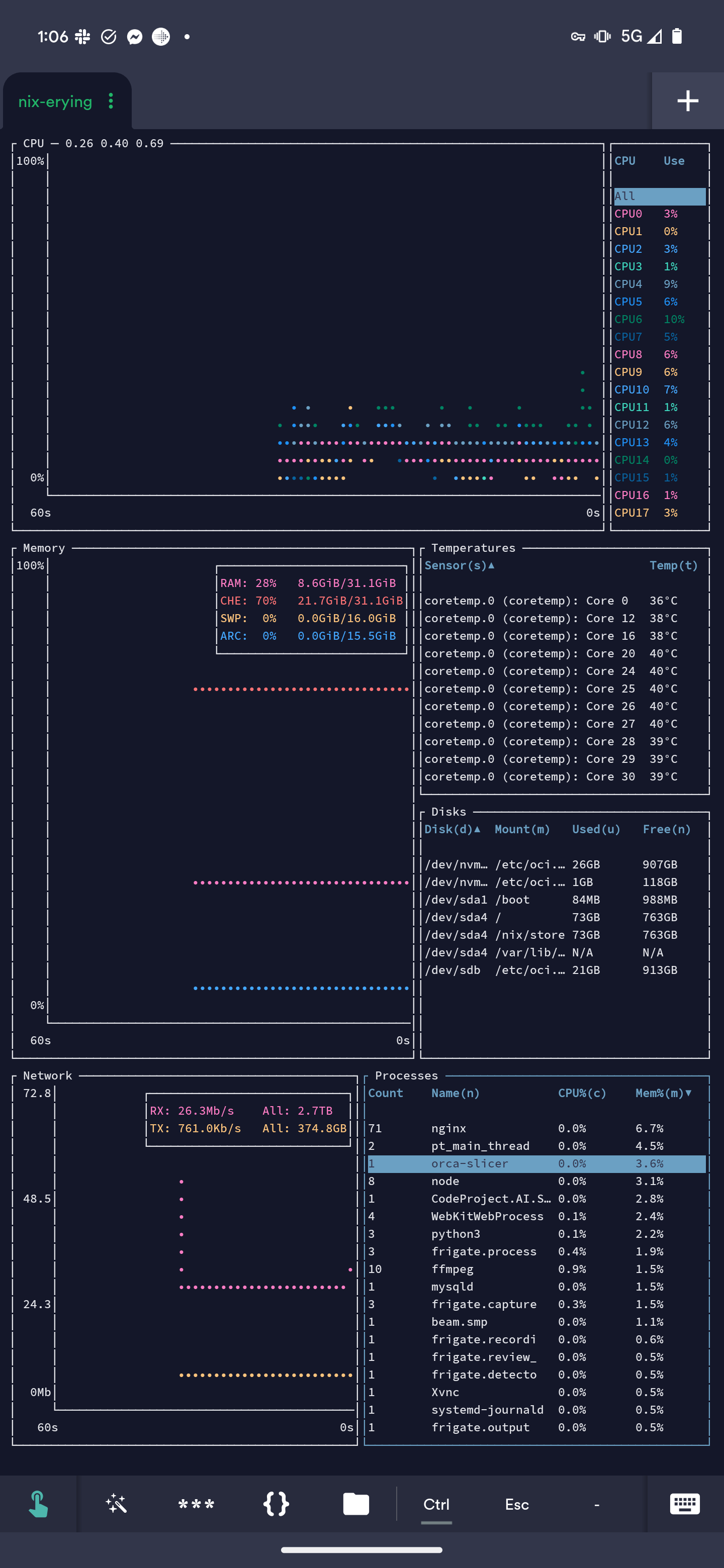
Is Orca that resource intensive? I'm running it in a container with KasmVNC and have never really checked out the resource usage. Admittedly it's on one of my local servers in another room. I guess it's how large your projects are too.
Edit: maybe it's just my small projects
dabaldeagul 1 point 2 years ago
Global keyboard shortcuts are pretty nice. E.g. muting yourself without alt tabbing to your browser.
dan 5 points 2 years ago
Oh that's a good point. I totally forgot that Discord has voice features. don't use Discord often, and when I do, it's just for text chat. Unfortunately some open source apps I use use Discord for communicating with the developers.
14th_cylon 8 points 2 years ago
And your browser with 300 open tabs doesn't even fit into the room
QuazarOmega 4 points 2 years ago
Firefox is my tab-hoarding enabler 😍
LonelyNematocyst 2 points 2 years ago
Consider also getting Simple Tab Groups. You can basically instantly send a bunch of tabs to a "group", which is like bookmarks except they can also be opened/closed all at once in a new window. Very handy, you can open 50 tabs researching something, close them all, then instantly reopen them when coming back to the research.
henfredemars 73 points 2 years ago
I've seen builds of the Linux kernel that comfortably fits in my on-die CPU caches.
So it would just be a picture of an empty sofa.
henfredemars 26 points 2 years ago
Tiny Core Linux is a minimal Linux kernel based operating system focusing on providing a base system using BusyBox and FLTK. It was developed by Robert Shingledecker, who was previously the lead developer of Damn Small Linux.
Ah, that explains a lot! Didn't know about TCL.
roguetrick 3 points 2 years ago
Won't run on my 386? Well what good is it then.
gravitas_deficiency 6 points 2 years ago
That sounds neat. Link?
henfredemars 7 points 2 years ago
Hm? Do you mean a link to builds that are this small? My midrange Intel i5-12600K (I'm a working man, doc...) L3 cache is 20,971,520 bytes. My Linux Mint (basically Ubuntu kernel) vmlinuz right now is only 14,952,840 bytes. Sure, that's a compressed kernel image not uncompressed, but consider this is a generic kernel built to run most desktops applications very comfortably and with wide hardware support. It's not too hard to imagine fitting an uncompressed kernel into the same amount of space. Does that help to show they're roughly on the same order of magnitude?
Ten years old kernels could be 2 MB.
gravitas_deficiency 3 points 2 years ago
Gotcha - I thought you meant you had seen some sort of demo/article/whatever with a proof of concept, but I misunderstood.
BCsven 3 points 2 years ago
My ARM board from 2010 has 256MB of memory. It runs an old 3.1 kernel (not attached to internet) , new kernels won't fit/load. But on that I have OpenMediaVault running SAMBA shares and mindlna to serve music. It isn't even using 50% of the 256MB
sxan 7 points 2 years ago
Your use case is obviously different, but I've gone years between system upgrades. I mostly do OSS coding, or work stuff; not gaming. The only case I can imagine needing to upgrade my little Ryzen with 16 cores - a laptop CPU - is if it becomes absolutely imperative that I run AI models on my desktop. Or if Rust really does become pervasive; compiling Rust programs is almost as bad as compiling Haskell, and will take over my computer for minutes at a time.
When I got this little micro, the first thing I did was upgrade it to 64GB of RAM, because that's the one thing I think you can never have too much of; especially with the modern web and all the shit that brings with it; Electron apps, and so on, absolutely chew up memory. The one good thing about the Rust trend is better memory use, so the crappy compile times are somewhat forgiveable.
waz 4 points 2 years ago
My case was purely, that I had upgraded the gpu in my classic Mac Pro, and thought that a SFX pc build could be done with the old gpu and a power supply and mobo. It started out with a cheap mobo, to hold only an old i7 from an imac that was parted out, and 8gb of ram (2x4 sticks I had spare) and the vega56. I found it so capable a system, that the only issue was ram when I forgot about the dozen tabs open on a browser, and the game just launched would hang the system. Before I would ‘waste’ spending money on the max 16gb that this board could hold, I started collecting the parts for it’s current setup; a520i, ryzen5 5600x , 64gb, nvme ssd and the gpus I’ve now swapped between the cMP so now it’s a rx5700xt. Use is purely a spare, don’t want a windows machine, I’ve got the mac for a server/media machine, so it’s all purpose and games on the Linux box. Although I have got dual boot capability set up on both just because I could, maybe something really offside would need w10 - one example; VCDS car diagnostic software that doesn’t support anything but win.
turbowafflz 3 points 2 years ago
Somewhere around 2017 I bought an old dell precision from 2011 for $25, put a radeon rx 570 in it a few years later and used it as my main computer until last year when I finally got around to building a replacement
fuckwit_mcbumcrumble 2 points 2 years ago
700 tabs + VM?
At work I regularly kiss 32gb with everything open and a VM. When I got my latest machine I made sure to get 64 so I think I'll be good for a while. 32 gigs lasted me from 2017 to 2024. And if I need more this machine takes 2 SODIMMS so I can install at least 96 gigs.
Valmond 2 points 2 years ago
Fixing a SSAO bug where indices overflowed the 32bit int on the gpu I had to use 64GB. Since then I have never needed more than 32GB and at home 24 is way more than I need.
Well, I just remembered, actually I did need more once for a fftv bug (same story, 32bit overflow) but I borrowed a 192GB pc for that.
JGrffn 40 points 2 years ago
Can't relate, just upgraded my laptop from 32GB to 64GB since VScode would keep closing due to OOM. What? Oh, no, it's not vscode's fault.....I keep like 5 Firefox windows with 30+ tabs open, like a fucking maniac..... Close them? What do you mean "close" them?
boonhet 3 points 2 years ago
Wait, do people shut down their computers when they're done using them?
I know I did on the desktop PC we had at home when I was a kid... But now the desktop doubles as a homeserver (and does that more than it does gaming lately) and the laptop just goes to sleep rather than shutting it down.
missphant 8 points 2 years ago
When I started hitting OOMs I just downloaded free ram.
(Modifying my zram-generator config to use 1.5x my ram size instead of the measly 4GB – uncompressed – default. Seriously it's worth looking into, though default depends on your distro)
SaharaMaleikuhm 3 points 2 years ago
No need to convince me. I will always believe people complaining about garbage electron apps.
That being said, I use vscodium myself and actually like it. Does not mean I won't complain tho
candyman337 3 points 2 years ago
Get sideberry, it allows you to "sleep" unused tabs
caseyweederman 1 point 2 years ago
It does that by default though?
candyman337 2 points 2 years ago
Idk, I think it's more proactive and more customizable
lelgenio 1 point 2 years ago
I think there's still something wrong with your setup.... You should be able to have as many Firefox windows and tabs as you'd like without using too much RAM, since they should de "suspended".
I regularly have hundreds of tabs running fine, on 32GB of RAM.
Most likely it's a vscode extension that's leaking memory, and this problem will still happen after your upgrade, just take longer.
caseyweederman 1 point 2 years ago
Firefox puts inactive tabs to sleep, effectively turning them into bookmarks that reload when you switch back to them. I regularly right-click close-tabs-to-the-right over 200 tabs.
shadowfax13 0 points 2 years ago
same with intellij
Draconic_NEO 37 points 2 years ago
Gives a lot of Space for running Virtual machines.
Also browsers can chew that up fast if you have a lot of tabs, Firefox has managed to do it a few times. At least until I started limiting its RAM to 8GB (best decision ever)
Limit Firefox to 8GB of RAM .desktop file
[Desktop Entry]
Version=1.0
Name=Firefox RAM limit 8GB
GenericName=Firefox Ram limit 8GB
Comment=Limit RAM for Firefox to 8GB;
Exec=systemd-run --user --scope -p MemoryLimit=8G firefox
Icon=firefox
Type=Application
Terminal=false
Categories=Utility;Development;
StartupWMClass=Firefox
(To use it with other apps like Chrome or Electron apps just replace the command at the end, and startup class with the ones from the program you'd like to run. Icon and Name changes are optional but might be desirable so you remember what app it is for).
Draconic_NEO 4 points 2 years ago
That's good to know, I don't know how well it would work though I feel like I enabled something about closing background tabs to reduce memory load (it might have been what you said, it might have been something else I don't really remember) and it helped a little bit but it still ended up chewing up a lot of memory.
Setting the limit though did help immediately. And stop the overconsumption problems, occasionally a couple of tabs crash here and there but it doesn't freeze or worse cause other apps to slow down and freeze. Which did happen before.
Draconic_NEO 1 point 2 years ago
Something I didn't consider when answering earlier is that even if Firefox did have good RAM usage limiting built-in I probably still wouldn't use it or recommend it, because one of Firefox's biggest problems is that it leaks. And memory leaks will not be negated by Firefox's built-in RAM limiter but they will be by systemd's (or anything else you might be using instead) Firefox would still crash in the event of a leak but it's still better than it taking gnome or other apps with it, or freezing your system entirely.
Draconic_NEO 3 points 2 years ago
It might be harder for them but there are similar tools that they could use to limit it. One I've seen people use is firejail, a tool designed for sandboxing processes and applications.
I've personally never tried it myself though so I can't attest to how well it works, either for this purpose or sandboxing in general.
QuazarOmega 2 points 2 years ago
Does it kill Firefox if it tries to go over the limit? I think I tried this once and if there is a memory leak it just closes itself (which is batter than hogging the whole system, bit still)
Draconic_NEO 5 points 2 years ago
No, it just limits the amount of RAM that Firefox (or whatever other application you launch with these parameters) will see.
A few Firefox tabs may crash occasionally as a side effect. And obviously if Firefox eats up all of the 8GB it's allocated it may crash itself though usually it doesn't and tabs will crash before the browser crashes.
QuazarOmega 2 points 2 years ago
Thanks I understand now, I'll have to try it again
SaharaMaleikuhm 3 points 2 years ago
I think Firefox only sees 8 GB and limits itself ideally. So if it goes over it just unloads unused tabs and such.
Draconic_NEO 2 points 2 years ago
I can confirm this, the first time I tried it out I accidentally set it to 1 GB, Firefox could only see that amount of memory. Though limiting Firefox to only 1GB its a very bad idea and it can cause it to crash it's not because it's trying to go over though it's just because it ran out of memory.
8GB is what I would consider the safe minimum for web browsing. If you said it lower you'll have performance losses. Setting it higher though will only chew up valuable System RAM by inactive tabs.
snugglebutt 29 points 2 years ago
the rest is electron
GreenKnight23 24 points 2 years ago path: 0 13232297, hotness: undefined, score: 24, children: 0
winterayars 24 points 2 years ago
Once you fire up a webpage it'll just dump garbage all over the couch.
SocialMediaRefugee 24 points 2 years ago
Java would like to hog the couch
LunchMoneyThief 8 points 2 years ago
Minimum requirements to run hello world in Java
Ensign_Crab 12 points 2 years ago
Four of them.
drunkpostdisaster 22 points 2 years ago
I wish I was a cat
SatouKazuma 2 points 2 years ago
...name checks out
OutlierBlue 10 points 2 years ago
"Microsoft"
everypizza 18 points 2 years ago
i think you might be able to run kde plasma with that!
everypizza 1 point 2 years ago
plasma wayland just doesn't work with orca and x11 uses 7× your system resources
SaharaMaleikuhm 15 points 2 years ago
Better add 32 GB Zram to be safe tho
I use Kde plasma so I'm allowed to make fun of it
rtxn 16 points 2 years ago
Try realizing ten thousand mesh instances in Blender and watch that sucker eat the rest of your RAM like it's got a pebble in its shoe.

I did that on my work PC with 128 GB memory (originally built for esports shit) and it still wasn't enough.
rtxn 10 points 2 years ago
It was also supposed to be an all-in-one recording/streaming computer for university events, and they had to use the budget for something. It ended up being used as a proxmox host for a while, then it was handed off to me. Now the most resource-intensive thing it runs is a Windows 11 VM that I torture mercilessly use for experiments. It rarely gets to 10% memory utilization.
MonkderVierte 16 points 2 years ago
One of the cushions is your browser, the other half some IDE you use to write an one-liner.
independantiste 4 points 2 years ago
And hitting high memory pressure is really not fun on Linux (on Fedora at least), it simply locks up and slows down to a crawl and does nothing for minutes until the oom killer finally kills the bad program. I've kind of solvd this by installing a better oom killer on my laptop, but my desktop was easy: buy 32GB of additional ram for like 90$: problem solved
Dave 3 points 2 years ago
I like to have a 50GB+ swap file. Though Fedora is a bit weird with swap files as by default it's stored in RAM (Yes, extra space for RAM is stored in RAM. I... admit I don't understand the detail).
Ephera 2 points 2 years ago
Hmm, it's been a few years since I've run Fedora, but that's an experience also still stuck in my head from that time.
I always figured, Linux had just gotten better at that, because I switched to a more up-to-date distro afterwards, but in retrospect, it's not like Fedora is terribly out of date, so maybe that is just a weird configuration on Fedora...
SaltyIceteaMaker 12 points 2 years ago
i mean, some games (cough cough factorio cough cough) manage to use up about 25GB of ram on my system, so it's nice to have a buffer. now, my 64GB may be considered a bit overkill but i call it future proofing
SaltyIceteaMaker 3 points 2 years ago
tf are you doing
SaltyIceteaMaker 1 point 2 years ago
yeah probably because of all the mods i play with, and the the absolute overkill i manufacturer everything with
dual_sport_dork 12 points 2 years ago
Y'all need to point me towards one of those tiny Linux systems. I have an old no-longer-bricked Toshiba Satellite that somebody gave me and I got it to boot again, so I slapped Mint on it to see how I liked it since I've never messed with that distro before. The only problem is this sucker is a dog, it's only got 2 gigs of RAM and a pokey 5400 RPM platter drive in it. The thing sits there and thrashes swap constantly even when it's doing nothing, and when Mint is creating one of its automated system image rollback things it's completely unusable. I'm surprised the laptop platters don't escape their casing and bore into the Earth like a drill bit.
I found that it will... eventually... load and run the latest FreeCAD build and once it's going it's actually not bad (awful screen resolution and single touch only trackpad notwithstanding). But getting there when taken altogether takes about 20 minutes...
SpikesOtherDog 7 points 2 years ago
If you can afford it, a SSD will significant improve your life. Also, any more memory will help.
As others said, you can disable swap.
Are you running the xfce version of Mint? It's significantly less resources.
dan 4 points 2 years ago
you can disable swap.
Be careful with disabling swap if you don't have a very large amount of RAM, as many apps rely on memory overcommitment and a large virtual address space, which can behave erratically without swap.
You'd be better off keeping swap enabled and instead setting vm.swappiness = 0 in sysctl.conf.
Swappiness is a value between 0 and 100, where 0 means to never swap unless absolutely necessary (only if you completely run out of RAM), and 100 means all programs and data will be swapped nearly instantly. Think of it like a target for the percentage of RAM to keep available. The default is usually 40 which is fine for a low-RAM system, but swaps way too often for a system with more RAM.
SpikesOtherDog 1 point 2 years ago
Thank you, I did have that wrong.
notthebees 2 points 2 years ago
I use bunsenlabs helium on my old vaio a series laptop. I use a 32 bit non pae build bc it's a pentium M that might not support pae. It uses a window manager over a desktop environment.
I'd recommend using a 32 bit distro as they tend to take up a little less ram.
Also I'm on a 4200 rpm PATA HDD. It has 2 gb of ddr ram. It's slightly too old to get ddr2 which is unfortunate.
ArcaneSlime 1 point 2 years ago
Antix will run on old grey boxes with mb of ram, it oughta work for you too.
PrettyFlyForAFatGuy 1 point 2 years ago
can you not disable swap? force it to stick to physical RAM.
dan 1 point 2 years ago
You absolutely need swap on a low RAM system. It's the only way the system will actually be usable. You'll hit OOMs (out of memory errors) that take down the whole GUI if you turn off swap on a system with only 2GB RAM. You can only really turn off swap if you have a very large amount of RAM, and even then, it's safer to keep it enabled and set swappiness to 0 instead.
PrettyFlyForAFatGuy 1 point 2 years ago
most of these old systems dont have soldered RAM a few extra gig of DDR2 RAM would be dirt cheap on ebay too
dan 1 point 2 years ago
If you can find it :) DDR2 is old enough that a lot of it has been thrown out as e-waste. If you're lucky, you may be able to find some at a computer/electronics recycler for free.
masterofn001 10 points 2 years ago
Leaves Firefox running.
OOM
Treczoks 10 points 2 years ago
That's how I got a free netbook. The netbook had 32GB flash with windows and office occupying 27+GB. Then windows wanted to do an update - with an 8+GB file. Spot the problem. And windows can get quite annoying with updates. As the netbook could not be expanded, and attempts to redirect the update to a USB stick did not work, a newer netbook was bought, and I got the old one. Linux plus libreoffice plus a bunch of extras happily sat in 4GB...
icecreamtaco 9 points 2 years ago
Am i the only one who still has no problems with 8GB? Not that I wouldn't be happy with more but i can't remember the last time I've even thought about ram usage
trxxruraxvr 6 points 2 years ago
If your job requires you to use chrome and vscode, 8GB is usually not enough :/
icecreamtaco 5 points 2 years ago
At my last WFH job my daily setup was firefox, sublime text, slack (electron app), github desktop (also electron), and 3 terminals, one running a local dev server. It all ran fine.
possiblylinux127 8 points 2 years ago
Now run Mixtral
pineapplelover 8 points 2 years ago
My system gets maxed out of the 16gb regularly.
mm_maybe -3 points 2 years ago
this; every time the ublock origin absolutists insist that everyone must use Firefox or die I just wonder if they never open more than one or two tabs anyway. hell, a sufficiently complex web app running in a single tab can make FF choke
jol 7 points 2 years ago
You got it wrong actually. Firefox is not really actively using all the ram. It's more like reserving it. The system does that too. When the actual used RAM gets low, Firefox releases some of this unused RAM.
SaltyIceteaMaker 2 points 2 years ago path: 0 13227676 13228145 13228412 13232026, hotness: undefined, score: 2, children: 0
pineapplelover 1 point 2 years ago
I mean I run ubo and firefox. And have hundreds of tabs open. On any system, it lags so I know the struggle.
captainlezbian 7 points 2 years ago
I spent years gaming on 8gb. Sure I could barely open bg3 but do I really need my 32 now?
SwingingTheLamp 7 points 2 years ago
True story. I remember back in the bad old days when Firefox had notorious memory leaks, so when building my latest PC, I put in 32GB. The monitor app on my desktop has only ever topped out at showing 30% of memory allocated.
LovableSidekick 5 points 2 years ago
When I think back to when I marveled that one of our office's 8Gb nightly backup tapes fit in my shirt pocket - EIGHT GIGABYTES - in my POCKET!!!...
In the future Gen ┐ will whine to their parents that their cerebral implant is only 100 terabytes.
LovableSidekick 5 points 2 years ago
But there's so much room for ACTIVITIES!!!
DrDystopia 5 points 2 years ago
And on linux, so much room for cache that doesn't have to be dumped to disk!
kevincox 2 points 2 years ago
I have enough disk space.
Plus my /tmp is a ramdisk and sometimes I compile large things in there (Firefox) so it is nice to let it be flushed out to disk if there are more important uses for that RAM than holding a file that most likely won't be read again.
kevincox 2 points 2 years ago
Yes. As this is a workstation the memory use is highly variable, >95% of the time I would probably barely notice having 32GiB. But other times it is a huge performance win to have that capacity available. Sometimes I am compiling lots of stuff and 32 compilers running + ample disk cache is very important. Other times I am processing lots of data and other times I am running a few VMs.
It is a bit of a luxury. I think if I was on a tighter budget I would have gone for 64GiB. However the price difference wasn't that much and at least a handful of times I have been quite happy to have that capacity available. And worst case I just have everything sitting in disk cache after a warm up which is a small performance win on every small task.
KazuchijouNo 2 points 2 years ago
My minimal arch installation on my 128 GB RAM monster of a computer

linuxmemes
@lemmy.world
32537
2322
8246
Hint: :q!
Sister communities:
Community rules (click to expand)
1. Follow the site-wide rules
- Instance-wide TOS: https://legal.lemmy.world/tos/
- Lemmy code of conduct: https://join-lemmy.org/docs/code_of_conduct.html
2. Be civil
- Understand the difference between a joke and an insult.
- Do not harrass or attack users for any reason. This includes using blanket terms, like "every user of thing".
- Don't get baited into back-and-forth insults. We are not animals.
- Leave remarks of "peasantry" to the PCMR community. If you dislike an OS/service/application, attack the thing you dislike, not the individuals who use it. Some people may not have a choice.
- Bigotry of any kind will not be tolerated. This is an LGBTQ+-friendly community -- if that is a problem for you, you should leave.
3. Post Linux-related content
- Including Unix and BSD.
- Non-Linux content is acceptable as long as it makes a reference to Linux. For example, the poorly made mockery of
sudoin Windows. - No porn, no politics, no trolling or ragebaiting.
- Don't come looking for advice, this is not the right community.
4. No recent reposts
- Everybody uses Arch btw, can't quit Vim, <loves / tolerates / hates> systemd, and wants to interject for a moment. You can stop now.
5. 🇬🇧 Language/язык/Sprache
- This is primarily an English-speaking community. 🇬🇧🇦🇺🇺🇸
- Comments written in other languages are allowed.
- The substance of a post should be comprehensible for people who only speak English.
- Titles and post bodies written in other languages will be allowed, but only as long as the above rule is observed.
6. (NEW!) Regarding public figures
We all have our opinions, and certain public figures can be divisive. Keep in mind that this is a community for memes and light-hearted fun, not for airing grievances or leveling accusations.
- Keep discussions polite and free of disparagement.
- We are never in possession of all of the facts. Defamatory comments will not be tolerated.
- Discussions that get too heated will be locked and offending comments removed.
Please report posts and comments that break these rules!
Important: never execute code or follow advice that you don't understand or can't verify, especially here. The word of the day is credibility. This is a meme community -- even the most helpful comments might just be shitposts that can damage your system. Be aware, be smart, don't remove France.
go to feed...
linuxmemes
@lemmy.world
32537
2322
8246
Hint: :q!
Sister communities:
Community rules (click to expand)
1. Follow the site-wide rules
- Instance-wide TOS: https://legal.lemmy.world/tos/
- Lemmy code of conduct: https://join-lemmy.org/docs/code_of_conduct.html
2. Be civil
- Understand the difference between a joke and an insult.
- Do not harrass or attack users for any reason. This includes using blanket terms, like "every user of thing".
- Don't get baited into back-and-forth insults. We are not animals.
- Leave remarks of "peasantry" to the PCMR community. If you dislike an OS/service/application, attack the thing you dislike, not the individuals who use it. Some people may not have a choice.
- Bigotry of any kind will not be tolerated. This is an LGBTQ+-friendly community -- if that is a problem for you, you should leave.
3. Post Linux-related content
- Including Unix and BSD.
- Non-Linux content is acceptable as long as it makes a reference to Linux. For example, the poorly made mockery of
sudoin Windows. - No porn, no politics, no trolling or ragebaiting.
- Don't come looking for advice, this is not the right community.
4. No recent reposts
- Everybody uses Arch btw, can't quit Vim, <loves / tolerates / hates> systemd, and wants to interject for a moment. You can stop now.
5. 🇬🇧 Language/язык/Sprache
- This is primarily an English-speaking community. 🇬🇧🇦🇺🇺🇸
- Comments written in other languages are allowed.
- The substance of a post should be comprehensible for people who only speak English.
- Titles and post bodies written in other languages will be allowed, but only as long as the above rule is observed.
6. (NEW!) Regarding public figures
We all have our opinions, and certain public figures can be divisive. Keep in mind that this is a community for memes and light-hearted fun, not for airing grievances or leveling accusations.
- Keep discussions polite and free of disparagement.
- We are never in possession of all of the facts. Defamatory comments will not be tolerated.
- Discussions that get too heated will be locked and offending comments removed.
Please report posts and comments that break these rules!
Important: never execute code or follow advice that you don't understand or can't verify, especially here. The word of the day is credibility. This is a meme community -- even the most helpful comments might just be shitposts that can damage your system. Be aware, be smart, don't remove France.
go to feed...
Meanwhile the electron app you're trying to run
save