
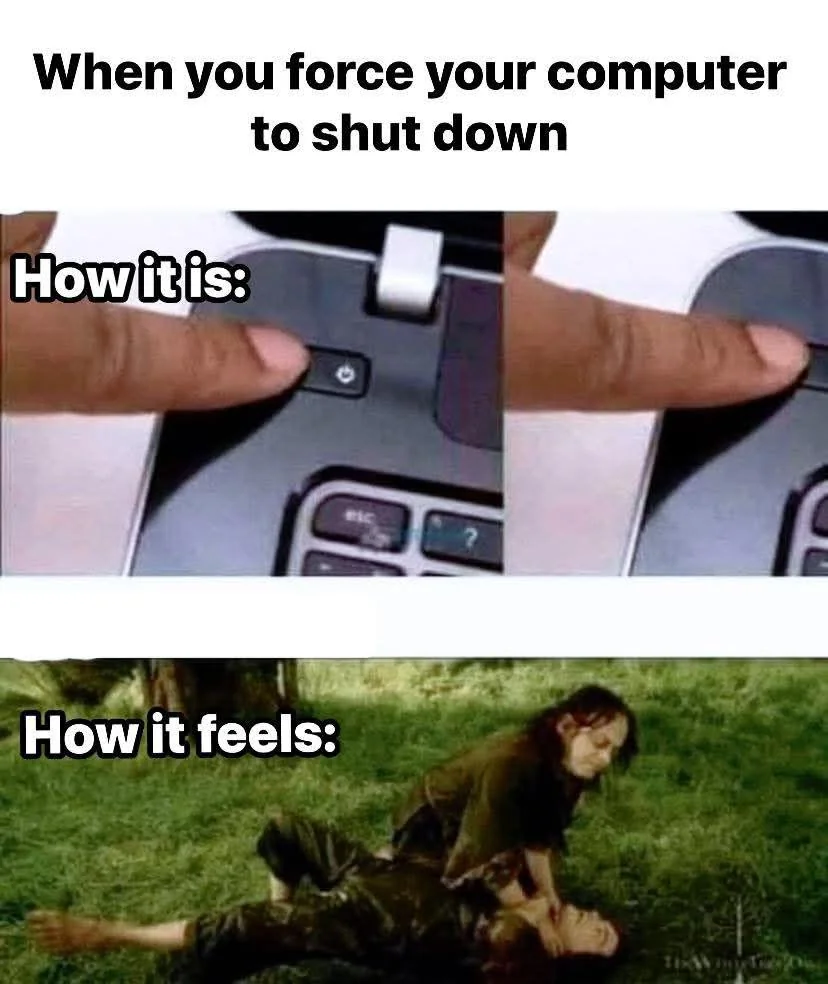
At least it tells you how long it'll take before it decides to SIGKILL whatever is holding the shutdown sequence.
Seriously, every time I gotta be out the door. Just let me shut you down.
2 months ago by cannedtuna to c/linuxmemes
TwilightKiddy 46 points 2 months ago
TwilightKiddy 15 points 2 months ago
I entrust you with this horror, go figure out what to blame. ::: spoiler shutdown-analyze.sh
#! /usr/bin/env bash
shutdown_start=$(journalctl -b -1 -u systemd-logind --grep="System is (powering down|rebooting)" --output=cat --no-pager --output-fields=_SOURCE_REALTIME_TIMESTAMP)
shutdown_start=$((shutdown_start / 1000000))
units=$(journalctl -b -1 --since=@$shutdown_start --output=cat --no-pager --output-fields=UNIT JOB_TYPE=stop CODE_FUNC=job_emit_start_message)

for u in $units; do
    stopping_start=$(journalctl -b -1 --since=@$shutdown_start -u "$u" --output=cat --no-pager --output-fields=_SOURCE_REALTIME_TIMESTAMP JOB_TYPE=stop CODE_FUNC=job_emit_start_message _SYSTEMD_UNIT=init.scope)
    stopping_end=$(journalctl -b -1 --since=@$shutdown_start -u "$u" --output=cat --no-pager --output-fields=_SOURCE_REALTIME_TIMESTAMP JOB_TYPE=stop CODE_FUNC=job_emit_done_message _SYSTEMD_UNIT=init.scope)
    duration_human=$(systemd-analyze timespan $((stopping_end - stopping_start))us | tail -1 | sed 's/.*: //')
    printf "%s\t%10s %s\n" $((stopping_end - stopping_start)) "$duration_human" "$u"
done | sort -rn | cut -f 2
:::
Thorry 4 points 2 months ago
Thanks, I usually know what it is tho. Most often it's VMs I was using for testing stuff, which I forgot to shutdown. It takes a while for them to cleanly shutdown, which is what the wait is for. I have a shortcut on my desktop to a script that checks for any running VMs still and shuts them down. But I forget to click it sometimes and then I have to wait. No big deal, except I like to switch off the power bar that powers the computer and everything attached to it. An old habit from when such a thing mattered, these days standby power is probably nothing to worry about. But still I wait patiently for the computer to shut down till I switch off the power strip.
Successful_Try543 3 points 2 months ago
Similar to angry parents.
realitaetsverlust 10 points 2 months ago
I think that depends on the setting, I had situations where one of my docker containers took ages to shutdown and it would just say 00/02 00s but when it reached that limit, it would just go up.
TwilightKiddy 6 points 2 months ago
Individual services can override the default 90 seconds timeout. But then you can override their override if you think you are smarter, of course.
picklerick 10 points 2 months ago
have i learned a new magic combo?!
RustyNova 6 points 2 months ago
My always plugged in HDD with bees on it does that. 1 minute to shutdown at least because there's always some kind of extend read or dedupe that need a sync.
... I brought this upon myself so I don't have to complain.
bjoern_tantau 3 points 2 months ago
Actually, it usually does. I was just too lazy to think of one.

Digit 6 points 2 months ago
It is weird isn't it.
Why do they make it so bad?
I imagine half of linux users could make better automated update rules in their cron.
So many better ways.
So why are they making it intentionally bad?
... Sabotage from Microsoft employees who hate Microsoft?
... Part of a larger Embrace Extent Extinguish tactic, where they've already embraced the Linux Foundation etc enough, they're ready to extinguish Windows, already having sufficient monopolistic total-control hooks in Linux???
What are they up to? There has to be a reason it's so bad. There has to be a reason they go out of their way to make it so bad.
It surely can't just be the effects of The Corporation, the hierarchies and compartmentalisations and bureaucracy of the structure where they don't understand (or even perhaps do understand [and maybe have seen Kevlin Henney's excellent talk on clean code vs enterprise programming] but) can't do anything about it, can it?
What are they building in there? We don't get to see, we don't get to know, just trust them, they know best when and how, and so you are not allowed to change it.
We are not doing that any more.
bufalo1973 3 points 2 months ago
Windows has had always a problem: unlike Unix, where files are referenced by an inode where the name points to, Windows has the names directly linked to the files. When Windows needs to update a system file that is in use it has to stop being used. And for some system files there only one way to do it: reboot. On Unix, the name of the file can change the inode where it points to and the system goes on. The old file exists until every process stops using it and then is erased while new processes access the new file. So no reboot is needed.
That leads to not having to update everything on reboot. Only the kernel and little more.
Untamed_Star 5 points 2 months ago
Windows cannot shutdown because there's a Windows open.
Eat_Your_Paisley 19 points 2 months ago
I've never used systemd to shut down
Sudo shutdown -h now works on the Mac
a_non_monotonic_function 0 points 2 months ago
Huh.
Digit 0 points 2 months ago
Glad I don't use "most distros".
Untamed_Star 3 points 2 months ago
i dunno I just normally do sudo poweroff.
Untamed_Star 1 point 2 months ago
I would delete this because it's repeated but it's too late.
AnUnusualRelic 15 points 2 months ago
What?
sync ; sync ; sync ; shutdown -h now
Or nothing!
AnUnusualRelic 10 points 2 months ago
It's traditional, it used to be done that way on old systems. It was done for extra luck I suppose.
Nowadays, shutdown syncs as a matter of fact, and filesystems are much less brittle.
TrippaSnippa 1 point 2 months ago
The machine spirit gets upset if you don't perform the correct shutdown rites. Praise the Omnissiah.
Sonotsugipaa 6 points 2 months ago
Gotta make sure the FS cache syncs.
Not too sure, hence the use of semicolons instead of double ampersands, but a moderately high level of sure.
BartyDeCanter 3 points 2 months ago
Before Linux had a shutdown command, you’d run “sync && sync && sync” then hit the power button.
AnUnusualRelic 2 points 2 months ago
Seems risky to me...
ShinkanTrain 3 points 2 months ago
why use many word when few word do trick
mushroommunk 3 points 2 months ago
Just alias whatever to "off"
LincolnsDogFido 2 points 2 months ago
I'm not nearly as into Linux as everyone here. I just hobby manage docker containers for a home server. That was my first foray into Linux like 2 years ago. For whatever reason, this broke me for a few seconds lol
dotslashme 1 point 2 months ago
I think doing just a poweroff might leave some services in an unclean state. I think systemctl poweroff make sure the services are shutdown cleanly before powering down.
rumschlumpel 2 points 2 months ago
Unless you're running a non-systemd-distro, poweroff and systemctl poweroff are literally the same ...
Digit 1 point 2 months ago
[Thanks LLM on a websearch for helping remember it was from the Sphere, not 2001, lol... different similar(ish) lines in that. ~ Wait, why am I thanking the LLM? ... Does this speak to how gratitude's good... Or in expressing this gratitude, does it suggest I suspect, on some level, perhaps subconsciously, that the LLM has feelings!?!! Oh well at least we're not putting LLMs into our local computers that we shutdown. ....]
Noobnarski 13 points 2 months ago
It's even worse, when I tell my work Windows 11 computer to shut down and I have to choose update and shutdown because it decided to do updates, sometimes it reboots a few times but then it doesn't turn off afterwards.
I'm never going to install Windows 11 on any of my devices, it's so bad.
AndyMFK 12 points 2 months ago
I bought a new mini PC the other day that shipped with windows 11. Before installing Linux I thought "I'll just boot into windows to make sure the hardware is all correct".
I got as far as the windows welcome screen and thought "it's actually just going to be faster and easier to install Debian instead of going through all this windows bullshit"
Bluewing 9 points 2 months ago
I got a new Mini a month ago. Before I even powered it up, I stabbed a USB stick into it, hit escape on boot, and killed that bitch with Kinonite.
There are two things a person needs to do when starting up a fresh new computer: First, you must bathe in the purifying waters of Lake Minnetonka, and never, ever let Windows have even a single chance to live.
Buddahriffic 8 points 2 months ago
Or my old windows 10 machine would wake itself up in the middle of the night to run updates that the group policy wouldn't even allow it to download without my permission and then just sit there. If I hadn't fallen asleep yet, I'd notice the monitor light up the next room and get up swearing at Microsoft until I tracked down where the wakeup timer was set and disabled it. Only to find it re-enabled after some updates.
Fuck Microsoft.
GamingChairModel 9 points 2 months ago
It's fun when your laptop decides to do this kind of nonsense from inside your laptop bag, smothering itself in its own heat.
Buddahriffic 2 points 2 months ago
Makes me wonder how many laptops seemed to randomly get bricked because it tried to update but then ran out of battery in the middle of it but the user just sees that their laptop had no battery left and then won't boot properly after that, never realizing it decided to update itself.
muusemuuse 3 points 2 months ago
I have a solution for this inside on my work computer. I put it on a Shelly plug. I tell homeassistant to power that on before my shift starts. When I shut down the computer at the end of my shift, the plug sees the drop in current draw and powers off that outlet.
The windows pc doesn’t even get power unless I want it to. It can starve.
Flax_vert 1 point 2 months ago
path: 0 25042419 25047565 25047692, hotness: undefined, score: 1, children: 0
Digit 1 point 2 months ago
Reminds, in my crunchbang days,
I had set up keybinds to reboot and shutdown
(in similar style to my keybinds to close window, kill window, restart window manager, kill window manager, kill X server).
Haaveilija 7 points 2 months ago
"please shut down (this is sarcasm)"
LePoisson 4 points 2 months ago
Yeah, you can even throw a /f in there to force close all apps so it will kill everything and go nighty night. I used to use it with /t command if I wanted to download something while I was out but not have the PC run all day.
That's not the best way to turn your PC off but hell half the time I just murder mine by holding down the power button anyways. As long as you're not being crazy shutting her down in the middle of some data operations you'll be fine.
lemming741 2 points 2 months ago
I have an old laptop with a w7 partition for running some old cracked software. It has never seen a shitdown, only battery pulls. Not even the warning of a long press
nautevenkidding 2 points 2 months ago
I always did a sleep 1h && systemctl suspend
cupcakezealot 7 points 2 months ago
it's now safe to turn off your computer
muusemuuse 1 point 2 months ago
It was never safe to turn it on in the first place
Unleaded8163 6 points 2 months ago
Apparently there are a lot of ways to shutdown. halt is my preference from the command line.
YoSoySnekBoi 29 points 2 months ago
I like shutdown now because it feels like I'm reprimanding my PC
Untamed_Star 3 points 2 months ago
poor pc :[
BladeFederation 3 points 2 months ago
But your PC has been such a good girl :(
HotsauceHurricane 5 points 2 months ago
Systemctl? Bro just poweroff
Dvixen 5 points 2 months ago
I was always particularly fond of windows turning my laptop on, running updates, and then going into hibernation, which then caused a blue screen trying to come out of it.
The laptop had sleep and hibernation disabled, all of the wake-on-events and automatic updates were disabled as well. (It was an older cranky thing and deserved rest - or to be taken out back and shot.)
Yet, somehow it always turned on for update day, even after I blocked it from the internet via the router.
chiliedogg 3 points 2 months ago
I enjoy the backpack detection mode they have on laptops to make sure it turns on, overheats, and drains the battery anytime you take it somewhere you'll want to use it unplugged.
Digit 2 points 2 months ago
(It was an older cranky thing and deserved rest - or to be taken out back and shot.)
Or gifted something like GNU+Linux, BSD, OpenSolaris, 9base, GNU+Ironclad, GNU(+Hurd), KolibriOS, etc, and given a new lease of life for another decade or two, and unlikely to ever suffer like it suffered under windows ever again..
boonhet 0 points 2 months ago
No operating system will change your ancient laptop's CPU to a more powerful and efficient one though. It'll feel snappier to use because there are fewer background processes, but it won't really be fast. Browsers will still be slow, so will code compilation, etc.
LiarAmongAll 5 points 2 months ago
Windows update set my PC back almost 3 years for some unknown reason, lost so much shit. That was my final fuck it this shit moment, I installed Mint last week. A little bit of a learning curve, but I'm enjoying it and not worried about everything getting ruined unless I do something dumb. I can live with my own stupid.
titanicx 5 points 2 months ago
You know I'm okay with Windows running updates I shut down or anything else like that. It's incredibly annoying when people don't run updates and then wonder why their system gets fucked up. It's just like on Linux when people just absolutely refuse to acknowledge the fact that they need to run updates. And many times I need to run the updates manually through the command line. There are quite a few gooey applications and things like that that will allow you to run updates but many times you still have to run them manually. And then something breaks and people wonder why I broke when they didn't run any updates. So in the end really who gives a fuck if it's running updates on shutdown you hit the button says run updates you tell it to run updates and you either close the lid on your laptop and walk away or you carry it till it shuts down within a few minutes and then you shut it down. Or you just let your desktop run until it's done. It's really not that big of a deal that people here seem to make it out to be and seem to make 10 different memes a day about the shutdown process on whatever OS they want to shut down.
KmlSlmk64 7 points 2 months ago
For most people, especially work computer/laptop users, making the update happen by default on restart or during sleep hours does a lot to keep the pc updated, because they would otherwise never do it themselves. There is a somewhat large minority of users who complain about such behaviour, but these are mostly people into computers anyways and can update their stuff anyways.
But the biggest gripe is the horrid implementation of the start menu power buttons in windows:
- update and restart: mostly works as you would expect - updates and boots the pc
- update and shutdown: updates the pc, and instead of leaving the pc in shutdown state, many times it just boots the pc again, working like update and restart
- restart/shutdown without updating: non-insignificant chance of it doing the update anyways
lobut 4 points 2 months ago
Thank you for mentioning the horrible implementation of the power button options.
Update and shutdown? Nah, I don't feel like it. I'm gonna restart five times also and then I'm boot into Windows.
absentbird 1 point 2 months ago
But you don't need to restart Linux for updates most of the time, basically just kernel updates, and those aren't often done more than once a month or so, less for fixed point release distros
titanicx 1 point 2 months ago
And you don't necessarily need to reboot Windows for all of their updates either if you keep it updated. But there's quite a few updates I've run on Linux especially servers that have been neglected when I've gone into companies because people are like herder I don't need to patch or update anything on linux that do require reboots.
Digit 1 point 2 months ago
It's nice to have the choice.
One of my systems [that is actually in use], I've not run an update for near as long again as how long it's been since I rebooted it, and have not even hot-patched it, nor upgraded anything, ... uptime says: "08:07:28 up 2687 days, 29 min, 1 user, load average: 0.00, 0.00, 0.00"
(And it's a gentoo... And I love upgrading long neglected gentoos... ... though that's maybe an order too far, that long. A couple years, fine, fun, but less than a year away from 3000 days (plus another grand or two). LOL. But still, the freedom to choose to do that... is nice.)
... Just before clicking Reply, I hear Richard Stallman's [paraphrased(?)] words echoing around in my mind... Either the user controls the software, or the software controls the user at the behest of someone else.
Wispy2891 0 points 2 months ago
The problem is how they install the fucking updates.
"OMG IT'S PATCH TUESDAY!!!!11111!! NEEED TO REBOOT IMMEDIATELY RIGHT NOW I MUST FORCE CLOSE ALL THE OPEN APPLICATIONS WITHOUT SAVING ANY WORK, THE USER GONNA APPRECIATE THAT"
titanicx 0 points 2 months ago
I mean it's not really horrible it's actually a pretty good idea for people that either a are not computer savvy or b wouldn't normally update without being reminded to do stuff like that. Which unfortunately for people like you and I is the vast majority of people in you know the world. Actual computer users who understand and can do it on their own are very few and far between. Think about an average company of say 5,000 people and that's a small fish company. There's an it department of what maybe 10 to 15 if that. And in that case you may be have another 20 users maybe 30 users total that have any knowledge of computers at all. That's a huge amount of people right there in a huge amount of computers that would never have any updates for patches and become vulnerable to everything from crashing to getting hacked. Without those automatic upd
Doomsider 3 points 2 months ago
It is a last ditch effort in Linux instead of the first reaction for me in Windows.
Maybe I don't just don't respect Windows. It probably goes back to things like it deciding to do an unskippable update right before I did a presentation or trying to find some obscure .dll file for hours trying to make a program work.
I get your point though.
Lemmert 2 points 2 months ago
Fair enough considering Windows also doesn't respect you. My worst experiences were the times I accidentally clicked on "update and restart" so I just had to wait there after a long night of getting a presentation or homework done. That happened a few too many times in high school.
But I barely handle updates myself these days. I have set it to automatically* apply them live for my year on Silverblue. I have something similar for my phone updating every weekend at night considering I sleep in anyway. This post did remind me how nice it is to not have to worry (or even think) about updates.
*I do manually update between major Fedora releases. But those happen twice per year so yeah.
arc99 4 points 2 months ago
This boils down to a Linux using a file system which allows files to be deleted or replaced in the inode table while something has the old file open. So it's easier (although not simple) to replace packages while other stuff is running. Whereas Windows has to shut everything else down so nothing has the file open to replace it and also fix stragglers during the next reboot.
WhyJiffie 5 points 2 months ago
its more to do with the fact that until recently linux distros did not have a desktop pc centered idea on how to do updates. but distros started to support offline updates, so you can install updates in a safer way, while the system is not running.
a major difference is that linux offline updates allows you to just shut down, without taking time with updates.
quadrant5835 1 point 2 months ago
My phone and Linux PC's now all do this. Primary partition in use. Updates apply to secondary partition. At next reboot, load the updated partition.
It's so much better that the alternative, I can't wait for Windows 14 to adopt it.
WhyJiffie 4 points 2 months ago
only atomic distros do that, and it has its downsides. most distros still only keep a single system partition, but if it does snapshots before update then it's not a big deal if something goes wrong
absentbird 1 point 2 months ago
Y-
JoeBigelow 4 points 2 months ago
Is there a "How to Linux" somewhere? I'd really like to get beyond using my CachyOS system as gui user, hell even some of the gui stuff is so alien. Felt like a lesser god when I found the repo... But terminal commands are just beyond me
lattrommi 3 points 2 months ago
This helped me quite a lot. You don't have to use arcolinux either, it's simply a guide.
https://www.arcolinux.info/learning-path/
edit i haven't used that link in awhile and i'm not sure it's the same experience anymore, some things appear to be missing. if unsure about any step, you can skip it usually. it's more of a list of things to learn.
BladeFederation 3 points 2 months ago
Nothing wrong with GUI but yeah there are a lot of resources. I don't know if I can point you to any because I usually just web search the command for the thing I want to do and add it to a long running note of Linux commands
gajahmada 3 points 2 months ago
No starch press has many such books.
"How Linux Works", "The Linux Command Line" is the one I've (partially) read.
There's also Linux From Scratch or maybe just try Arch without the install script if you have spare ssd to boot.
I've found that just selhosting shit will hit some inevitable roadblock, so it tend to end up making you read a whole bunch of documentation and at many points you will encounter new incantations which you also need the docs if you curious enough
LandBasedDaveyJones 2 points 2 months ago
Check out "Linux survival" if you're old school, LabEx if you like experiential learning more, and less explanation. Both offer exercises, both are free, but Labex has a few restrictions for free accounts, and offers a paid tier at like 9 bucks a month. And ofc you don't have to use the terminal irl, it's just easier after getting used to it. Most things have a GUI program equivalent, you just have to seek it out. Most of the time.
Edit: And also, Linux Mint and a few others are often recommended to new users for being both similarish to windows and approachable with GUI.
JoeBigelow 1 point 2 months ago
Thank you! I've used mint, liked it, tried PopOS, had some trouble with it I can't remember and instead of solving it moved to CachyOS which promised to solve the issue, and it did. I think it was Bluetooth
Digit 1 point 2 months ago
Many such efforts exist out there. [1]
Rather than link to any of those (~ in part because I don't know which one will be best for you, with each our different learning styles and needs),
I'll instead (because I know what's best for you ~ /s) offer this whimsical short path to a path of expedience, that may look a longer harder road at first, but is actually, in the longer run, the shorter road that bump-starts you from a stalled zero to a [*cringe* ~ oh am I really going to say this...?] ... linux hero. [LOL, dear goodness, what have I done? LOL. Well, you get the gist at least.] The [2nd[2]] shortest path: https://www.youtube.com/watch?v=t09IbcxAJlU <- follow the instructions in this 40s video.
It will take you to "the jump program" of learning Linux. ... and just like in the movie, The Matrix, "Everybody fails the first time." "Yeah, but what if he doesn't?"
[1: websearching for lists of basic/"essential" linux commands is one way to trickle in some learning [with a little wax-on wax-off practice]. man man can help. IDK, maybe some familiarisation with the FHS (Filesystem Hierarchy Standard), some lectures on free software philosophy, unix philosophy, and following the curiosities from there, then the "how to linux" just sort of emerges organically from the awareness. ... Things really start to take off, once you know about A: documentation (e.g. man pages (for a start)), and B: pipes (and other redirects). [Oh, and C: your package manager basic commands to install, search, remove, update list of available packages, and upgrade all packages.]]
[2: first's not relevant here... higher shelf, needs more breadth of basics before going deeper. No point learning about poly-distros if don't yet even know 1 distro. And so the 1st shortest is only shortest once already~ ... never mind. We're not supposed to talk about it. ;D]

umbraroze 3 points 2 months ago
Well, there's a reason why I shut down my Windows laptop at least 30 minutes before I have to actually leave somewhere.
My biggest annoyance isn't even Windows as such, but random applications that have auto-updaters that run when the app is closed. "Okay, time to go now." "NO! I must update this app!! Do not stop this update or hideously evil data corruption will happen!!!" ...there's no excuse for this stuff. Just do it when starting the application.
MonkderVierte 3 points 2 months ago
Systemd waiting for to terminate on shutdown is one of the reasons i've ditched it.
luciferofastora 3 points 2 months ago
I don't think I've ever had that issue. My PC shuts down within a few seconds. What kind of things would refuse to terminate?
WhyJiffie 8 points 2 months ago
a bad configuration, mostly. people love to bash systemd but this is sensible, that it does not outright kill services that aren't ready for that. if your computer shuts diwn slowly because of that, that is a configuration issue, that either a service or a mount does not stop cleanly.
MonkderVierte 1 point 2 months ago
Udev i think. Also, that's a thing Systemd is (more or less) infamous for. Which is, why this joke weirded me out a bit.
luciferofastora 1 point 2 months ago
Also, that's a thing Systemd is (more or less) infamous for.
I've never heard of it before. I don't know where it is infamous, I've never had that issue and of all the criticism I've seen levelled at Linux in general or systemd in particular, that has never been one. Maybe there was some configuration stuff, as the other reply mentioned?
MonkderVierte 1 point 2 months ago
2 min is still a bit much for a default. Make it 10 seconds.
kuerbiskernoel 1 point 2 months ago
I solve that by holding my power button, not worth the hassle of ditching systemd for me
Jankatarch 3 points 2 months ago
It's amazing that my pc is set to shut down when I press power button.
Not even "press and hold for a sec." No I just press the power and by the time I lift my finger it's already shutting down.
AlphaOmega 3 points 2 months ago
Windows 10 has had a bug for about 3 years now. Where if you choose "install update and shutdown" and instead it reboots.
f4f4f4f4f4f4f4f4 5 points 2 months ago
Windows 11. We installed a printer driver and unchecked "Restart my computer now". It attempted to restart anyway, with Windows offering to either close all programs and restart, or cancel. I clicked cancel. It restarted anyway. Nothing was lost, but still... 🤦
Armok_the_bunny 2 points 2 months ago
I thought I'd seen news that that had finally been acknowledged and fixed, or did they only fix it for 11 or something?
AlphaOmega 2 points 2 months ago
Just updated last week and didn't shut down. I also read somewhere it was fixed months ago
Digit 1 point 2 months ago
Screen off after 15 mins? Pshh... I ride xset s off ; xset -dpms ; xset s noblank. I'll restart if things get crashy from me not restarting after an upgrade upgrades any of my currently running singletons (e.g. kernel, init, x11).
rumschlumpel 1 point 2 months ago
If you're on a laptop, you often can't do that and those updates waste precious battery life.
testaccount789 1 point 2 months ago
There's sleep.
Last time I did update on my laptop, I had 40 days of uptime.
rumschlumpel 1 point 2 months ago
Sleep doesn't cut the power though, which is especially problematic on a laptop, and AFAIK if you use full disk encryption your drive remains readable (also especially problematic on a laptop).
Hibernate works, though it's kinda slow, too.
BladeFederation 1 point 2 months ago
Has anyone found a way to finagle better battery life on Linux laptops? One of my few Linux complaints is that...
rumschlumpel 2 points 2 months ago
There's powertop, but last time I've seriously tried using it was years ago. My laptop is >10 years old anyway (I've owned it for about half of that) and I almost always use it at home on AC power, the battery is probably geriatric anyway ...
LilB0kChoy 3 points 2 months ago
Windows + R cmd [enter] Shutdown -r -s -t 0 [enter]
DarrinBrunner 2 points 2 months ago
You guys turn off your computers?
Digit 2 points 2 months ago
I just push the button.
Muhahahahaha.
Okay, sometimes on a whim I'll do something like a "sudo shutdown -t 0 now". (... Muahahaha.)
Rarely shutdown my main computers though. Last time, years ago.
Better to have, and not need, than to need, and not have, right windows users?
MonkderVierte 3 points 2 months ago
halt 0
Digit 2 points 2 months ago
I've stumbled into various quirks across many systems over the decades, and, iirc, it was actually something like sudo shutdown -t secs now [(?! wat)] that resulted in reliable shutdown, contrary to all logic and presumed would-be redundancy. But, yeah, you'd think so. I don't know what the current state of shutdown's like. That was from like over 15 years ago, back when I had a X60T thinkpad I'd actually shutdown.
tuckerm 2 points 2 months ago
People give Windows a lot of flak for this, but at least it usually does turn off after finishing its updates.
MacOS is the one that will just literally ignore the fact that you told it to shut down. Or it takes forever to tell you that a program has unsaved changes. At least Windows will tell you that right away, so that you see the "something is preventing shutdown" message before you walk away from the computer. Your Mac will wait 15 minutes, and then be like, "by the way, the browser doesn't want to close."
drcobaltjedi 6 points 2 months ago
"Update and Shutdown" still acts as "Update and Restart" on windows. They added a whole new feature that is indistinguishable from the previous feature.
Though I agree macos has the problem of "well Firefox was open so I was stuck here over night"
abominable_panda 2 points 2 months ago
Last time this happened to me (read: yesterday) i ended up holding down the power button.
You dont want to shut down when i ask i will make you.
lambisio 2 points 2 months ago
clean shutdown
on systemd
CrypticCoffee 1 point 2 months ago
Lol, never happened to me in almost a decade of using systemd. Windows update was a constant blocker.
HuntressHimbo 2 points 2 months ago
I get annoyed when a stop job shows up and I have to wait a minute. On my windows machines, that minute is the baseline and I half expect it to have decided to update and reboot itself again after. The difference is night and day
Racoonwithbenefits 1 point 2 months ago path: 0 25044729, hotness: undefined, score: 1, children: 0
AceFuzzLord 1 point 2 months ago
Forgot this command! Gotta see if it'll work on my system and not start a restart when I ask for a shutdown!
Edit:
I hope to high heaven it's just an OS bug! Tried running this and the poweroff -ff commands and it just reboots my system! Now I am paranoid I somehow got a virus on my system!
rumschlumpel 1 point 2 months ago
Big fan of hibernate (systemctl hibernate on systemd systems, and you need a swap file that's at least as big as your RAM). Sure I wait some time until it's shut down and booting takes longer, too, but not having to reopen all those terminal and editor windows I'm accumulating while working is worth it.
StellarExtract 1 point 2 months ago
Yeah, I always set up my laptops to not sleep upon closing the screen, and I use hibernate instead of sleep when I need to leave and come back later. Makes moving an active system much better since I can close it without disrupting things, and hibernate uses zero battery, so it lasts indefinitely while inactive. Plus, none of that "modern standby" BS trying to connect to wifi or start the system back up while packed in a bag. That might be more an issue with my Windows work machines though.
ILikeBoobies 1 point 2 months ago
You can get around the updates by shutting down from CLI on Windows.

linuxmemes
@lemmy.world
33079
2390
6507
Hint: :q!
Sister communities:
Community rules (click to expand)
1. Follow the site-wide rules
- Instance-wide TOS: https://legal.lemmy.world/tos/
- Lemmy code of conduct: https://join-lemmy.org/docs/code_of_conduct.html
2. Be civil
- Understand the difference between a joke and an insult.
- Do not harrass or attack users for any reason. This includes using blanket terms, like "every user of thing".
- Don't get baited into back-and-forth insults. We are not animals.
- Leave remarks of "peasantry" to the PCMR community. If you dislike an OS/service/application, attack the thing you dislike, not the individuals who use it. Some people may not have a choice.
- Bigotry of any kind will not be tolerated. This is an LGBTQ+-friendly community -- if that is a problem for you, you should leave.
3. Post Linux-related content
- Including Unix and BSD.
- Non-Linux content is acceptable as long as it makes a reference to Linux. For example, the poorly made mockery of
sudoin Windows. - No porn, no politics, no trolling or ragebaiting.
- Don't come looking for advice, this is not the right community.
4. No recent reposts
- Everybody uses Arch btw, can't quit Vim, <loves / tolerates / hates> systemd, and wants to interject for a moment. You can stop now.
5. 🇬🇧 Language/язык/Sprache
- This is primarily an English-speaking community. 🇬🇧🇦🇺🇺🇸
- Comments written in other languages are allowed.
- The substance of a post should be comprehensible for people who only speak English.
- Titles and post bodies written in other languages will be allowed, but only as long as the above rule is observed.
6. (NEW!) Regarding public figures
We all have our opinions, and certain public figures can be divisive. Keep in mind that this is a community for memes and light-hearted fun, not for airing grievances or leveling accusations.
- Keep discussions polite and free of disparagement.
- We are never in possession of all of the facts. Defamatory comments will not be tolerated.
- Discussions that get too heated will be locked and offending comments removed.
Please report posts and comments that break these rules!
Important: never execute code or follow advice that you don't understand or can't verify, especially here. The word of the day is credibility. This is a meme community -- even the most helpful comments might just be shitposts that can damage your system. Be aware, be smart, don't remove France.
go to feed...
linuxmemes
@lemmy.world
33079
2390
6507
Hint: :q!
Sister communities:
Community rules (click to expand)
1. Follow the site-wide rules
- Instance-wide TOS: https://legal.lemmy.world/tos/
- Lemmy code of conduct: https://join-lemmy.org/docs/code_of_conduct.html
2. Be civil
- Understand the difference between a joke and an insult.
- Do not harrass or attack users for any reason. This includes using blanket terms, like "every user of thing".
- Don't get baited into back-and-forth insults. We are not animals.
- Leave remarks of "peasantry" to the PCMR community. If you dislike an OS/service/application, attack the thing you dislike, not the individuals who use it. Some people may not have a choice.
- Bigotry of any kind will not be tolerated. This is an LGBTQ+-friendly community -- if that is a problem for you, you should leave.
3. Post Linux-related content
- Including Unix and BSD.
- Non-Linux content is acceptable as long as it makes a reference to Linux. For example, the poorly made mockery of
sudoin Windows. - No porn, no politics, no trolling or ragebaiting.
- Don't come looking for advice, this is not the right community.
4. No recent reposts
- Everybody uses Arch btw, can't quit Vim, <loves / tolerates / hates> systemd, and wants to interject for a moment. You can stop now.
5. 🇬🇧 Language/язык/Sprache
- This is primarily an English-speaking community. 🇬🇧🇦🇺🇺🇸
- Comments written in other languages are allowed.
- The substance of a post should be comprehensible for people who only speak English.
- Titles and post bodies written in other languages will be allowed, but only as long as the above rule is observed.
6. (NEW!) Regarding public figures
We all have our opinions, and certain public figures can be divisive. Keep in mind that this is a community for memes and light-hearted fun, not for airing grievances or leveling accusations.
- Keep discussions polite and free of disparagement.
- We are never in possession of all of the facts. Defamatory comments will not be tolerated.
- Discussions that get too heated will be locked and offending comments removed.
Please report posts and comments that break these rules!
Important: never execute code or follow advice that you don't understand or can't verify, especially here. The word of the day is credibility. This is a meme community -- even the most helpful comments might just be shitposts that can damage your system. Be aware, be smart, don't remove France.
go to feed...
save